- >
- Workflow Software>
- Everything You Need to Know About Hyperautomation
What Is Hyperautomation? A Complete Guide for 2026
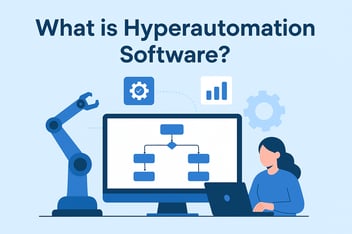
Hyperautomation is a business-driven strategy for automating whole business processes across an organization. It combines artificial intelligence (AI), machine learning (ML), robotic process automation (RPA), and other tools to discover, automate, and orchestrate that work.. Unlike traditional automation, which handles a single repetitive task, hyperautomation connects tools so entire workflows run across departments with minimal manual hand-offs.

TL;DR
Hyperautomation is a strategy that combines AI, ML, RPA, and other tools across whole processes.
- Gartner named hyperautomation a top strategic technology trend for 2020, and most vendor guides build on its framing.
- RPA handles rule-based steps, AI and ML handle decisions, and process mining finds what to automate next.
- Invoice-to-pay, finance approvals, and employee onboarding are the worked examples in this guide.
- Every hyperautomated process still needs a named human owner for exceptions and an audit trail IT can inspect.
The trigger is usually a process that breaks at a hand-off: an invoice waits in someone’s inbox, or a new hire starts without a laptop. Hyperautomation connects the steps on either side of those hand-offs.
This guide covers six things:
- the seven technologies in a hyperautomation stack
- worked examples written as step-by-step handoffs
- the benefits and the market forces behind them
- how hyperautomation differs from RPA and intelligent automation
- the challenges of setting it up
- the governance question: who owns the step where a person still decides
How does hyperautomation work?
Hyperautomation works as a repeating cycle. Gartner describes it in seven steps: discover, analyze, design, automate, measure, monitor, and reassess.
Each pass through the cycle finds the next process worth automating, so the work extends from manual tasks into decisions, compliance, and reporting.
In practice, the cycle connects four kinds of work:
- Process mining and analytics find the steps worth automating and measure the results once they run.
- Bots and AI models carry out the rule-based and judgment-based steps.
- Workflow orchestration connects people, bots, and AI systems so work moves between departments without manual hand-offs.
- Low-code tools let business units build and change workflows within limits IT has set.
The result turns static, rule-based automation into a system that changes as the business does. It still has to meet governance, security, and compliance standards across the whole technology stack. That last requirement is where programs often struggle, which is why governance gets its own section below.
What are the key technologies in hyperautomation?
Hyperautomation relies on a stack of seven technologies. RPA is the base layer:
- Robotic process automation (RPA): Software bots mimic human actions to handle repetitive, rule-based tasks such as data entry, reconciliations, and report generation.
- Artificial intelligence (AI) and machine learning (ML): AI interprets unstructured data such as contracts, images, and customer conversations, and ML learns from outcomes to improve predictions and decisions.
- Process mining and task mining: Process mining analyzes system logs to show how work actually flows, and task mining observes daily activity to find repetitive steps worth automating.
- Intelligent document processing (IDP): Optical character recognition (OCR) and natural language processing (NLP) turn invoices, claim forms, and contracts into structured data that bots and workflows can use.
- Visual development platforms: Visual builders let IT teams and process owners create apps, forms, and workflows without writing traditional code.
- Workflow orchestration and business process management (BPM): Orchestration routes approvals and exceptions to the right person, connects bots and systems across departments, and keeps an audit trail of every step.
- Integration and APIs (iPaaS): Integration platform as a service (iPaaS) and APIs move data between systems of record such as SAP, Oracle, Salesforce, and Workday so nobody re-keys it.
How do these technologies fit together?
RPA is the foundation, but it does not work in isolation. Take a bot that copies invoice data from emails. In a hyperautomated process, that same bot also triggers a workflow that verifies supplier information, routes approvals, and updates financial systems.
The other layers each add something RPA lacks:
- Low-code tools reduce the IT backlog that slows delivery.
- AI adds judgment. A support chatbot built this way goes beyond answering FAQs: it reads tone, escalates complex queries, and personalizes responses.
- Advanced analytics sits across the stack to measure cost, cycle time, and compliance. For example, analytics might show that automating most expense-claim processing cuts cycle times but needs more AI models to handle the exceptions.
One limitation applies to the whole stack. Without process mining first, teams risk automating broken processes, and that lowers return on investment.
What are examples of hyperautomation?
The clearest examples are chains of handoffs: document AI reads, a bot enters, a workflow routes, and a person decides. Each example below ends at a human decision, because that is where real processes end.
Invoice-to-pay
- Intelligent document processing reads each incoming invoice with OCR and extracts the vendor, amount, and purchase order number.
- An RPA bot enters the data into the ERP, such as SAP or Oracle, and matches it against the purchase order and goods receipt.
- The workflow routes matched invoices to approvers by spend threshold and sends any mismatch to the accounts payable owner.
- After approval, the integration layer triggers payment in the ERP and stores the full trail for audit.
Compare this with plain automation. Automating invoice data entry with RPA is automation. Adding AI to verify vendor data, workflows to route approvals, and analytics to track spend in real time is hyperautomation.
Finance approvals
AI-powered OCR scans expense claims and receipts. ML models flag unusual patterns and check each claim against the travel and expense policy. Standard claims are approved automatically, and the workflow routes only the exceptions to a finance reviewer.
Employee onboarding across HR, IT, and finance
A new-hire record in the HRMS, such as Workday, triggers the workflow. Orchestration then coordinates the steps across teams:
- generating the contract
- verifying documents
- provisioning IT accounts and equipment
- setting up payroll
- scheduling training
When a step fails, the exception goes to the team that owns it. A missing tax form goes to HR, and a delayed laptop goes to IT. Nobody chases updates by email.
What other processes do teams hyperautomate?
- Appointment scheduling: Bots cross-check records, ML adjusts staff schedules, and automated reminders go out without staff intervention.
- Vendor onboarding: Document AI checks supplier certificates, a bot creates the vendor record in the ERP, and the workflow routes approval to procurement and finance.
- Expense audit: AI flags out-of-policy spending and escalates it to a finance reviewer.
- IT service requests: A request triggers provisioning, a bot updates the asset register, and only unusual requests wait for an IT approver.
- Contract review: AI extracts key terms so legal reviews only the clauses that need judgment.
- Predictive maintenance: Sensors and ML predict machine failures, and automated alerts flag supply chain delays.
- Underwriting: Automated risk assessments prepare each case so an underwriter reviews only what needs judgment.
What are the benefits of hyperautomation?
Most of the savings come from replacing repetitive manual work and cutting cycle times. Hyperautomation delivers five benefits, and each builds on the last.
Faster modernization without rebuilding core systems
Most modernization programs stall on legacy systems and IT bottlenecks. Hyperautomation connects old and new systems, so teams digitize processes without heavy custom coding and move from isolated pilots to change across departments. For the legacy side of that problem, see this guide on legacy modernization.
Higher productivity
When bots take repetitive work, employees spend their time on customers, product, and planning. A sales manager no longer spends hours consolidating reports, because the dashboard builds itself in real time.
Lower operating cost
Hyperautomation reduces errors and rework and consolidates redundant tools. Consolidation also cuts the hidden cost of unmanaged tools that teams adopt on their own.
Stronger compliance and governance
Manual processes leave inconsistent execution and missing audit trails. Hyperautomation embeds rules and checks into workflows, so every purchase order above its spend threshold follows the required checks and leaves a traceable record for auditors.
Greater agility
Markets, regulations, and supply conditions shift quickly. Teams redesign workflows on low-code tools, retrain AI models, and re-route processes. This lets them launch services and respond to risk faster than organizations tied to rigid systems.
Map your highest-volume approvals before you add another tool: read the enterprise guide to workflow automation.
Why are CIOs prioritizing hyperautomation now?
The pressure comes from processes that cross departments, where single-team automation stops at the hand-off.
What is driving hyperautomation investment?
Market-size estimates vary widely between research firms. The more useful signal for a CIO sits inside the organization: how many cross-department processes still break at a hand-off, and how many tools each department has bought on its own.
What separates leaders from organizations stuck in pilots?
Organizations stuck in pilots usually automate inside one department. The ones that scale pick processes that cross departments and decide early who owns each exception.
The lesson for CIOs is architectural. Individual automation projects deliver incremental value, while connected programs compound value across operations. That only holds if a CIO-led governance framework stops initiatives from fragmenting into costly, uncontrolled sprawl.
How is hyperautomation different from RPA and intelligent automation?
RPA automates a task, intelligent automation adds judgment to a process, and hyperautomation is the organization-wide strategy that connects both. The table shows what hyperautomation adds to the automation you already run.
|
Dimension |
Traditional automation (RPA) |
Intelligent automation |
Hyperautomation
|
|---|---|---|---|
|
Scope |
Repetitive, rule-based tasks, such as invoice data entry |
Individual processes that need some judgment |
Complete workflows across functions and the whole organization |
|
Technologies |
RPA or macros |
RPA combined with AI and ML |
RPA, AI, ML, process and task mining, IDP, low-code/no-code, BPM, and iPaaS |
|
Where decisions happen |
Fixed rules written in advance |
AI models inside the process |
AI models, with exceptions routed to named human owners |
|
Who governs |
The team that built the bot |
Process owners and automation specialists |
IT sets shared standards, and business teams build within them |
|
Impact |
Saves time on individual tasks but stays limited in scope |
Handles unstructured inputs and simple decisions |
Connects processes that adapt as conditions change |
How do you govern hyperautomation and keep humans in the lead?
Every example in this guide ends in the same place: a person approves, rejects, or fixes something. Governance decides who that person is, what they see, and what record their decision leaves.
Why does tool sprawl become the first governance problem?
Tool sprawl is often the first governance gap, and the pattern is familiar.Finance buys a bot, HR adopts a separate workflow tool, and a data team trains its own model. Each works on its own, but nobody owns the hand-offs between them. That is why a single, governed workflow layer matters more than the number of tools in the stack.
Who should own each exception?
Assign every exception type a named owner before go-live. Examples include an invoice that does not match its purchase order, a claim the fraud model flags, or an onboarding step that stalls in IT. The workflow should route each exception to that owner with the context needed to decide, and then record the decision. Without this, exceptions fall back to email, and the process quietly stops being automated.
What should the audit trail capture?
An audit trail should capture every automated and every manual action, timestamped and attributed to a bot, a model, or a person. Role-based access control limits who can approve, edit, or override each step. When an auditor asks why a payment went out, the answer should come from the log in minutes.
How do you keep business-built workflows under IT control?
A center of excellence sets standards and prioritizes processes. A CIO-led governance model then provides three things:
- standardized tools and platforms across departments
- clear ownership of each automation initiative
- a deliberate balance between business-led building and IT oversight
Business users can build apps, but IT approves deployments, so speed never turns into unmanaged tool sprawl. Governance is what makes that speed safe at enterprise scale.
Where does Kissflow fit in a hyperautomation stack?
Kissflow is an AI-powered enterprise application platform that combines AI and visual development to put the power of custom software in the hands of the people who understand the work.
Within a hyperautomation stack, it works as the governed execution and exception layer around systems of record such as SAP, Oracle, Salesforce, and Workday. It handles the structured work that falls at the edges of what the core systems were built to do, and it never replaces them. Business teams and IT build, automate, and govern workflows on one platform, driven by business logic, not code.
Its controls cover four areas:
- Audit: audit logs with every action timestamped and attributed.
- Architecture: the platform operates in the business-process layer, segmented from core systems.
- - Compliance: SOC 1 Type II, SOC 2 Type II, SOC 3, ISO/IEC 27001, HIPAA, GDPR, and CCPA, with a 99 percent uptime SLA.
Kissflow is one layer of the stack. It sits alongside the RPA, document AI, and process mining tools a team already runs.
What are the challenges of hyperautomation?
Hyperautomation initiatives stall on structure and people more often than on technology. Four challenges come up repeatedly.
Integration complexity
Most enterprises run a mix of legacy systems, modern SaaS, and departmental tools. APIs are missing, data formats are inconsistent, and some critical systems resist automation. Hyperautomation needs RPA bots, AI engines, workflow tools, and ERP or CRM systems to work together. Without planning, the result is isolated “islands of automation.” CIOs turn to platforms with pre-built connectors to cut custom coding.
High initial investment
Licenses are the smallest part of the bill. Programs also need platforms, infrastructure, governance frameworks, and training to design workflows, train AI models, and maintain bots. Process mining initiatives need their own budget. Long-term savings come from connected processes, so leaders who chase immediate ROI miss the cumulative value.
Data privacy and security
Bots and AI models handle sensitive data. That includes customer identity documents in finance teams and personal records in HR. Encryption, access control, and audit logs need to be designed in from the start. Platforms should comply with frameworks such as GDPR, HIPAA, SOC 2, or ISO/IEC 27001, so automation closes vulnerabilities.
Change management
Employees hear “automation” and worry about their jobs. In practice, hyperautomation shifts people toward higher-value work. Resistance grows when employees are left out of the design or handed unfamiliar tools without training. Communicate the benefits clearly, involve employees early, and share examples where automation improved the work. Otherwise adoption slows and teams fill the gap with unmanaged tools.
What are the key practices for hyperautomation success?
Five practices separate programs that scale from programs that stall.
- Choose the first process by its hand-offs. Pick a high-value, low-complexity process that crosses at least two teams, such as expense approvals or employee onboarding, so the first project tests orchestration as well as a bot.
- Build fusion teams. Fusion teams combine business users, process experts, and IT leaders, so the people who know the process design it with the people who run the systems.
- Invest in a unified platform. Separate RPA vendors, multiple workflow systems, and standalone AI models add cost and remove visibility. A single platform for automation, integration, orchestration, and analytics simplifies governance. For the SAP-specific version of this choice, read about SAP hyperautomation.
- Design governance in from day one. Embed security policies, compliance checks, and access controls directly into workflows.Business teams can build apps quickly while IT controls what goes live.
- Measure ROI continuously. Track hours saved per process, reduction in error rates, customer satisfaction scores, and time to market for new products or services.A finance team that can show faster approval cycles, measured against the baseline it recorded before automating, has the case to extend automation into compliance reporting.
What is the future of hyperautomation?
Hyperautomation is moving toward processes that correct themselves and systems that adjust in real time.
Four directions stand out:
- AI-led automation that learns and adapts with less manual tuning.
- Hyperautomation as a service (HaaS), which delivers automation stacks from the cloud.
- Digital twins of the organization that give real-time visibility into operations.
- Wider adoption: finance and operations teams lead today, while manufacturing and procurement teams are expanding their use cases.
Even highly automated processes will route the decisions that carry legal, financial, or ethical weight to accountable people. That keeps humans in the lead.
Frequently asked questions
What is hyperautomation in simple terms?
Hyperautomation means using several technologies together, such as AI, machine learning, and RPA, so a whole process runs from the first document to the final approval with few manual hand-offs. A person still decides the exceptions.
What is the meaning of automation?
Automation means using software to carry out work that people would otherwise do by hand, such as data entry, reconciliations, or report generation. Traditional automation typically handles a single repetitive task. Broader approaches such as intelligent automation and hyperautomation add AI and connect many tasks into complete processes.
Will RPA be replaced by AI?
No. AI and RPA do different jobs in the same process. RPA handles repetitive, rule-based steps, while AI and ML interpret unstructured data and handle decisions. Hyperautomation combines the two with workflow orchestration.
What are the benefits of using RPA?
RPA takes over repetitive, rule-based work like data entry and reconciliations, saving time on individual tasks. That frees employees to spend more time on customers, product, and planning. Its limit is scope: on its own it stays confined to individual tasks and does not make decisions.
What are five examples of automation?
Five common examples are invoice-to-pay, finance approvals, employee onboarding across HR, IT, and finance, vendor onboarding, and returns management. In each one, software moves the routine steps and a named person handles the exceptions.
Where should you start with hyperautomation?
Hyperautomation rewards connected processes. The organizations pulling ahead have stopped asking which bot to buy next. They ask which cross-department process still breaks at a hand-off, and who owns the decision when it does.
That framing changes the investment order. Map one cross-department process first, then add RPA, document AI, and orchestration where the map shows friction, and govern the exceptions from day one. A stack without governance becomes a pile of unmanaged tools with better marketing. A governed stack lets business teams move quickly without routing around IT.
Pick one process that spans HR, IT, and finance, or procurement and accounts payable, and trace every approval it touches.Start with the guide to office process automation and map your first cross-department process against it.
Related Articles