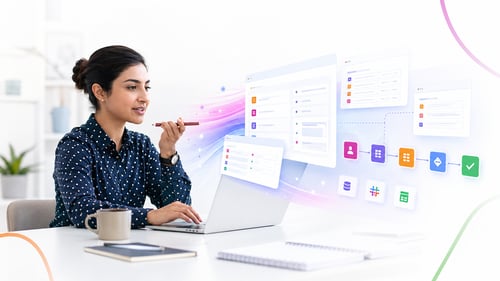
Prompt-to-app describes a new category of business software where a user describes an application in natural language and the platform generates the working form, workflow, and data model. It changes who builds enterprise software by making the description, not the code, the starting point of every new app.
The shift you can feel but cannot quite name
Last year, asking a business platform to build you an app sounded ambitious. This year, it sounds reasonable. The shift is partly the technology and partly the people. Operations managers, finance leads, HR partners, and other domain experts who never wrote a line of code are quietly building the tools their teams actually use.
The numbers from analysts back the pattern. Gartner predicts that by 2026, 80 percent of low-code platform users will be developers outside formal IT departments. The same firm forecasts that 75 percent of new application development by 2026 will happen on low-code platforms, up from 40 percent in 2021.
Forrester's 2025 Developer Survey adds a sharper data point. 89 percent of development executives reported that their firms are either currently implementing or actively planning a citizen developer strategy. The strategy is no longer optional. It is the default.
What prompt-to-app actually means
The core idea is simple. You describe the application you need in plain English. The platform interprets the description, builds the data model, generates the forms, sketches the workflow, and gives you something working to refine.
Take a concrete prompt. An IT operations manager types: "I need an approval workflow for IT equipment requests. Anyone below the director can request. Anything over $1,500 needs finance approval. Anything for laptops needs an IT review first. Track who requested what and when it was fulfilled."
A platform that supports prompt-to-app reads that description and produces a request form with the right fields, a workflow with the conditional routing rules, and a tracking view that the team can use the next morning. The rest of the time goes into refining what is already there, not building from a blank page.
A three-minute example, end-to-end
Imagine an operations manager who needs a vendor onboarding tracker. She opens the platform and types:
"Create a vendor onboarding workflow. New vendors submit company name, contact details, services offered, and tax documents. Procurement reviews, then legal checks the contract, then finance sets up payment terms. Notify the requester at each stage."
In a few seconds, she sees a form with the right fields, a four-stage workflow with the right routing, and a dashboard for procurement to see open requests. She tweaks two fields, adds a preferred currency dropdown, and shares it with her team. The first vendor submission lands at lunchtime.
That is the shift in plain terms. The bottleneck used to be the gap between knowing what you needed and explaining it to someone who could build it. Now the description is the build.
What stays in IT's lane
The platform is the floor, not the ceiling. A business user can build an approval workflow. They are not going to build a system that integrates with the ERP, handles complex permissions, or supports thousands of concurrent users without help.
That is by design. Enterprise software requires governance. A platform that lets anyone build anything without rules is not a platform; it is an audit finding waiting to happen.
The right setup keeps the business user in the building seat, with IT setting:
-
Which data sources can an app connect to
-
Who can publish an app, and who can only draft one
-
What approval is needed before an app goes to production
-
How sensitive data is handled across user-built apps
-
Which integrations are governed centrally versus available to all builders
Forrester's research found that 87 percent of enterprise developers now use low-code platforms for some part of their work. The line between business user and developer is dissolving, but the line between governed and ungoverned is sharper than ever.
What the prompt does not do
A natural-language prompt does not replace product design. It accelerates the first draft. The judgment about whether the workflow matches how a team actually works, whether the data captured will support reporting later, and whether the app will scale beyond ten users still belongs to the human in front of the screen.
This is the difference between AI as a starting point and AI as a finishing product. Used as a starting point, it cuts days off every new build. Used as a finishing product, it produces apps that fall apart at the first edge case.
Why the build-and-forget problem is real
The other risk with prompt-driven app building is what happens after the prompt. If the platform generates code under the hood, that code lives somewhere. Six months later, the policy changes, a new field is needed, or the data source updates. The person who described the app cannot maintain it because the output was never readable. IT inherits the maintenance burden of an app it did not build, and the savings the prompt promised quietly evaporate.
McKinsey's 2025 survey found that 64 percent of organizations say AI is enabling their innovation, but only 39 percent see EBIT impact at the enterprise level. The gap is partly attributable to apps and workflows that work on day one and decay over the months that follow. The maintenance question is not optional, it is the second half of the ROI.
Where prompt-to-app fits in the daily work of a business team
The clearest test of whether a prompt-to-app capability is real is whether a business user reaches for it on a Tuesday afternoon, not just at the quarterly innovation workshop. The use cases that earn that reach tend to share a profile. They are repetitive, small in scope, owned by a single team, and have been waiting in IT's queue for months.
A few examples that show up most often:
-
A procurement team needs a vendor risk-questionnaire tracker that the existing ERP cannot host
-
An HR business partner needs a referral-bonus workflow that the HRIS does not model
-
A facilities lead needs a desk-booking tracker for a hybrid office that the CRE software does not handle
-
A finance analyst needs a customer-credit-extension request flow that lives outside the billing system
-
A customer success manager needs an account-health intake form that feeds the QBR deck
None of these is large enough to justify an IT project. All of them are large enough to slow down the team that lives with them. Prompt-to-app is built for exactly this gap.
How Kissflow turns a prompt into a maintainable app
Generative AI in Kissflow generates blueprints, not code. A blueprint is the structured definition of an application: the forms, the data model, the workflow rules, the permissions, all of it readable and editable by the business user who described the app in the first place.
That distinction is the whole point. Code generated from a prompt may run on day one, but it cannot be maintained, audited, or extended by the person who asked for the app. A blueprint can. When the policy changes, the blueprint changes. When a new field is needed, the blueprint absorbs it. The application's logic remains visible, versioned, and owned by the people who understand the work.
Today, that capability is in production across Kissflow's customer base. Humans own the blueprint, and AI assists at friction points, generating the initial app, form, workflow, or integration from a natural-language description. The next phase, in active development, adds a learning layer so the system improves on past prompts. The architecture choice underneath both is the same: structured, governable definitions that survive day 30, day 90, and day 365.
Frequently asked questions
1. Can AI really build an enterprise app from a prompt?
AI can generate a working first draft of an enterprise app from a natural-language description, including the form, the workflow, and the data model. A human still reviews and refines the result before it goes live.
2. What is the difference between prompt-to-app and low-code?
Low-code is a building method that uses visual configuration instead of typing code. Prompt-to-app uses natural-language description as the starting point, then often hands the user a low-code interface to refine the result.
3. Who is prompt-to-app actually for?
It is most useful for operations managers, HR partners, finance leads, and other domain experts who know exactly what they need but lack the time or skills to build from scratch. IT teams also use it to accelerate their own work.
4. Is it safe to let business users build apps?
Yes, when the platform enforces guardrails. The right setup gives business users a sandbox with pre-approved data sources, integration limits, and a review step before any app goes to production.
5. What is the catch with AI-generated code?
Generated code is hard to maintain, audit, or extend. Months after the initial generation, the logic of the application is often opaque to the person who asked for it. Generated blueprints stay readable and editable.
6. Does prompt-to-app eliminate the need for IT?
No. It changes the role of IT from builder of every app to enabler of every builder. IT defines the rules, the integrations, and the governance. Business users build inside those boundaries.
Related topics:
Agentic AI and Low-Code: What CIOs Need to Know Before the Next Budget Cycle
How to Measure ROI on AI-Assisted Low-Code Development: A CFO-Ready Framework
API-First Enterprise: How Low-Code Platforms Connect Your Tech Stack Without Custom Glue Code
Platform Engineering for the Non-Platform Engineer: How Low-Code Supports Internal Developer Platforms