
Low-code vs No-code: Differences, Benefits, and How to Choose - Updated 2026
Low-code vs no-code refers to two approaches to application development that reduce or eliminate the need for manual coding. Low-code platforms require minimal coding and are designed for developers, while no-code platforms require no coding and are built for business users to create applications and automate workflows.
TL;DR
- Low-code needs minimal coding and is built for developers and IT teams who want speed with control.
- No-code needs no coding at all and is built for business users and citizen developers.
- Low-code wins on flexibility, integration, and enterprise scale; no-code wins on speed and simplicity.
- Choose low-code for complex, integrated, governed apps; choose no-code for simple, single-team tools.
- Forrester projects the low-code market could approach 50 billion dollars by 2028.
Low-code vs no-code describes two ways to build apps with little or no manual coding. Low-code needs minimal code and suits developers, while no-code needs none and suits business users.
Low-code and no-code platforms are changing how enterprises build apps, automate workflows, and reduce dependence on traditional development. Instead of relying only on engineering teams, businesses can build scalable solutions faster using visual tools.
Most teams searching for "low-code vs no-code" are not just looking for definitions. They are making a real decision: which platform should we invest in, and why. This guide walks through the actual differences, real examples, and a clear decision framework.
What are low-code and no-code platforms?
Low-code and no-code platforms are application development tools that let businesses build software with minimal or no manual coding. Both use visual interfaces to simplify how apps get built.
They rely on drag-and-drop builders, prebuilt components, and configurable logic. Instead of writing code from scratch, users assemble applications from reusable modules and guided workflows.
Low-code platforms are designed for developers and IT teams who want to build faster while keeping the option to customize with code. They suit enterprise app development, workflow automation, system integrations, and scalable internal tools.
No-code platforms are built for business users with no programming knowledge. They suit simple workflow automation, form-based apps, task management tools, and departmental apps.
The core difference in approach is simple. Low-code favors flexibility and scale, while no-code favors ease of use and speed for non-technical users.
What is low-code?
Low-code is a development approach that uses visual tools, drag-and-drop components, and prebuilt logic to build apps faster. It still allows custom code when needed, which is what makes it powerful for enterprise use.
The target user is not a beginner. Low-code platforms are built for IT professionals, developers, and technically-minded ops leads who want to move fast without writing everything from scratch.
Think of it as a middle ground between building from scratch and using a rigid off-the-shelf tool. You get speed without giving up control.
Learn more: What is low-code

 Kissflow free ebook
An ultimate guide to low code development

Thank you for downloading
What is no-code?
No-code platforms let non-technical users build apps without writing a single line of code. Everything happens through visual interfaces, drag-and-drop editors, and prebuilt templates.
The target user is a business analyst, operations manager, or department lead who needs to solve a problem fast and has no IT resources to spare.
No-code tools work well for lightweight, self-contained applications. The tradeoff is that customization is limited, and scalability can become a problem as needs grow.
The actual difference between low-code and no-code
On paper, the distinction looks simple. One needs a little code, the other needs none. But that framing misses the point for most enterprise teams.
The real difference is not about syntax. It is about ceiling height.
No-code platforms are closed systems. The people who built the platform also decided what you can and cannot do in it. That is fine when your requirements are narrow. But the moment you need a custom integration or a workflow the platform did not anticipate, you hit a wall.
Low-code platforms are open by design. They give you visual tools to move fast, but they also let you extend, override, or connect to anything when standard configuration is not enough.
Another way to think about it: no-code is a finished product, and low-code is a toolkit. Both solve real problems, but different kinds of problems.
Low-code vs no-code: side-by-side comparison

Low-code and no-code are often used interchangeably, but they serve different purposes. Understanding the differences helps teams choose based on complexity, scale, and user expertise.
|
Feature |
Low-code |
No-code |
|
Target users |
IT teams, developers, ops leads |
Business users, non-technical staff |
|
Coding required |
Minimal, used only when needed |
None at all |
|
Flexibility |
High, custom logic and integrations |
Limited, works within platform rules |
|
Scalability |
Enterprise-grade |
Limited, suits small standalone apps |
|
Customization |
Advanced, extend with code when needed |
Basic, prebuilt templates only |
|
IT governance |
Built-in controls, roles, and audit trails |
Minimal, shadow IT risk is real |
|
Integrations |
ERP, CRM, APIs, legacy systems |
Limited or plugin-dependent |
|
App complexity |
Complex, multi-step, cross-functional |
Simple, single-purpose |
|
Best for |
Enterprise workflows and apps |
Quick prototypes, departmental tools |
The line between low-code and no-code is starting to blur. Some platforms now offer both, so IT teams and business users work in the same environment without stepping on each other.
Low-code vs no-code: five dimensions that matter for enterprise decisions
Feature lists are easy to compare. What is harder to see is how these differences show up in practice. Here are the five dimensions that tend to make or break the decision.
|
Dimension |
Low-code |
No-code |
Why it matters for enterprise |
|
Integration |
Full API, ERP, CRM, legacy support |
Limited connectors, plugin-dependent |
Most enterprise workflows span systems. Limited integration creates data silos. |
|
Governance |
Role-based access, audit logs, IT controls |
Minimal, apps often bypass IT review |
Without governance, no-code quietly becomes shadow IT and compliance risk grows. |
|
Scalability |
Built to grow with users and complexity |
Hits limits fast beyond simple use cases |
A tool that works for ten people may break at one hundred. Rebuilding is expensive. |
|
Customization |
Extend with code when visual tools fall short |
Confined to what the platform allows |
Unique business logic rarely fits prebuilt templates. Low-code gives the escape hatch. |
|
Collaboration |
IT and business users on one platform |
Business-only, IT often excluded |
Shared platforms reduce back-and-forth and let IT support what business teams build. |
A 2023 Forrester report noted the low-code development platform market reached 13.2 billion dollars by the end of 2023, with governance and integration depth cited as top reasons enterprises chose low-code over no-code alternatives.
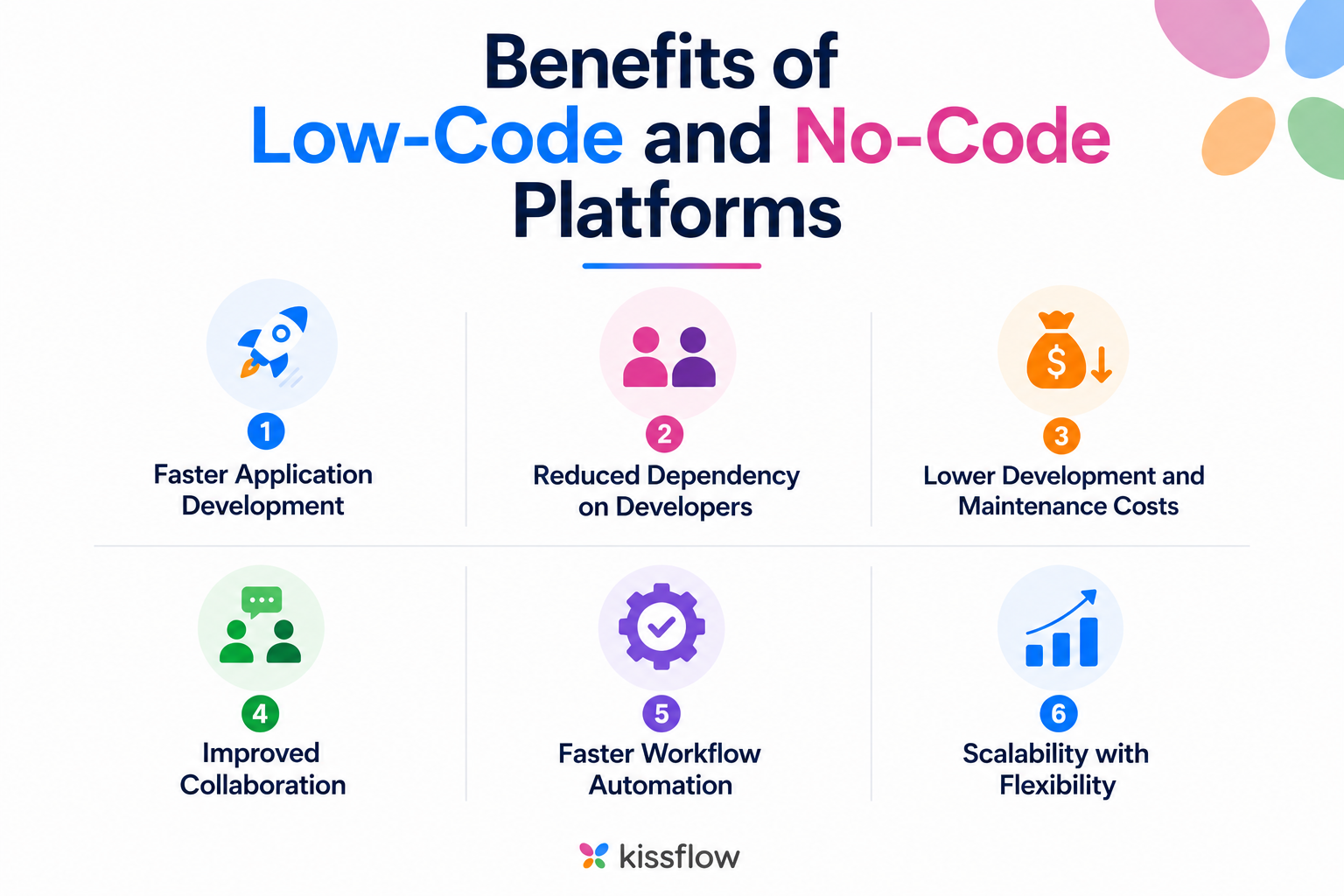
Benefits of low-code and no-code platforms
Both approaches deliver real value. The benefits show up fastest when the platform matches the use case.
-
Faster application development. Visual builders and prebuilt components let teams launch apps in weeks instead of months.
-
Reduced dependency on developers. Business users build and manage apps without relying entirely on engineering, which lowers IT backlog.
-
Lower development and maintenance costs. Less manual coding and simpler updates cut both build and long-term costs.
-
Improved collaboration. Business and IT teams work from a shared interface, which improves communication and delivery.
-
Faster workflow automation. Teams automate repetitive processes quickly, reducing manual errors across departments.
-
Scalability with flexibility. Low-code in particular supports enterprise-grade scale while keeping room for customization and integration.
Learn more: Benefits of low-code platforms
Low-code vs no-code: real-world examples by use case
The right tool often depends on the job, not just the team. Here is how each plays out across common enterprise scenarios.
|
Scenario |
Low-code approach |
No-code approach |
|
New employee onboarding |
Multi-step workflow connecting HRMS, IT ticketing, and email approvals |
Simple checklist form with email notification |
|
Vendor invoice approval |
Approval workflow with ERP integration, conditional routing, and audit trail |
Basic form with one-step email approval |
|
Customer support portal |
External portal with CRM integration, SLA tracking, and case routing |
Simple contact form that logs to a spreadsheet |
|
Internal IT request tool |
Request app with role-based access, SLA rules, and reporting |
Basic form with manual follow-up |
|
Sales quote generation |
Quote builder pulling live ERP pricing, with approval chain and e-signature |
Prefilled template sent manually over email |
Notice the pattern. No-code handles the simple version of a problem. Low-code handles the version that fits how enterprise teams actually work, with integrations, rules, and oversight built in.
A growing category to watch is low-code AI platforms, which blend flexibility with intelligent automation.
When to choose low-code vs no-code
This is the question most people actually need answered. Here is a clear framework.
|
Choose low-code if |
Choose no-code if |
|
You need enterprise scalability and governance |
You need a quick prototype or standalone departmental app |
|
Your apps must integrate with ERP, CRM, or legacy systems |
No developer resources are available right now |
|
IT teams need oversight and control over deployments |
The app is simple, limited in scope, and low-risk |
|
You are automating cross-functional or multi-step workflows |
Speed matters more than customization or depth |
|
Compliance, security, and audit trails are non-negotiable |
You are solving a single-team problem, not an enterprise one |
|
You want IT and business teams working on one platform |
The use case is unlikely to grow or change much |
In most enterprise environments, the answer is not either-or. IT teams use low-code for complex apps, while business users handle lightweight automations through no-code. The key is a platform that supports both under one governance layer.
The case for using both in your organization
The low-code vs no-code debate often gets framed as a choice. In practice, the enterprises that get the most value stop choosing and start combining.
Here is what that looks like:
-
IT-led, business-enabled. IT teams use low-code to build core infrastructure: approval engines, integration layers, and governance. Business teams then build on top using no-code, without creating compliance gaps.
-
Shared platform, separate lanes. When both approaches live on one platform, IT can see, audit, and govern everything business users build.
-
Citizen development with guardrails. Business users build lightweight tools for their own teams while IT sets the guardrails. Nobody waits on a backlogged queue.
-
Scale when you need it. A no-code app can be handed to IT when it needs to grow. On a unified platform, that handoff is seamless instead of a rebuild.
This model, often called fusion team development, is how leading enterprises close the gap between IT capacity and business demand. Forrester projects the low-code market could approach 50 billion dollars by 2028. The organizations scaling fastest are not picking one approach. They are building systems where both coexist.
Learn more: Best low-code platforms for enterprises in 2026
Why enterprises prefer low-code over no-code
No-code is excellent for getting something off the ground quickly. But enterprise teams run into limits fast. Here is why most large organizations choose low-code as their primary approach.
-
Governance. IT leaders need to track who built what, enforce access policies, and meet compliance standards. Low-code provides this natively.
-
Security. Enterprise apps handle sensitive data. Low-code supports role-based access, data encryption, and integration with identity providers like SSO.
-
Integration. Most enterprise workflows touch multiple systems. Low-code connects to ERP, CRM, HRMS, and legacy systems out of the box.
-
Scalability. Apps built on low-code grow without being rebuilt. No-code apps hit ceiling limits faster as users and complexity increase.
-
Collaboration. Low-code brings IT and business teams onto one platform, giving IT the oversight they need.
Speed without governance creates new problems. Low-code is the approach that gives enterprises both.
Why Kissflow works for both low-code and no-code
Most platforms make you choose. Kissflow is built around the idea that IT teams and business users should not have to work in separate tools or fight over resources.
On Kissflow, IT teams build complex, enterprise-grade applications using low-code capabilities: workflow logic, API integrations, role-based governance, and custom app logic. At the same time, business users create simple automations, forms, and departmental tools without writing any code, all in the same environment and under the same governance.
This is not a compromise. It is how the platform was designed from the ground up.
What IT teams get:
-
A visual app builder that handles complex logic without traditional development overhead
-
Native integrations with ERP, CRM, HRMS, and third-party tools via APIs
-
Built-in governance: role-based access, audit trails, and deployment controls
-
The ability to build external portals, internal tools, and cross-functional workflows in one place
What business teams get:
-
A no-code interface to automate their own workflows without waiting on IT
-
Prebuilt templates for common processes such as approvals, requests, and onboarding
-
Apps that stay within the governance boundaries IT has already set
-
The ability to hand off a no-code app to IT when it needs to grow
Explore: Kissflow's low-code platform
Conclusion
The low-code vs no-code question rarely has a single answer. No-code clears simple, single-team problems fast. Low-code handles the complex, integrated, governed apps that run an enterprise.
The smartest move is not to pick a side. It is to choose a platform that does both, so business users move fast and IT keeps control. Start with the problem in front of you, match it to the right approach, and make sure the tool can grow when the problem does.
Frequently asked questions
1. What is the difference between low-code and no-code?
Low-code needs minimal coding and is built for developers who want speed with the option to customize. No-code needs no coding and is built for business users. The core difference is flexibility: low-code lets you extend with code, while no-code stays within the platform's prebuilt options.
2. What is a low-code platform?
A low-code platform is a development environment that uses visual tools, drag-and-drop components, and reusable modules to build apps faster. Developers can still add custom code when needed. This makes low-code suitable for enterprise applications, complex workflows, system integrations, and apps that must scale and meet governance requirements.
3. What is a no-code platform?
A no-code platform lets users build applications through a visual interface without writing any code. Business users design forms, workflows, and automations using drag-and-drop builders and prebuilt logic. No-code suits lightweight, self-contained apps such as departmental tools and simple approvals, where speed matters more than deep customization.
4. When should a company choose low-code instead of no-code?
Choose low-code when apps need custom logic, integration with ERP, CRM, or legacy systems, or enterprise-grade scale. Low-code also fits cases where IT needs governance, security, and audit controls. If the app is cross-functional, multi-step, or likely to grow, low-code gives flexibility that no-code cannot match.
5. When should a company choose no-code instead of low-code?
Choose no-code when the app is simple, single-team, and low-risk, and no developer resources are available. No-code suits quick prototypes, forms, and departmental tools that solve one clear problem. It is the fastest route to a working app, as long as the use case is unlikely to grow complex.
6. Can low-code and no-code be used together?
Yes, and most enterprises get the best results by combining them. IT teams use low-code to build core infrastructure, integrations, and governance. Business users then build lightweight tools with no-code on top of that foundation. A single platform that supports both keeps everything governed and avoids shadow IT.
7. Is low-code or no-code better for enterprise use?
For enterprise use, low-code is usually the stronger primary approach. It offers the integration, scalability, governance, and security that large organizations require. No-code still has a role for simple business-built tools. Many enterprises run both on one platform, using low-code for complex apps and no-code for quick wins.
8. Are no-code platforms scalable?
No-code platforms scale well for simple, standalone apps but hit limits as users, data, and complexity grow. An app built for ten people may struggle at scale. When a no-code app outgrows its limits, teams move it to low-code, ideally on the same platform to avoid rebuilding.
9. No-code vs Low-code platforms
No-code platforms target business users and citizen developers with intuitive drag-and-drop interfaces, no coding, and the fastest development, but limited customization. Low-code platforms serve citizen and professional developers, allow custom code and integrations, and suit complex enterprise applications and legacy integration. In short, no-code is for quick, simple solutions while low-code offers more power and customization.
Related Articles

10 MINUTES READ
Gartner Insights on Low-Code vs No-Code Platforms - Updated 2026

10 MINUTES READ
Low-Code vs. RPA: Why Low-Code is Better?