Toolbox Talk & Safety Meeting Software for Every Crew
Kissflow runs toolbox talks as a coverage record: a topic library, a digital sign-in a crew can complete from a phone, and a report that shows who attended and who didn't, so a talk on flammable gas testing has an attendance record that outlives the clipboard it was written on.
Trusted by energy operators worldwide






The topic was flammable gas testing. The sign-in sheet lived on a clipboard nobody could find three weeks later.
A toolbox talk happens at the start of a shift, covers a hazard specific to that day's work, and needs a record of who was there to hear it. A clipboard can capture signatures for one meeting. It can't hold a topic library, flag a crew member who's missed three talks in a row, or show HSE which sites are current on their briefing schedule and which have gone quiet.
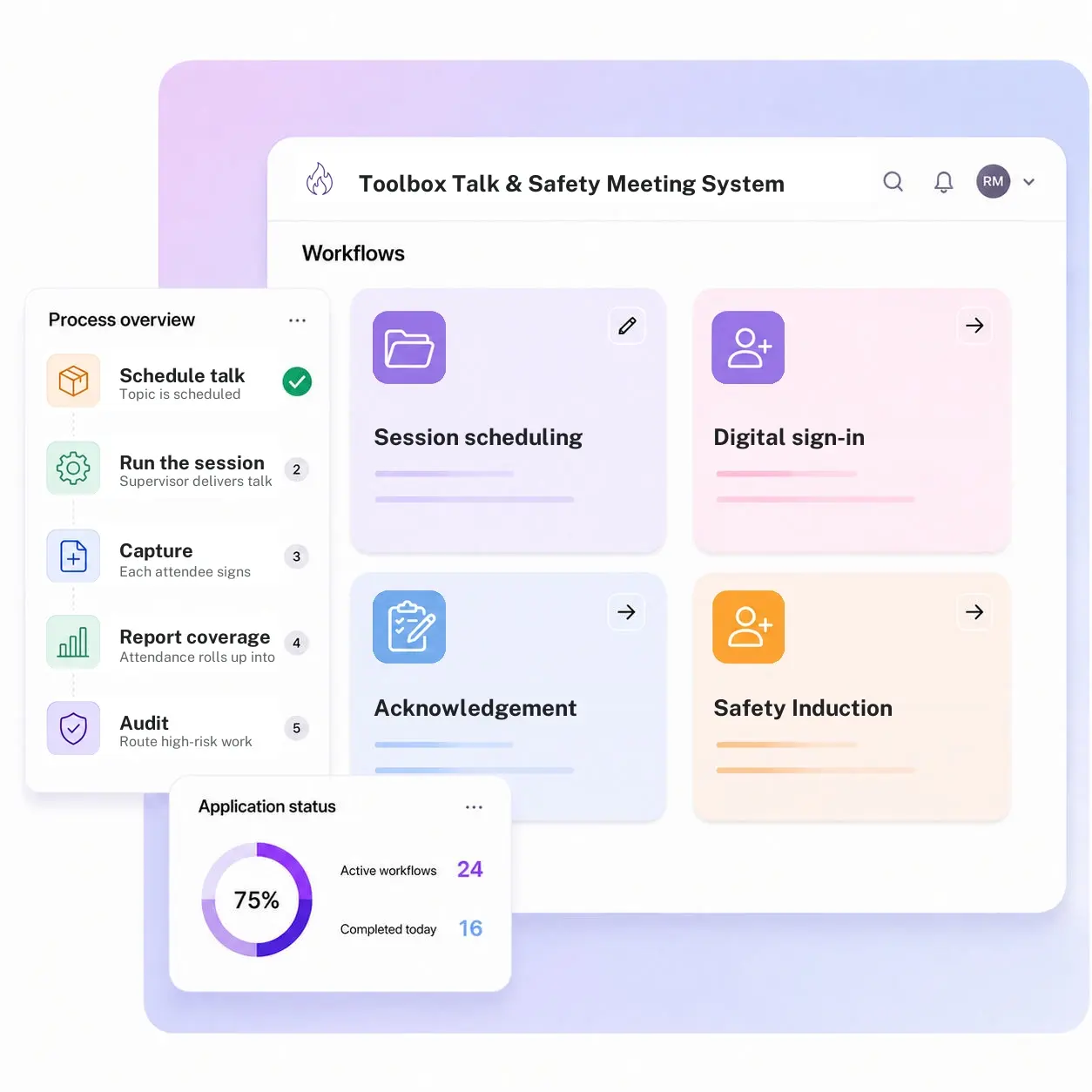
Kissflow runs toolbox talks as an attendance log: a schedule and topic library tied to the crew and the work planned, a digital sign-in that works from a phone with no signal, an acknowledgement capture for the specific hazard covered, and a coverage report across crews and sites. The record replaces the clipboard, not the conversation.
Supervisors configure topic libraries, recurrence schedules, and acknowledgement requirements in the visual builder, so a talk on a new hazard is added once and reused everywhere it applies.
Where toolbox talk records break down between the huddle and the file
Sign-in lives on paper
A clipboard sheet gets signed, then lost, damaged, or never filed.
No topic history per crew
Nobody can see at a glance which hazards a crew has and hasn't covered this month.
Missed talks go unnoticed
A crew member who skips several sessions in a row doesn't show up anywhere until an audit.
Coverage isn't visible across sites
HSE has no rolled-up view of which sites are current and which are behind.
Three modules. Every sign-in a real coverage record.
Configure each module to your crews, sites, and topic library.
Session scheduling & topic library
Recurring toolbox talks are scheduled by crew, with a reusable library of hazard-specific topics.
Digital sign-in
Crew members sign in from a phone, even offline at a site with no signal, syncing once connected.
Acknowledgement & coverage reporting
Every session captures topic acknowledgement, rolling up into a coverage report by crew and site.
From request to system of record in four steps
Capture

A topic is scheduled against a crew and the day's planned work, and the supervisor delivers the talk and opens digital sign-in on-site.
Validate

Each attendee signs in and acknowledges the specific hazard covered, so the record shows who was actually present.
Track

Attendance accumulates against each crew, topic, and site as sessions run.
Report

Coverage reporting by crew, topic, and site draws directly from the attendance log, which is itself the record.
What changes when toolbox talks run on Kissflow
| Process | Before Kissflow | On Kissflow |
|---|---|---|
| Sign-in | A paper sheet on a clipboard | Digital sign-in from a phone, even offline |
| Topic tracking | Whatever the supervisor remembers to cover | A reusable library tied to the day's hazards |
| Missed sessions | Invisible until someone checks by hand | Flagged automatically by crew member |
| Record retention | A stack of paper sheets, easy to lose | A searchable digital record |
| Cross-site coverage | No rolled-up view | One dashboard across every crew and site |
| Audit readiness | A scramble to find old sign-in sheets | A report pulled in minutes |
Works alongside your HSE management system; Kissflow doesn't replace your incident or training records system
Toolbox talk coverage can feed into a broader HSE or LMS reporting view. Kissflow runs the scheduling, sign-in, and coverage layer.
.svg)



.svg)
.svg)
.svg)
.svg)

.svg)
.svg)
.svg)
.svg)
.svg)

.svg)

.svg)

.svg)
.svg)
.svg)
.svg)
.svg)
.svg)
.svg)
.svg)
.svg)

.svg)
Built for how toolbox talks actually happen in the field
Sign-in that works with no signal
Digital sign-in captures on-site and syncs once a connection is available.
Missed talks that don't disappear
A crew member who skips a session is flagged, not lost in a stack of paper.
Coverage visible across every site
See which crews are current and which have gone quiet, from one dashboard.
Live in weeks
Configure topic libraries and schedules in the visual builder, or describe the use case to the AI Builder.
Governed from day one
Role-based access and a full audit log are built into every session record.
One record for every crew
Supervisors and HSE see the same live coverage picture instead of separate clipboards.
Related apps
PPE Management System
Request, issuance, stock-threshold alerts, and reorder escalation for PPE across every crew and site.
High-Risk Activity Approval Flow
Route high-risk work through a category-level approval gate before it starts.
Safety Induction Completion Log
Record onboarding and induction completion for every new worker on site.
We help HSE teams turn a clipboard sign-in into a real coverage record
.gif)

“If a company cannot enable everybody to use AI, they will never get the true benefit of AI. Platforms like Kissflow allow us to put that capability in the hands of our users in a safe way.”
Vagesh Dave
GVP & CIO at McDermott International, Ltd
See The Full Story

“Advanced automation of all processes is easy to set up. I cannot imagine how to manage workflows without this software.”
Tanay Tiwary
Global Head - Digitalization & Business Improvement
See the Full Story

“Kissflow supports rapid application development by building a working application prototype in the shortest amount of time.”
Maria Theresa Cabigon
CIO, SN Aboitiz Power Group
See The Full Story
See what Kissflow can do for you
Talk to usGot questions? We're here to help.
Get SupportNo. Kissflow runs the scheduling, sign-in, and coverage layer. Your broader HSE or incident management system can still be the system of record for safety performance overall.
Safety induction is a one-time onboarding record for a new worker. Toolbox Talk & Safety Meeting System is a recurring, day-to-day record of hazard-specific briefings a crew attends throughout their time on site.
Yes, the sign-in form works offline at the site and syncs the record once a connection is available.
Yes, each crew and site has its own schedule and topic library, rolled up into one coverage dashboard.
Whoever you configure, typically the direct supervisor first, with HSE visibility into the pattern across sites.
Yes, topics are configured once in the visual builder and reused across every crew that needs them.
Configuration and AI-assisted app generation move delivery from a multi-month program to a matter of weeks.
Kissflow is certified to SOC 1, SOC 2, SOC 3, and ISO/IEC 27001, with role-based access and a full audit log on every session.











