Student Course Progress Software for Advising and Retention Teams
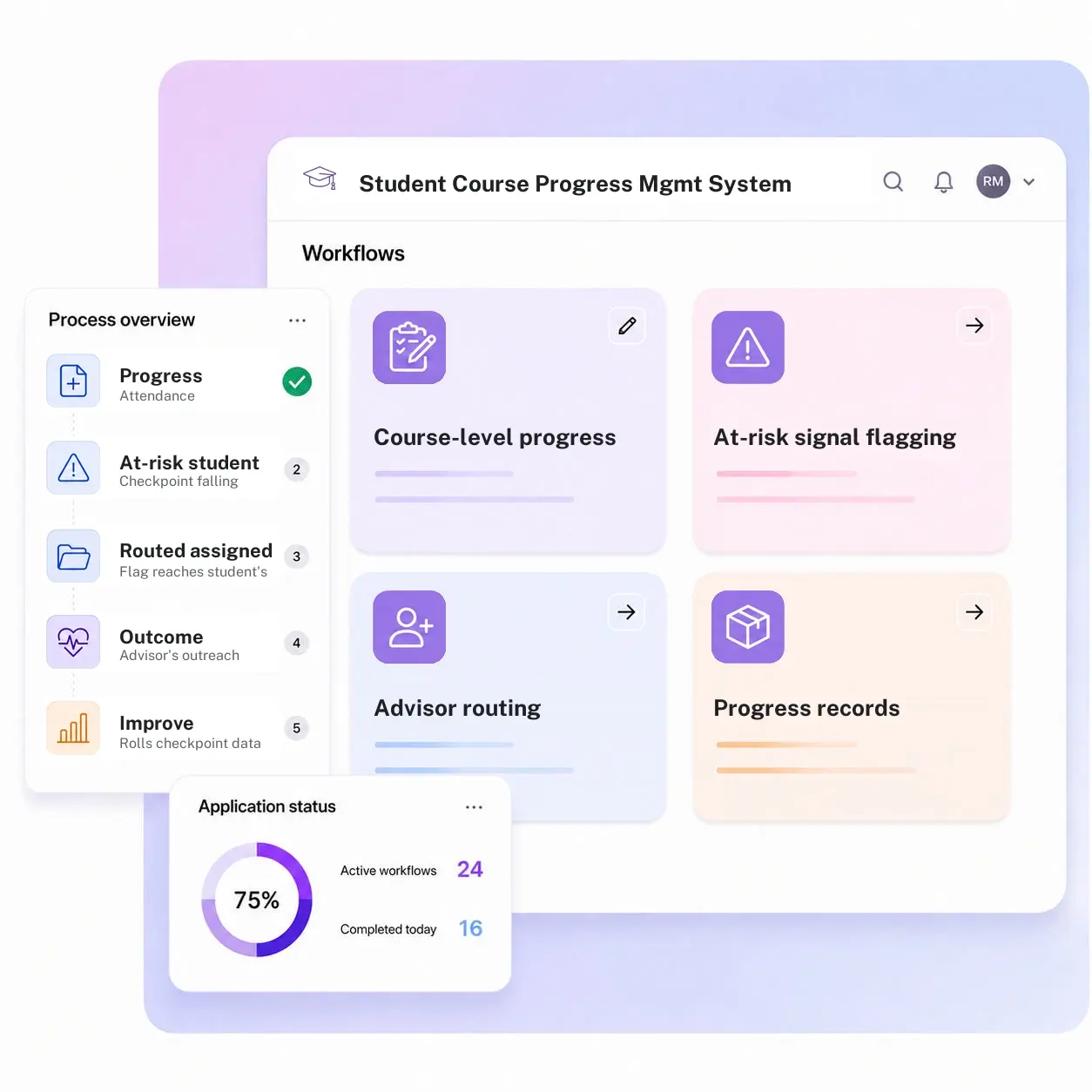
Kissflow logs progress checkpoints per course, per student, per term, flags an at-risk signal the moment a student falls behind, and routes it to the assigned advisor, so intervention happens in week four instead of at the end of the semester.
Trusted by leading universities worldwide






An at-risk signal that reaches an advisor while there's still time to act
A degree audit run once a term catches problems a term too late. Most institutions still measure course progress at midterm or finals, which means a student who started struggling in week two doesn't get flagged until half the semester is already gone.
An instructor mentions a student is struggling in a hallway conversation, not in a system an advisor can act on. Without checkpoint history, an advisor working from a single snapshot can't tell whether a student is newly struggling or has been at risk all term. Cohort-level retention patterns show up in an end-of-term report, after the semester's outcome for that student is already decided.
Kissflow logs a progress checkpoint per course as it happens, attendance, assignment completion, grade checkpoints, flags a student falling behind before the term ends, and routes the flag straight to their assigned advisor. Banner or your SIS remains the record of grades and the degree audit itself; Kissflow is the early-warning layer that feeds advising before that record even updates.
What a once-a-term progress check misses
Struggling students surface at midterm or later
By the time a progress report goes out, a student behind since week two has already fallen further behind.
Faculty flag concerns informally, if at all
An instructor mentions a student is struggling in a hallway conversation, not in a system an advisor can act on.
Advisors work from a snapshot, not a pattern
Without checkpoint history, an advisor can't tell if a student is newly struggling or chronically at risk.
Retention reporting arrives after the semester's decided
Cohort-level retention patterns show up in an end-of-term report, too late to intervene for that term.
Six modules. Built for how student progress actually needs to be caught.
Every module ships with default forms, flagging logic, integrations, and dashboards. Configure each one to your advising model in the visual builder.
Course-level progress capture
Logs attendance, assignment completion, and grade checkpoints per enrolled course as the term progresses.
At-risk signal flagging
Flags a student falling behind a checkpoint threshold before the term ends, not after grades post.
Advisor routing
Routes a flagged student automatically to their assigned advisor for outreach, with the checkpoint history attached.
Progress records dataset
Keeps a running record per student, per term, per course, queryable across a cohort or a program.
Role-based access
Faculty see their own course, advisors see their assigned students, and the registrar sees the full dataset.
Progress and retention dashboards
Rolls checkpoint data into cohort-level retention and intervention reporting throughout the term, not just at its end.
From request to system of record in four steps
Report

Attendance, assignment completion, or a grade checkpoint is logged for a student in a specific course.
Assess

A checkpoint falling below the threshold flags the student as at risk in that course.
Resolve

The flag reaches the assigned advisor with the checkpoint history attached, and outreach happens and is logged.
Record

The outreach and its outcome feed cohort-level retention dashboards.
What changes when course progress runs on Kissflow
| Process | Before Kissflow | On Kissflow |
|---|---|---|
| Progress capture | Checked once at midterm or finals | Logged continuously per course, per checkpoint |
| At-risk flagging | Depends on an instructor happening to mention it | Flagged automatically the moment a checkpoint is missed |
| Advisor routing | No consistent path from concern to advisor action | Routed automatically to the assigned advisor |
| Records access | Scattered across gradebooks and instructor notes | A single dataset with role-based access by faculty, advisor, and registrar |
| Reporting | An end-of-term retention report | Live cohort-level dashboards throughout the term |
| Intervention tracking | No record of whether outreach happened or worked | Outcome logged and rolled into retention reporting |
Connects to Banner, Workday, and your LMS gradebook
Kissflow does not replace Banner or your SIS as the record of final grades and the degree audit. It is the early-warning monitoring layer that feeds advising before that record updates.
.svg)



.svg)
.svg)
.svg)
.svg)

.svg)
.svg)
.svg)
.svg)
.svg)

.svg)

.svg)

.svg)
.svg)
.svg)
.svg)
.svg)
.svg)
.svg)
.svg)
.svg)

.svg)
Built for how at-risk students actually get missed
Signals in week four, not week fourteen
Checkpoints are logged continuously, so a student falling behind is flagged while intervention can still change the term's outcome.
A direct path from concern to advisor
A flagged signal routes straight to the assigned advisor, not through a hallway conversation or an end-of-term report.
An ERP-adjacent monitoring layer
Banner or your SIS remains the record of grades and the degree audit. Kissflow is the earlier signal that feeds advising.
Live before this term's midterm
Advising and registrar staff configure checkpoints, thresholds, and routing rules in the visual builder.
Cohort patterns visible while the term is live
Retention risk by program or cohort shows up as a live dashboard, not an after-the-fact report.
Access scoped to the role
An instructor sees their course, an advisor sees their assigned students, and nobody sees more than their role requires.
Related apps
Update Student Final Grades Management System
Final grade submission, review, posting, and change-request workflow in one register.
Student Lifecycle Management Platform
Stage-gated task orchestration and document collection across every office a new student touches.
Matriculation Case Management System
Handle the pre-enrollment cases that come before a student ever reaches a course progress checkpoint.
We help advising teams catch a struggling student in week four, not week fourteen
.gif)

“If a company cannot enable everybody to use AI, they will never get the true benefit of AI. Platforms like Kissflow allow us to put that capability in the hands of our users in a safe way.”
Vagesh Dave
GVP & CIO at McDermott International, Ltd
See The Full Story

“Advanced automation of all processes is easy to set up. I cannot imagine how to manage workflows without this software.”
Tanay Tiwary
Global Head - Digitalization & Business Improvement
See the Full Story

“Kissflow supports rapid application development by building a working application prototype in the shortest amount of time.”
Maria Theresa Cabigon
CIO, SN Aboitiz Power Group
See The Full Story
See what Kissflow can do for you
Talk to usGot questions? We're here to help.
Get SupportNo. That's handled by the Update Student Final Grades Management System. This app tracks progress signals during the term for advising and retention, ahead of any final grade being posted.
Student Lifecycle Management coordinates the cross-office journey from acceptance to the first day of class. This app tracks in-term academic progress within courses a student is already enrolled in.
A missed attendance checkpoint, an incomplete assignment, or a grade checkpoint falling below a configured threshold, each logged per course and per student.
Faculty see progress in their own course, the assigned advisor sees their students across all courses, and the registrar has access to the full dataset for institutional reporting.
Yes. Checkpoints, thresholds, and routing rules are configured in the visual builder, and the AI Builder can generate a starting workflow from a plain-language description of your advising model.
Through APIs and integration connectors, under single sign-on and role-based access, with every flag and outreach outcome written to an audit log.
Configuration and AI-assisted setup move rollout to weeks, so checkpoint tracking can start well before this term's midterm point.
Kissflow is certified to SOC 1, SOC 2, SOC 3, and ISO/IEC 27001, supports HECVAT review for procurement, and is built to support FERPA and GLBA Safeguards obligations, with data residency options in the US, EU, APAC, and Oceania.











