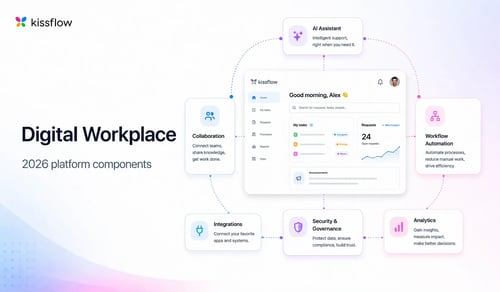
The definition of a digital workplace has shifted significantly over the past few years. In 2020, the primary design challenge was enabling remote work: getting distributed teams connected, giving them access to the tools they needed from wherever they were, and maintaining basic communication across a workforce that had just left the office.
That challenge has largely been solved. The design challenge in 2026 is different and harder: building a digital environment where the work itself can be built, automated, and governed by the people who understand it best, rather than being dependent on IT for every process change and developer support for every application.
This requires a different set of platform components. Some are unchanged from the prior generation: communication, project management, and document management remain essential. Others have become more important: process automation, application development capability, AI tooling, and governance infrastructure now determine whether a digital workplace is a productivity environment or a productivity bottleneck.
This guide covers what each component needs to do, why it matters more now than it did in the prior generation of digital workplace design, and how to evaluate whether your current platform covers the full set.
1. Synchronous and asynchronous communication
Communication infrastructure is the foundation of any digital workplace. The requirement is to support both real-time interaction, including meetings, instant decisions, and quick clarifications, and time-shifted communication: discussions that do not require immediate responses and are accessible after the fact.
What has changed is the bar for contextual communication. A chat message sent in isolation is not much better than an email. A comment attached to the specific task, document, or decision it relates to is significantly more useful because it is searchable, contextual, and does not require the recipient to reconstruct what it refers to.
Digital workplaces that route communication through a central chat platform and leave task-level context in the task tool require team members to move between systems to get the full picture of any conversation. Platforms that embed communication in the work context reduce this friction.
2. Process automation
This is the component where the most significant capability gap exists in most organizations. The standard digital workplace toolset includes communication, document management, and project tracking. It typically does not include a way for business teams to automate the recurring processes, including approvals, requests, escalations, and reviews, that consume a significant portion of their working day.
Process automation in a digital workplace means giving business users the ability to define how work flows from one person to the next, set the rules that determine routing and approval, and modify those rules as the business changes, without requiring a developer for each change.
The practical difference between a team that has this capability and one that does not is measured in how quickly the team can adapt. A team that needs a developer to change an approval workflow takes weeks to respond to a business change. A team that can reconfigure the workflow themselves responds in hours.
3. Project and work management
Project and work management tools give teams a structured way to plan, assign, and track the work that does not fit into a defined process. This includes new initiatives, improvement projects, cross-functional programs, and any work where the path is not fixed in advance.
The evaluation question for this component is not whether the platform has project management features, and virtually all digital workplace platforms do, but whether those features are integrated with the process automation and case management components. A project management tool that is disconnected from the workflow environment means team members are managing their work in two systems that do not talk to each other.
When a project task triggers a procurement approval or an IT request, that link should be visible in the project view. When the approval completes, the project task should update automatically. This integration is what distinguishes a work management platform from a task tracker.
4. Application development capability
This is the component that most digital workplace definitions from the prior generation omit and that has become essential. Organizations that rely entirely on off-the-shelf software for every business function face two problems: the software rarely fits the process exactly, and the workarounds that close the gap are manual, fragile, and difficult to govern.
Application development capability in a digital workplace means giving teams the ability to build the specific tools their work requires, without committing to a full software development lifecycle for every small application. Business teams build the forms, workflows, and interfaces that match how they work. IT governs the platform on which those applications run.
The dimension that matters most here is who can build. A platform where only developers can create applications pushes adoption back toward IT bottlenecks. A platform where business users can build functional applications, within the guardrails that IT has established, changes the speed at which business capability can grow.
AI has accelerated this significantly. The ability to describe a process or application in plain language and get a working starting point changes the access cost for non-technical builders. The critical qualification is whether the AI output can be governed: business logic that is readable and auditable by the people who own the process is durable. Code generated by AI that only developers can interpret creates a new dependency rather than removing one.
5. Case management
Case management handles the work that does not fit a defined process: customer complaints, regulatory incidents, audit findings, IT escalations, and the full range of exceptions that every organization generates regularly.
The case management requirement in a digital workplace is not sophisticated in concept but is frequently absent in practice. Organizations handle these situations through email chains and shared inboxes, losing the accountability and audit trail that structured case management provides.
A case management component gives each exception a record, a responsible owner, a history of every action taken, and a defined resolution path. This is particularly important for cases that cross department boundaries and for organizations in regulated industries where exception handling is subject to audit.
6. Governance and access control
Governance has moved from a secondary consideration to a primary one in digital workplace design. The shift has been driven by two forces: the expansion of who can build and configure within the digital workplace environment, and the regulatory and compliance requirements that organizations in most industries now face.
Governance in a digital workplace covers role-based access control that determines who can see and change what across applications, processes, and data; application versioning that tracks changes and allows rollback; environment management that separates development work from production deployment; and audit logging that creates a traceable record of decisions and changes.
A digital workplace that gives business users extensive configuration capability without governance infrastructure is powerful in the short term and unmanageable over time. Applications built without version control cannot be safely changed. Processes modified without audit logging cannot be explained to regulators. Access granted without role-based controls cannot be revoked at scale.
Governance is not a constraint on what the digital workplace can do. It is what makes the speed and flexibility of the platform safe to use at enterprise scale.
7. AI capability that works within the governance model
AI is now a component of every serious digital workplace platform, and the relevant evaluation question is not whether AI is present but what it can do and how it fits within the organization's governance requirements.
AI in a digital workplace context can operate at several levels. Automated decision support, such as routing suggestions, anomaly alerts, and workload balancing recommendations, improves existing processes without requiring new capability. AI-assisted creation, such as generating a workflow, building a form, or drafting an application from a natural language description, reduces the cost of creating new capability. These are different levels of maturity and most platforms are stronger at the first than the second.
The governance question for AI is specific: what does the AI produce, and who can govern it? AI that generates code creates output that requires technical expertise to maintain and audit. AI that generates structured business logic, meaning a readable, modifiable representation of what the application does and why, keeps the output within the governance model that the organization has established. For enterprises with compliance requirements, this distinction is not theoretical.
How Kissflow covers all seven components
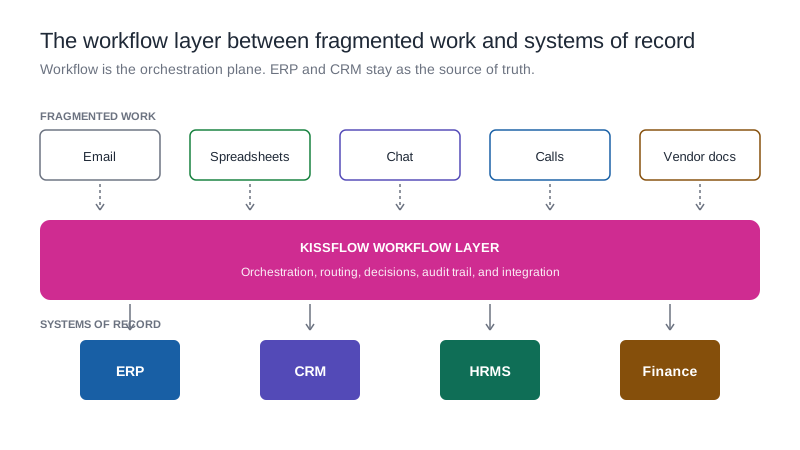
Kissflow's workflow platform is a unified digital workplace platform that covers process automation, project and work management, case management, application development, and governance infrastructure in a single environment. Communication is contextual: comments and discussions attach to the work they relate to rather than existing in a separate channel.
Business users build and configure their own processes and applications through a visual interface without developer involvement. Professional developers extend that capability through a JavaScript SDK for custom logic and interfaces. IT governs the platform through role-based access control, application versioning, and environment management.
AI in Kissflow generates blueprints, specifically human-readable and auditable business logic, rather than code. The output is accessible to business users who can review and modify it without technical support. Governance stays intact. The platform serves over 1,200 enterprise customers across industries including oil and gas, manufacturing, retail, and higher education.
Frequently asked questions
What is a digital workplace?
A digital workplace is the integrated set of tools, platforms, and environments that give employees the capability to do their work, communicate with each other, and access the information and applications they need, regardless of physical location. The modern definition extends beyond communication and document management to include process automation, application development, and governance infrastructure.
What is the difference between a digital workplace and intranet software?
Intranet software provides a central information and communication hub for an organization. A digital workplace is a broader concept that includes the operational tools, including workflow automation, project management, case management, and application development, that teams use to execute work, not just access information.
How important is governance in a digital workplace?
Governance has become one of the most important components of digital workplace design, particularly as more business users gain the ability to build and configure applications within the platform. Without governance infrastructure, the speed and flexibility that makes a digital workplace valuable becomes a liability as the organization grows and regulatory requirements increase.
What role does AI play in a digital workplace?
AI in a digital workplace primarily accelerates two things: decision support within existing processes, and the creation of new applications and workflows. The evaluation question is whether the AI output fits within the organization's governance model, readable and auditable by business users and not dependent on developer interpretation.
How do you choose between different digital workplace platforms?
Start by mapping all the types of work your organization runs: structured processes, project work, case management, and application needs. Evaluate platforms against coverage of all these types, not just the most common ones. Then evaluate governance capability, AI maturity, and the extent to which business users can configure the platform without IT involvement. The total cost of ownership, including integration cost, is typically a better comparison point than license cost alone.
.webp)