Create Student Billing Profile Software for Student Financial Services
Kissflow captures a new student's billing details, verifies them against enrollment status before a profile is created, routes non-standard arrangements for approval, and gives student financial services a full register of every profile, so the first invoice of the term goes out correctly the first time.
Trusted by leading universities worldwide






A billing profile that's verified before the first invoice, not after a bounced bill
Every new student needs a billing profile before the first invoice can go out, and building one by hand is where the first billing errors start. Enrollment status isn't always verified before billing begins, so a profile can get created for a student who never actually enrolled, and the first invoice goes out to no one.
A third-party sponsor arrangement or a deferred payment plan gets set up differently depending on who happens to process it, with no consistent exception path. A wrong payer address or a missed payment plan selection is discovered only after the student calls about a bounced bill, and nobody can see how many profiles are stuck in setup before the billing cycle starts.
Kissflow captures billing details at intake, verifies them against enrollment status before a profile is created, routes non-standard arrangements like a third-party sponsor or deferred plan for approval, and keeps a running register of every profile by term and status. Workday or your SIS finance module is where the profile ultimately lives; Kissflow governs the intake, verification, and exception approval before that record is created.
What goes wrong when a billing profile is built by hand
Enrollment status isn't verified before billing starts
A profile gets created for a student who never actually enrolled, and the first invoice goes out to no one.
Non-standard arrangements get handled ad hoc
A third-party sponsor or deferred payment plan gets set up differently by whoever happens to process it.
Errors surface on the first invoice, not before it
A wrong payer address or missing payment plan selection is discovered only after the student calls about a bounced bill.
New-profile volume has no visibility
Nobody can see how many profiles are stuck in setup before the first billing cycle of a term.
Six modules. Built for how a billing profile actually needs to get set up right the first time.
Every module ships with default forms, verification logic, integrations, and dashboards. Configure each one to your billing policy in the visual builder.
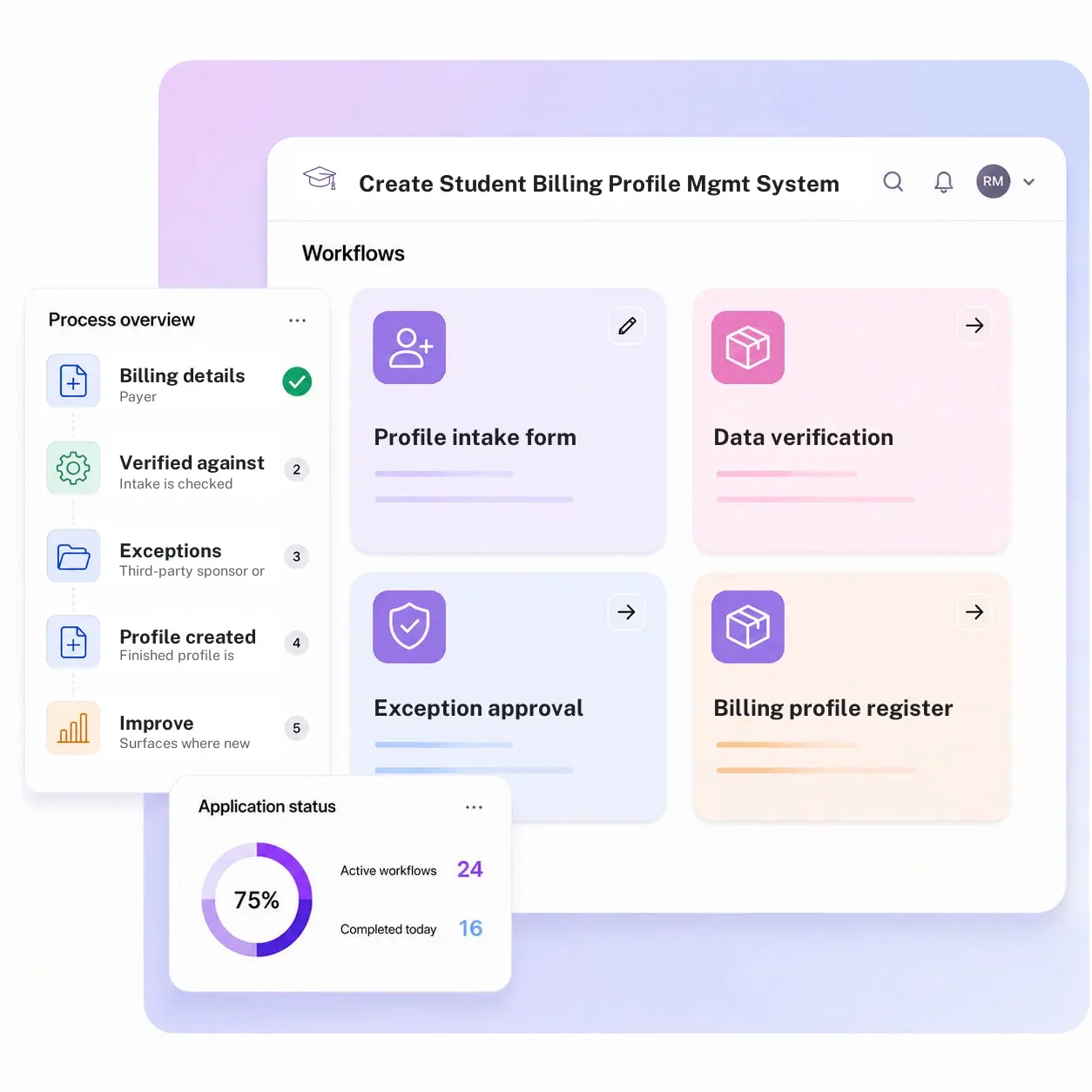
Profile intake form
Captures the billing details, payer, address, payment plan preference, needed to set up a new student's account.
Data verification
Checks the intake against enrollment status before a profile is created, so billing doesn't get set up for someone who never enrolled.
Exception approval
Routes non-standard billing arrangements, a third-party sponsor, a deferred payment plan, for approval before the profile is finalized.
Billing profile register
Keeps a running record of every profile created, by term and by status.
Student and family portal visibility
Shows the profile status to the student and any authorized payer, not just internal staff.
New-profile volume and error dashboard
Surfaces where new profiles are stalling before the first invoice is due.
From request to system of record in four steps
Submit

Payer, address, and payment plan preference are captured at intake for a new student.
Review

The intake is checked against confirmed enrollment status before a profile is created.
Approve

A non-standard arrangement, such as a third-party sponsor or deferred plan, routes for approval before it is finalized.
Record

The finished profile is logged in the register and visible to the student and any authorized payer, so the first invoice of the term goes out correctly.
What changes when billing profile creation runs on Kissflow
| Process | Before Kissflow | On Kissflow |
|---|---|---|
| Intake | Collected by hand, inconsistently, per new student | Captured through a standard intake form |
| Verification | Assumed rather than checked against enrollment status | Verified against confirmed enrollment before creation |
| Exceptions | Handled differently depending on who processes it | Routed through a consistent approval path |
| Profile register | No single view of profiles in setup versus complete | A running register by term and status |
| Visibility | Internal staff only, until the first invoice arrives | Visible to the student and authorized payer as it's built |
| Error detection | Discovered when a student calls about a bounced bill | Caught at verification, before the first invoice goes out |
Connects to Workday and your SIS finance module; the profile lives there
Kissflow does not replace Workday or your SIS finance module as the system where the billing profile ultimately lives. It governs the intake, verification, and exception approval before that record is created.
.svg)



.svg)
.svg)
.svg)
.svg)

.svg)
.svg)
.svg)
.svg)
.svg)

.svg)

.svg)

.svg)
.svg)
.svg)
.svg)
.svg)
.svg)
.svg)
.svg)
.svg)

.svg)
Built for how a first invoice actually goes wrong
Verified against enrollment, not assumed
A profile is checked against confirmed enrollment status before it's created, not after an invoice bounces.
A consistent path for non-standard billing
Third-party sponsors and deferred payment plans route through the same approval path every time.
An ERP-adjacent intake layer
Workday or your SIS finance module is where the profile ultimately lives. Kissflow governs the intake and verification before that record is created.
Live before your next billing cycle
Student financial services staff configure intake fields, verification rules, and exception routing in the visual builder.
Setup volume visible before the invoice deadline
Profiles stuck in setup show up on a dashboard days before the term's billing cycle begins.
Visibility for the student and the payer
A student and their authorized payer can see profile status, cutting down on confused calls after the fact.
Related apps
Student Fee Status Update and Alert Management System
Threshold-based fee status alerting and escalation for bursar and registrar teams.
Workday Fee Payment Status Sync Management System
Reconcile payment status once the profile created here starts generating transactions in Workday.
Faculty Course Assignment Ops Management System
See the same intake-verification-approval pattern applied to staffing instead of student billing.
We help student financial services teams get a new student's first invoice right the first time
.gif)

“If a company cannot enable everybody to use AI, they will never get the true benefit of AI. Platforms like Kissflow allow us to put that capability in the hands of our users in a safe way.”
Vagesh Dave
GVP & CIO at McDermott International, Ltd
See The Full Story

“Advanced automation of all processes is easy to set up. I cannot imagine how to manage workflows without this software.”
Tanay Tiwary
Global Head - Digitalization & Business Improvement
See the Full Story

“Kissflow supports rapid application development by building a working application prototype in the shortest amount of time.”
Maria Theresa Cabigon
CIO, SN Aboitiz Power Group
See The Full Story
See what Kissflow can do for you
Talk to usGot questions? We're here to help.
Get SupportThis app creates the billing profile itself, a one-time setup event for a new student. Student Fee Status Update and Alert monitors an existing profile's status over time and alerts staff and students when it crosses a threshold.
A third-party sponsor payment, a deferred payment plan, or any billing setup that falls outside your institution's standard student-pays-directly default.
The intake is checked against confirmed enrollment records before a profile is created, so a profile isn't set up, and an invoice isn't generated, for someone who never enrolled.
No. Workday or your SIS finance module remains the system where the billing profile ultimately lives. This app governs the intake, verification, and exception approval before that record is created.
Yes. Intake fields, verification rules, and exception approval routing are configured in the visual builder, and the AI Builder can generate a starting workflow from a plain-language description of your billing policy.
Through APIs and integration connectors, under single sign-on and role-based access, with every profile creation and approval written to an audit log.
Configuration and AI-assisted setup move rollout to weeks, without a finance systems implementation project.
Kissflow is certified to SOC 1, SOC 2, SOC 3, and ISO/IEC 27001, supports HECVAT review for procurement, and is built to support FERPA and GLBA Safeguards obligations, with data residency options in the US, EU, APAC, and Oceania.











