Carbon Footprint & Energy Monitoring App
Kissflow captures GHG emissions and energy consumption readings, flags a value approaching or crossing its configured threshold, escalates it to the right sustainability or facilities lead, and tracks the corrective action and trend reporting behind it, so a footprint reduction target is measured continuously, not estimated once a quarter.
Trusted by energy operators worldwide






Six hours of flaring shows up as one line in a monthly report, long after the volume that mattered was already in the air
Flare volume, energy consumption at a facility, fugitive emissions from a component, most of it gets estimated after the fact for a monthly or quarterly report, not tracked continuously against a target. A spreadsheet built once a month can hold a total. It can't flag that this week's flaring volume is trending toward a target breach while there's still time to act on it.
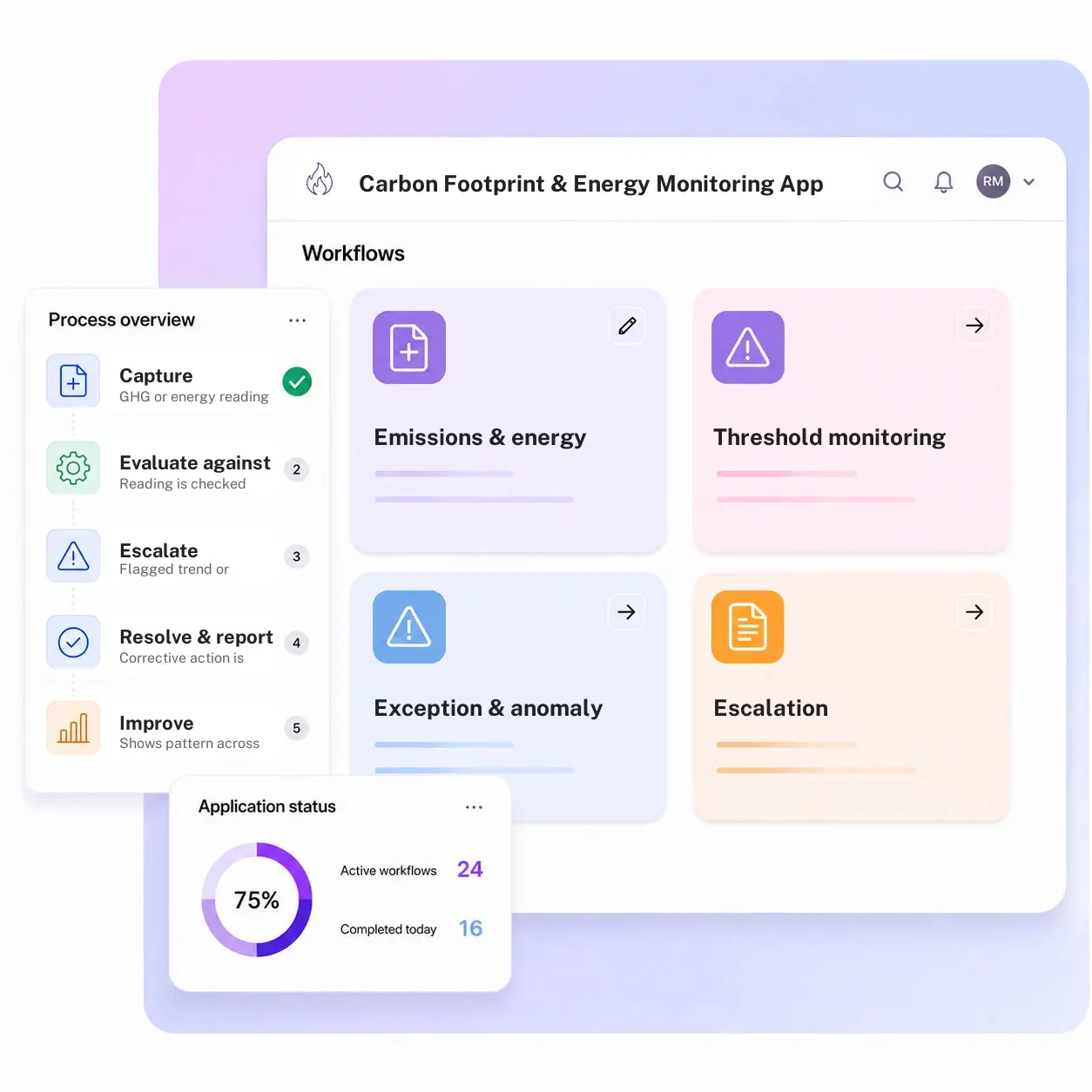
Kissflow runs carbon and energy monitoring as a governed app: a capture form for GHG and energy readings by source and site, threshold monitoring against a configured footprint target, exception flagging when a reading crosses or trends toward its line, escalation to the sustainability or facilities lead responsible for that source, corrective action tracking, and trend reporting that shows the pattern a single monthly total can't. It sits alongside specialist emissions calculation and energy management tools, which stay the system of record for the underlying methodology.
Sustainability leads configure metrics, thresholds, and escalation rules in the visual builder. Every reading and alert carries a timestamp, so the trend behind a footprint reduction target is visible in real time, not reconstructed once a quarter.
What a monthly emissions total misses while it's still happening
Readings get estimated after the fact
A flaring or consumption event is reconstructed for a monthly report instead of tracked as it happens.
Trends toward a target breach go unnoticed
A metric drifting toward its footprint target isn't flagged until the target is already missed.
Escalation isn't automatic
Whether a facilities lead hears about a rising trend depends on someone noticing it in a spreadsheet.
Corrective actions aren't tracked against the metric
An action taken to reduce a footprint isn't linked back to the reading that prompted it.
Six modules. Built to catch a trend while there's still time to act on it.
Every module ships with default forms, routing, and dashboards. Configure each one to your footprint targets in the visual builder.
Emissions and energy data capture
Captures GHG and energy readings by source and site, flare volume, fugitive emissions, facility consumption, tied to a timestamp.
Threshold monitoring
Compares each reading against its configured footprint target the instant it's captured, not once a month when the report gets built.
Exception and anomaly flagging
Flags a reading that crosses or trends toward its target automatically, without waiting for someone to build the next monthly report.
Escalation
Routes a flagged reading straight to the sustainability or facilities lead responsible for that source, site, or asset category.
Corrective action tracking
Tracks the corrective action taken against a flagged trend, a flare adjustment, a repair, through to a documented, verified reduction.
Trend reporting
Shows the pattern across readings, sites, and sources that a single monthly or quarterly total can never reveal on its own.
From request to system of record in four steps
Capture

A GHG or energy reading is logged by source, site, and timestamp as it is captured in the field.
Validate

The reading is checked against its configured footprint threshold the moment it lands in the system.
Track

A flagged trend or threshold crossing routes to the responsible sustainability or facilities lead.
Report

A corrective action is tracked to completion, and every reading feeds trend reporting drawn from the app itself.
What changes when carbon and energy monitoring runs on Kissflow
| Process | Before Kissflow | On Kissflow |
|---|---|---|
| Reading capture | Estimated for a monthly report after the fact | Captured continuously by source and site |
| Target tracking | Checked once a quarter against a total | Evaluated against threshold on every reading |
| Trend detection | Missed until the target is already breached | Flagged while a reading is still trending toward the line |
| Escalation | Depends on someone noticing in a spreadsheet | Routed automatically to the responsible lead |
| Corrective action | Disconnected from the metric that prompted it | Tracked against the flagged reading to completion |
| Footprint reporting | Compiled manually once a quarter | Available as a live trend dashboard |
Connects alongside your emissions calculation and energy management systems
Specialist emissions calculation and energy management tools stay the system of record for methodology. Kissflow tracks the resulting metrics against threshold and trend.
.svg)



.svg)
.svg)
.svg)
.svg)

.svg)
.svg)
.svg)
.svg)
.svg)

.svg)

.svg)

.svg)
.svg)
.svg)
.svg)
.svg)
.svg)
.svg)
.svg)
.svg)

.svg)
Built to catch a trend while there's still time to act
Thresholds checked continuously
Every reading is evaluated against its footprint target, not just the monthly total.
Escalation to the right lead
A rising trend routes automatically to the sustainability or facilities owner for that source.
Corrective actions tied to the metric
Every action stays linked to the reading that prompted it, through to a documented result.
Live in weeks
Metrics and thresholds configure in the visual builder, without a systems project.
Trends visible before the target is missed
A drift toward a footprint target shows up on the dashboard while there's time to respond.
Access scoped by site and metric
Role-based access controls who sees and manages data by site and metric category.
Related apps
Environmental Monitoring App
The general environmental-parameter counterpart, tracking compliance thresholds rather than footprint targets.
ESG Compliance Management App
The obligation register this app's metrics can feed as supporting evidence.
Sustainability & Circular Economy App
Manages the initiatives that act on a trend this app's dashboard flags.
We help sustainability teams catch a trend while there's still time to act on it
.gif)

“If a company cannot enable everybody to use AI, they will never get the true benefit of AI. Platforms like Kissflow allow us to put that capability in the hands of our users in a safe way.”
Vagesh Dave
GVP & CIO at McDermott International, Ltd
See The Full Story

“Advanced automation of all processes is easy to set up. I cannot imagine how to manage workflows without this software.”
Tanay Tiwary
Global Head - Digitalization & Business Improvement
See the Full Story

“Kissflow supports rapid application development by building a working application prototype in the shortest amount of time.”
Maria Theresa Cabigon
CIO, SN Aboitiz Power Group
See The Full Story
See what Kissflow can do for you
Talk to usGot questions? We're here to help.
Get SupportThat app tracks general environmental parameters, water, air quality, noise, waste, against compliance thresholds. This app is scoped specifically to GHG emissions and energy consumption, tracked against a footprint reduction target rather than a regulatory exceedance line.
That app is the regulatory obligation register: what's due, who owns it, and the attestation trail. This app is the continuous metrics layer underneath it, capturing GHG and energy readings and flagging trend thresholds, which can feed evidence into an ESG obligation but isn't the filing itself.
No. Specialist emissions calculation tools and energy management systems stay the system of record for the underlying methodology. Kissflow captures the resulting metrics for tracking, threshold alerts, and trend reporting.
A configured target or limit on a GHG or energy metric, Scope 1 or 2 emissions, energy intensity, that triggers an alert when a reading approaches or crosses it.
Escalation rules route by metric and site, configurable so the right sustainability or facilities lead sees it.
Yes. Flaring and venting are configurable as their own tracked parameters, feeding both the exception workflow and the trend dashboard.
Metrics, thresholds, and escalation rules configure in the visual builder, without an engineering project.
Kissflow is certified to SOC 1, SOC 2, SOC 3, and ISO/IEC 27001, with role-based access by site and metric category.











