Apply Remove Access Hold Software for Registrar and Bursar Teams
Kissflow routes every hold and release request through the office with authority over it, keeps a full register of every active and historical hold by student and type, and shows the student exactly what's blocking registration and how to resolve it.
Trusted by leading universities worldwide






A hold that gets applied consistently and lifted the moment it's resolved
A hold is one field in Banner and an entire semester on hold for the student behind it. A financial hold, an academic hold, a conduct hold, each blocks registration or transcript release until someone with authority over that hold type says otherwise.
Today holds get applied inconsistently across offices, with one office's version of a financial hold meaning something different than another's. Removal depends on someone remembering to lift it once the underlying issue is resolved, and a student sees 'registration blocked' with no explanation of which office to contact or why. Without aggregated reporting, a hold type causing widespread registration delays goes unnoticed until add/drop is already underway.
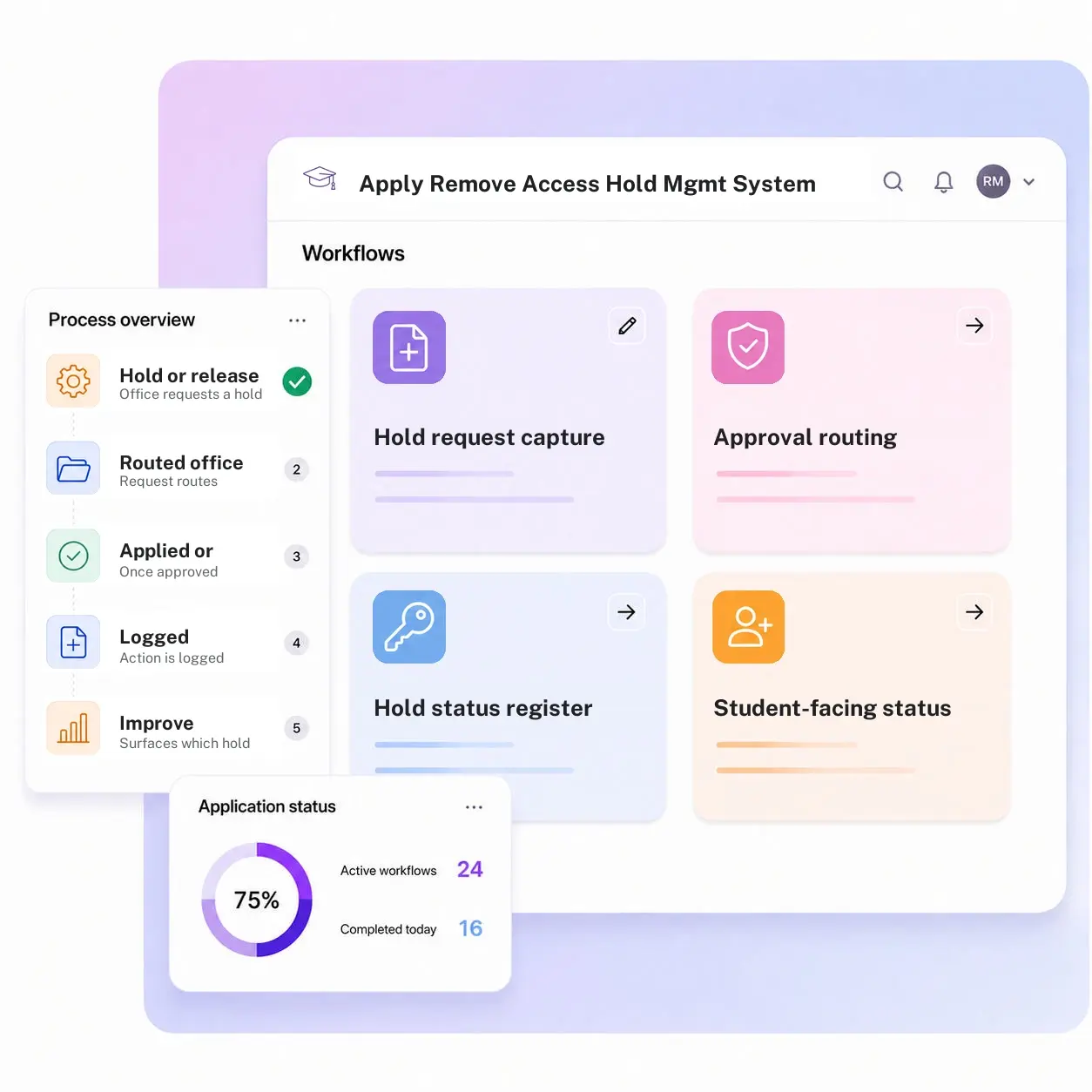
Kissflow routes every hold and release request through approval from the office with authority over that hold type, keeps a running register of every active and historical hold, and gives the student a status view naming the hold, the owning office, and what resolves it. Banner or your SIS is where the hold ultimately blocks registration; Kissflow governs the request, approval, and audit trail behind who applied or removed it, and when.
What a hold looks like without a governed process
Holds get applied inconsistently across offices
One office's version of a financial hold means something different than another's, with no shared definition.
Removal depends on someone remembering to lift it
A resolved issue doesn't automatically release the hold that was tied to it.
Students can't tell what's blocking them
A student sees registration blocked with no explanation of which office to contact or why.
Nobody can see which holds are creating the most friction
Without aggregated reporting, a hold type causing widespread registration delays goes unnoticed.
Six modules. Built for how a hold actually needs to be governed.
Every module ships with default forms, approval routing, integrations, and dashboards. Configure each one to your hold types in the visual builder.
Hold request capture
The registrar, bursar, or another office requests a hold or a release with a documented reason attached.
Approval routing
Routes to the office with authority over that specific hold type before it's applied or lifted.
Hold status register
Keeps a running record of every active and historical hold per student, by type and by owning office.
Student-facing status view
Shows the student which hold is active, which office owns it, and what resolves it.
Audit trail
Timestamps every application and removal with who approved it and why.
Hold volume and aging reporting
Surfaces which hold types and offices are creating the most registration friction, before add/drop is underway.
From request to system of record in four steps
Submit

An office requests a hold or its release through a form that captures a documented reason attached to the student's record.
Review

The request routes for approval to the office that owns that specific hold type, with full context attached.
Approve

Once approved, the hold status updates and the student sees the change immediately.
Record

The action is logged in the register with its full audit trail, and the student's status view shows exactly what is blocking registration and how to resolve it.
What changes when holds run on Kissflow
| Process | Before Kissflow | On Kissflow |
|---|---|---|
| Hold request | Applied directly in Banner by whoever has access, with no consistent reason logged | Captured with a documented reason before it's applied |
| Approval routing | No consistent authority check before a hold goes on | Routed to the office with authority over that hold type |
| Hold status | Tracked inconsistently across offices | A single register of every active and historical hold, by type and office |
| Student visibility | Registration blocked, with no explanation | A status view naming the hold, the office, and the resolution |
| Audit trail | No record of who applied or removed a hold, or why | Timestamped automatically with who approved it and why |
| Reporting | No visibility into which hold types cause the most friction | Volume and aging reporting by hold type and office |
Connects to Banner and your SIS; the hold still blocks registration there
Kissflow does not replace Banner or your SIS as the place a hold actually blocks registration. It governs the request, approval, and audit trail behind who applied or removed it, and when.
.svg)



.svg)
.svg)
.svg)
.svg)

.svg)
.svg)
.svg)
.svg)
.svg)

.svg)

.svg)

.svg)
.svg)
.svg)
.svg)
.svg)
.svg)
.svg)
.svg)
.svg)

.svg)
Built for how holds actually create friction
Approval before application, not after
A hold routes through the office with authority over it before it's applied, not after a student complains.
A student can see what's blocking them
Instead of a generic registration block, the student sees the specific hold, its owner, and how to resolve it.
An ERP-adjacent governance layer
Banner or your SIS is where the hold actually blocks registration. Kissflow governs the request and approval behind it.
Live before your next registration window
Registrar and bursar staff configure hold types and approval routing in the visual builder.
Friction visible by hold type
A hold type causing widespread delays shows up on a dashboard before add/drop, not after.
A consistent definition across offices
Every office applies and resolves a given hold type the same way, instead of using its own informal definition.
Related apps
Matriculation Case Management System
Handle the broader pre-enrollment case a hold might be one resolution step within.
Faculty Access Entitlements in IAM Management System
See the equivalent request and approval governance built for employee system access instead of student holds.
Create and Update Banner Access Management System
Module-level Banner access requests with SoD checks, approval, and recertification.
We help registrar and bursar teams keep holds from becoming registration bottlenecks
.gif)

“If a company cannot enable everybody to use AI, they will never get the true benefit of AI. Platforms like Kissflow allow us to put that capability in the hands of our users in a safe way.”
Vagesh Dave
GVP & CIO at McDermott International, Ltd
See The Full Story

“Advanced automation of all processes is easy to set up. I cannot imagine how to manage workflows without this software.”
Tanay Tiwary
Global Head - Digitalization & Business Improvement
See the Full Story

“Kissflow supports rapid application development by building a working application prototype in the shortest amount of time.”
Maria Theresa Cabigon
CIO, SN Aboitiz Power Group
See The Full Story
See what Kissflow can do for you
Talk to usGot questions? We're here to help.
Get SupportNo. This governs holds on student accounts, financial, academic, or conduct, that block registration or transcript release. The Faculty Access Entitlements in IAM Management System governs employee-side system access across Banner, Canvas, and other platforms.
A hold is a status flag with a defined resolution path. A matriculation case can cover a broader range of pre-enrollment issues, of which lifting a hold might be one possible outcome.
Approval routes to the office with authority over that specific hold type, so a financial hold requires bursar approval and an academic hold requires the registrar's or a dean's office.
No. Banner or your SIS remains the system where a hold blocks registration or transcript release. This app governs the request, approval, and audit trail behind that action.
Yes. Hold types, approval routing, and student-facing messaging are configured in the visual builder, and the AI Builder can generate a starting workflow from a plain-language description of your hold policies.
Through APIs and integration connectors, under single sign-on and role-based access, with every hold application and removal written to an audit log.
Configuration and AI-assisted setup move rollout to weeks, without a Banner implementation project.
Kissflow is certified to SOC 1, SOC 2, SOC 3, and ISO/IEC 27001, supports HECVAT review for procurement, and is built to support FERPA and GLBA Safeguards obligations, with data residency options in the US, EU, APAC, and Oceania.











