- All Templates
- Information Technology
- IT Release Management
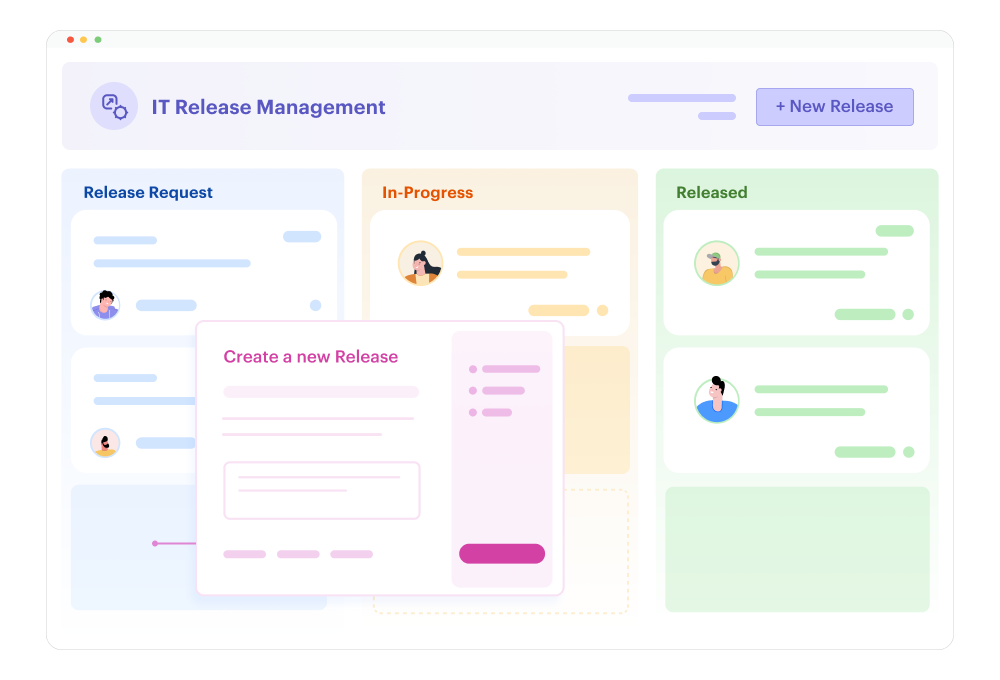
IT Release Management Template
Software releases keep you up at night? They shouldn't. This software release workflow template brings order to your IT deployment process with automated approvals, risk assessment, and coordination. Kissflow's AI-powered low-code platform helps you deploy faster while maintaining stability.
Use TemplateAbout the IT Release Management Template
What you'll do:
Build an automated IT release management system with intelligent risk assessment, stakeholder coordination, and seamless approval routing for software deployments.
How long you need:
Around 10 minutes to set up and customize
What you'll need:
-
A Kissflow account
-
Your release management policies and approval workflows
-
Deployment environment details and maintenance windows
-
ITSM or DevOps tool details for integration (optional)
About The IT Release Management Template
Managing software releases manually can lead to deployment failures, inadequate testing, and business disruption. This AI-powered template ensures every release follows standardized approval processes, maintains complete documentation, and coordinates across development, QA, and operations teams—all without manual tracking.
Kissflow's intelligent workflow automation analyzes release patterns to identify risk factors and optimize deployment schedules for minimal business impact.
With Kissflow's AI-powered low-code platform, IT teams can deploy a fully functional release management system in minutes:
- Instant setup with pre-configured release types (major releases, minor updates, hotfixes, emergency patches)
- Drag-and-drop customization to match your organization's ITIL processes and approval hierarchies
- AI-assisted risk assessment that automatically evaluates release complexity, system dependencies, and potential business impact
- Role-based security with access controls for production deployments and change approval authority
- Smart scheduling that identifies optimal deployment windows based on system usage patterns and maintenance calendars
- Automated notifications to keep development teams, stakeholders, and operations informed throughout release cycles
- Mobile-ready interface for emergency approvals and deployment status monitoring on-the-go
Getting Started With The IT Release Management Template
Use this TemplateBenefits of Using This Template
🤖 AI-Powered Intelligence
Leverage Kissflow's AI capabilities to predict release risks, identify optimal deployment windows, automate approval decisions for low-risk changes, and suggest testing priorities based on code complexity.
☁️ Scalable Cloud Infrastructure
Manage releases from dozens to thousands per year with a secure, cloud-based platform that scales across multiple applications, environments, and global teams.
👁️ Complete Process Visibility
Track every release from planning through post-deployment verification with real-time status updates, comprehensive test results, and complete audit trails for compliance.
⚡ Low-Code Simplicity
Empower IT teams to modify approval workflows, adjust risk assessment criteria, or update deployment procedures using Kissflow's intuitive interface—reducing bottlenecks and enabling continuous improvement.
🔄 Seamless Collaboration
Enable development teams to submit releases, QA teams to validate testing, operations to schedule deployments, and management to approve changes—all within one integrated platform.
📊 Actionable Analytics & Insights
Generate comprehensive reports on release frequency, deployment success rates, lead times, change failure rates, and team performance to optimize software delivery practices.
🔒 Enterprise-Grade Security
Ensure deployment integrity with SOC 2, ISO 27001 compliance, audit logging, segregation of duties, and role-based access controls meeting IT governance requirements.
Built using these capabilities:
AI-Powered Workflow Automation Intelligent risk scoring analyzes release characteristics to predict deployment success and recommend rollback procedures
Low-Code Form Builder Create custom release request forms without coding—capturing technical specifications, testing results, and rollback plans
Real-Time Analytics Dashboard Track release velocity, success rates, deployment frequency, and mean time to recovery across applications and teams
Integration Hub Connect seamlessly with ITSM platforms, CI/CD pipelines, monitoring tools, and incident management systems
How to Get Started
-
Sign up for a Kissflow account or log into your existing workspace
-
Select the IT Release Management template from the IT category
-
Customize release types, risk assessment criteria, and multi-level approval hierarchies using the visual editor
-
Configure AI-powered risk scoring and automated deployment window recommendations
-
Test the workflow with sample releases across different complexity levels and environments
-
Deploy organization-wide with a single click—no coding or extensive IT support needed
-
Scale effortlessly as your release volume and application portfolio grows
Release management requires coordination across environments and stakeholders. A no-code development tool to build app workflows helps IT teams maintain governance without slowing delivery.
Frequently Asked Questions
Do I need coding experience to set up this template?
No! Kissflow's low-code platform is designed for business users. You can customize workflows, forms, and approval rules using an intuitive drag-and-drop interface without writing any code.
Can I customize release categories and risk levels?
Absolutely. The template comes with standard release types, but you can easily configure custom categories, define risk assessment criteria, set approval requirements by risk level, or create expedited processes for emergency patches.
How does the AI-powered workflow automation work?
Kissflow's AI analyzes release characteristics like code complexity, number of changes, system dependencies, and historical deployment data to calculate risk scores and recommend appropriate testing and approval paths.
Can this template handle complex approval hierarchies?
Yes. You can configure multi-level approvals based on risk level, conditional routing for production deployments, parallel approvals from development and operations, and CAB (Change Advisory Board) review requirements.
Will this integrate with our CI/CD and ITSM tools?
Kissflow offers seamless integration with popular DevOps platforms (Jenkins, GitLab), ITSM tools (ServiceNow, Jira), monitoring systems, and deployment automation tools through pre-built connectors and APIs.
How do teams submit release requests?
Development teams can submit release requests through web forms or API integration from your existing tools. They provide technical details, test results, deployment plans, and rollback procedures for review.
Can I track release metrics and KPIs?
Yes. The template includes dashboards showing deployment frequency, lead time for changes, change failure rates, mean time to recovery, and other DevOps metrics aligned with DORA and ITIL frameworks.
Is the deployment data secure and compliant?
Kissflow provides enterprise-grade security with data encryption, role-based access controls, comprehensive audit logs, and compliance with ISO 27001, SOC 2, and IT governance standards. All release data is stored securely.
Can approvals happen outside business hours for urgent releases?
Yes. Kissflow's mobile app allows approvers to review and approve urgent releases on-the-go, view technical documentation, and receive push notifications for emergency change requests.
What kind of reports can I generate?
The template includes pre-built reports for release velocity, success rates, approval cycle times, downtime caused by releases, rollback frequency, and team performance. You can also create custom reports using the analytics dashboard.
How long does it take to deploy this across IT teams?
Most organizations can set up and deploy the release management system in under a day. The initial template configuration takes about 10 minutes, and you can customize for different applications or roll out organization-wide.
What happens if I need to make changes after deployment?
You can modify workflows, update risk criteria, adjust approval hierarchies, or add new release categories anytime using Kissflow's low-code editor. Changes can be tested in non-production environments before being deployed—no downtime required.



.svg)