Approval Workflow Software for Enterprise IT
Run every business approval on one governed platform. Audit-ready trails, integrated with your systems of record, configured without code.



.svg)
Trusted by forward-thinking enterprises






What is an approval workflow software?
Approval workflow software is a category of business application that handles the start-to-finish process of getting something authorised. That sounds simple, but in practice it covers a wide range: a purchase requisition for a new piece of equipment, a leave request, a sales discount above the standard threshold, a vendor master data change, a network access request, a marketing campaign budget.
Every one of those requests follows roughly the same shape. Someone makes the request. It gets reviewed, sometimes by one person, sometimes by a committee, sometimes through several rounds. A decision happens. The decision triggers something else, like a purchase order being raised in your ERP or an access permission being provisioned in your identity system. Then the whole thing needs to be findable later, when finance closes the books or audit comes knocking.
Approval workflow software replaces the email-spreadsheet-Slack version of that with a system that captures the request structurally, routes it based on rules you configure, escalates when someone sits on it too long, integrates with the system where the actual work eventually happens, and stores the whole story in one place. The audit trail is the byproduct of the work, not a thing finance has to reconstruct at quarter end.

How approval workflows run end to end
Most enterprise approval workflows follow seven steps, regardless of what's being approved. The work most enterprise IT teams do isn't redesigning these seven steps. It's making sure each step happens reliably, scales across thousands of monthly approvals, and produces audit evidence that holds up under SOX, SOC 2, or industry regulator review.

Step 1: Request submission
A requester fills out a structured form that captures everything needed to evaluate the request. Form fields and validation rules are configured per workflow type.
Step 2: Validation
The system checks data quality, attachments, and any pre-approval rules: budget remaining, vendor in master data, contract on file, duplicate detection.
Step 3: Coding
The request is coded to the right GL account, cost centre, and project. Automatic for PO-backed invoices, manual or AI-suggested for non-PO requests.
Step 4: Routing
The request goes to the right approver based on the rules you've set, usually some combination of amount, department, request type, and risk.
Step 5: Review and decision
Approvers see the full context, can ask for clarification, and approve, reject, or send back for revision. All actions logged with timestamps.
Step 6: Exception handling
If an approver doesn't act within a defined SLA, the system escalates automatically. Exceptions go to a dedicated resolution queue.
The need for approval workflow management software
Without approval workflow software, processes can be inefficient, inaccurate, and time-intensive. Streamline simple to complex approval processes, making it easier to manage and accelerating project output.

Speed
Accelerate decision-making and reduce approval delays and dependencies

Accuracy
Minimize errors and ensure compliance with standardized approval processes

Visibility
Gain real-time insights into approval progress and bottlenecks

Efficiency
Organize tasks, save time and increase approval effectiveness
Features to look for when choosing an approval workflow platform
Here’s a feature checklist to identify the best approval workflow software suited to your needs
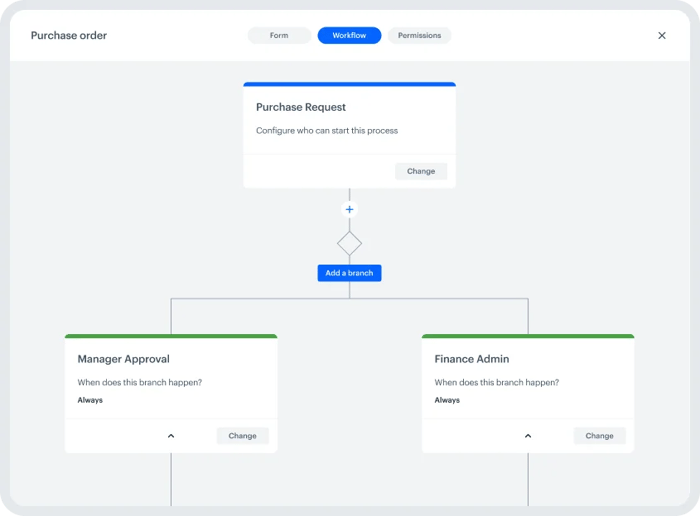
Intuitive visual designer
The ideal approval software will score high in ease of use. Employees without coding knowledge should find the experience friction-free.
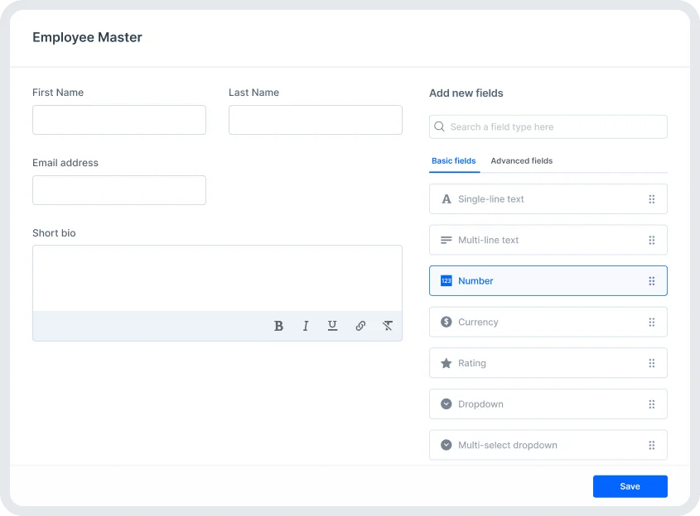
Drag-and-drop forms
The form builder should have exhaustive fields to enable maximum customization, allowing users to design a form easily.
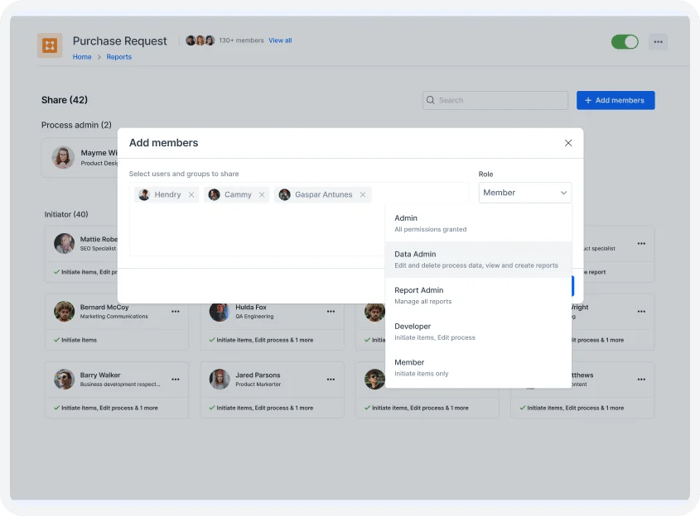
Extensive security
Role-based access can restrict access to specific information to relevant people only, thereby protecting sensitive information.
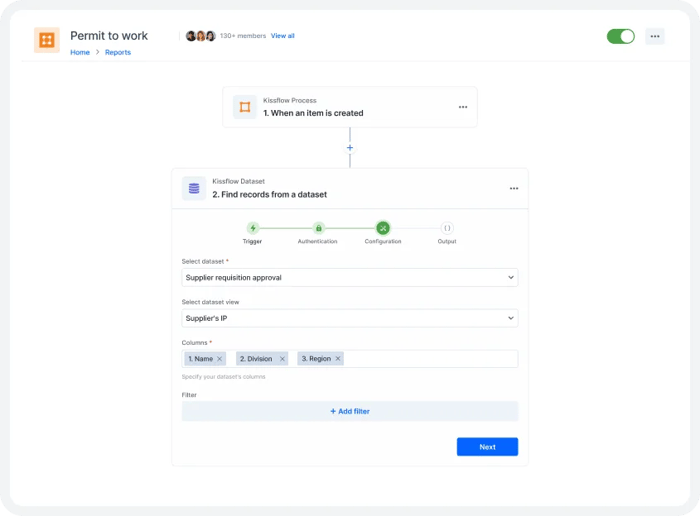
Seamless integration
Expand approval capabilities by connecting processes and APIs and merging data from our integrations hub.
Analytics and reporting
Monitor, analyze, and identify gaps in approval system to improve processes cyclically and heighten efficiency.
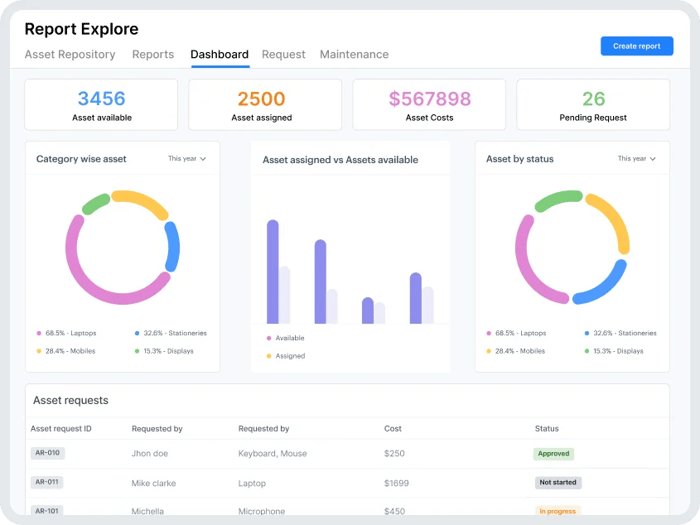
Why Kissflow is the right choice for quick approvals
Kissflow stands out as a low-code platform with the ultimate approval workflow software capabilities due to
its intuitive design, customization options, and seamless integrations.
-

Ensure smooth functioning of processes through notifications that can be set up based on your requirements
-
Streamline the approval process across all industry business, such as marketing, finance, IT, HR, and other kinds of services
-
Build insightful dashboards that can inform you of process status effortlessly and save countless hours wasted on manual approvals

Seamless approvals, superior results
Make the smart choice for streamlined approvals and business success

Error
reduction
Minimizes the risk of errors associated with manual data entry and handoffs, while ensuring accuracy

Enhanced accountability
Assign roles, track each step in the approval process, and avoid tasks falling through the cracks

Efficiency and speed
Automate approval workflows, leading to faster decision-making and shorter approval cycles

Remote accessibility
Kissflow is a cloud-based platform that allows users to access approval workflows from anywhere
Don't take our word for it
Join our global customers who trust Kissflow to simplify approvals and maximize productivity

"We were able to completely customize and change forms at any point without needing to contact an IT desk or have a background in programming."
Yvonne Herman
Wayne Metro


"With Kissflow, I got used to developing processes very fast and the support given was very helpful."
Griselda Juve
Olympus

"This is so easy, even my mom could do this. It was extremely intuitive and straightforward. The watermark was, 'I don't need to call IT to do this. I can do it myself.' "
Renee Villarreal
McDermott










