Analytics App for Retail Industry
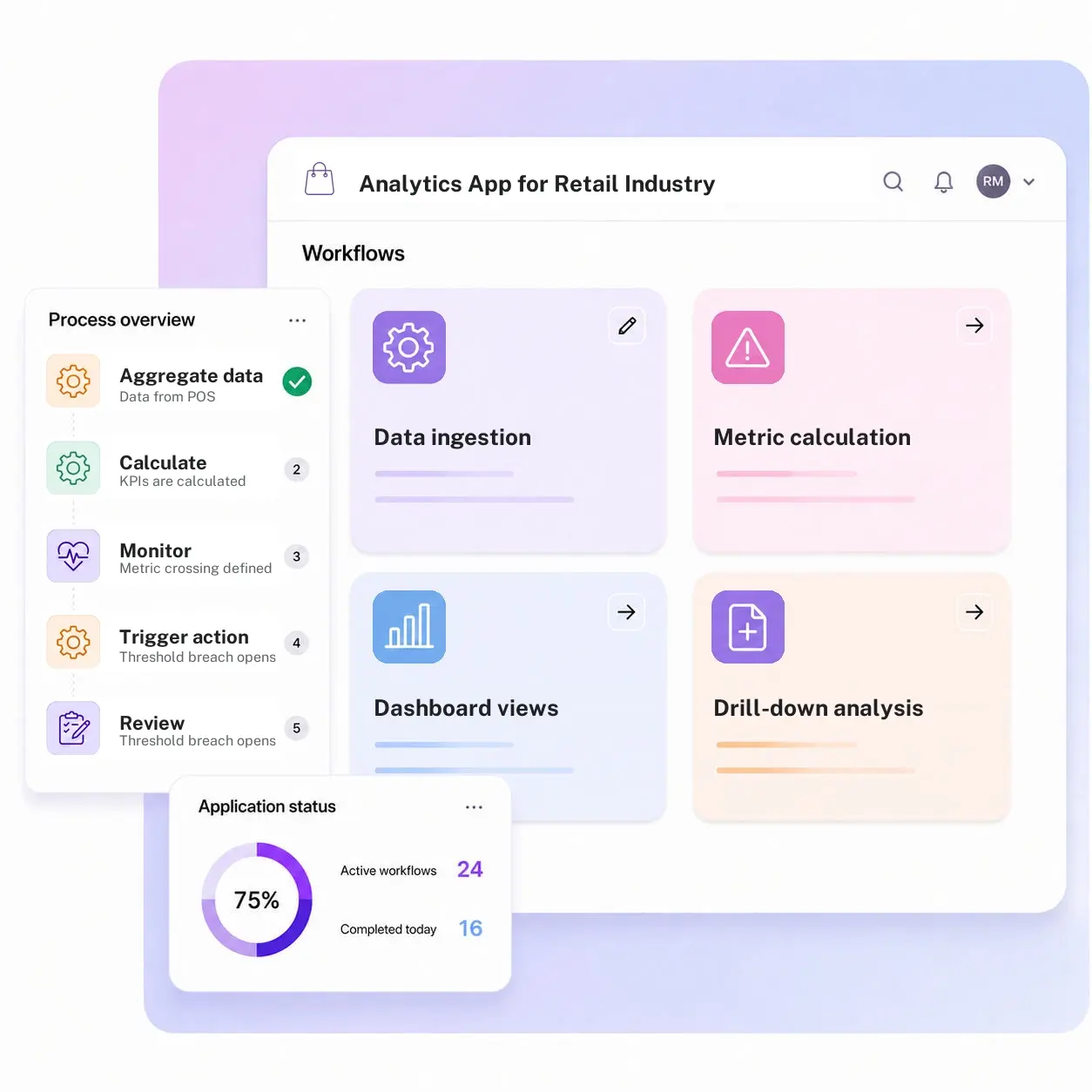
Kissflow aggregates data from POS, staffing, and compliance systems into one dashboard with drill-down by store and region, and a threshold alert that automatically opens a task for the right owner, not just a chart nobody acts on after a meeting ends.
Trusted by leading retailers worldwide


A dashboard nobody acts on is a report, not an app.
A regional manager can look at a sales dashboard, notice a store underperforming its peers by a wide margin, and still have no structured way to act on that observation beyond an email or a phone call that may or may not get followed up on. Reporting tools are good at showing a number is off; they are rarely built to turn that number into an assigned task with a named owner and a due date, which means the same underperformance can get flagged in three consecutive weekly reviews without anyone ever being formally accountable for fixing it.
Kissflow aggregates data from the systems that already generate it, POS, staffing, compliance, into dashboards with drill-down by store and region, and ties a threshold breach directly to a workflow: a store trending below target automatically opens a review task for the regional manager, instead of sitting quietly in a report nobody opens twice after the meeting it was built for.
Analytics leads configure metrics, thresholds, and the workflows they trigger directly in the visual builder, so a new KPI can drive action from the day it launches, not just get added to a slide deck that circulates once a month.
Where retail analytics stops at the dashboard
Data lives in separate systems
Sales, staffing, and compliance numbers each live in their own tool, never combined.
Dashboards do not trigger action
A number trending the wrong way is visible, but nothing routes it to someone responsible.
Drill-down is manual
Understanding why a store underperforms means exporting data and analyzing it separately.
Thresholds are not monitored automatically
A KPI crossing a concerning level is caught only when someone happens to look.
Six modules. Every metric tied to a threshold and a workflow when it is crossed.
Configure data sources, metrics, and threshold-triggered workflows.
Data ingestion
Data from POS, staffing, and compliance systems is aggregated automatically into one consistent dataset.
Metric calculation
KPIs are calculated the same way across every store and region, removing manual reconciliation work.
Dashboard views
Interactive dashboards show performance broken down clearly by store, region, and product category always.
Drill-down analysis
A manager can drill from a single chain-wide number down to the specific store actually driving it directly.
Threshold alerting
A metric crossing a defined threshold triggers an alert automatically, without a manual review step.
Workflow trigger
A threshold breach opens a tracked task with a named owner, not just another notification to skim over.
From request to system of record in four steps
Capture

Data from POS, staffing, and compliance systems is combined into one consistent dataset.
Validate

KPIs are calculated consistently across the chain, removing manual reconciliation work.
Track

A metric crossing a defined threshold is flagged automatically for immediate review.
Report

A threshold breach opens a tracked task for the right owner with a firm due date, with dashboards and drill-down drawn from the app itself.
What changes when retail analytics runs on Kissflow
| Process | Before Kissflow | On Kissflow |
|---|---|---|
| Data sources | Scattered across separate tools | Aggregated into one dataset |
| Dashboard | A static report | An interactive view with drill-down |
| Threshold monitoring | A manual glance | Automatic, continuous checking |
| Action on a breach | An email, if anyone sends one | A tracked task assigned automatically |
| Root-cause analysis | A separate export and spreadsheet | Drill-down within the same dashboard |
| Accountability | Unclear who acts on a number | A task with an owner and a due date |
Connects to your POS, staffing, and compliance systems; Kissflow does not replace your BI platform of record
Kissflow runs the aggregation, threshold, and workflow-trigger layer on top of your existing data sources. Your BI platform can remain the deeper analytical tool.
.svg)



.svg)
.svg)
.svg)
.svg)

.svg)
.svg)
.svg)
.svg)
.svg)

.svg)

.svg)

.svg)
.svg)
.svg)
.svg)
.svg)
.svg)
.svg)
.svg)
.svg)

.svg)
Built for how retail analytics actually needs to drive a next step
A chart that triggers a task
A dashboard that acts, not just displays.
Drill-down without a separate export
Root-cause analysis happens inside the same view.
Thresholds monitored continuously
A concerning number is caught the moment it happens, not on the next manual review.
Live in weeks
Configure metrics and thresholds in the visual builder, or describe the use case to the AI Builder.
Governed from day one
Role-based access on every dashboard and triggered task.
One view for every level of the org
A store manager, regional lead, and head office see the data relevant to them.
Related apps
Retail Store Management App
Manage the underlying store operating record this analytics app reports on.
Compliance Check Management System
Obligation register, task assignment, evidence collection, submission, attestation, and audit trail for store compliance.
Store-wise Maintenance Performance Dashboard
Goal setting, performance measurement, review, calibration, and reporting for store-level maintenance performance.
We help retail operations teams turn a dashboard number into a tracked action
.gif)

“If a company cannot enable everybody to use AI, they will never get the true benefit of AI. Platforms like Kissflow allow us to put that capability in the hands of our users in a safe way.”
Vagesh Dave
GVP & CIO at McDermott International, Ltd
See The Full Story

“Advanced automation of all processes is easy to set up. I cannot imagine how to manage workflows without this software.”
Tanay Tiwary
Global Head - Digitalization & Business Improvement
See the Full Story

“Kissflow supports rapid application development by building a working application prototype in the shortest amount of time.”
Maria Theresa Cabigon
CIO, SN Aboitiz Power Group
See The Full Story
See what Kissflow can do for you
Talk to usGot questions? We're here to help.
Get SupportNo. Your BI platform can remain the deeper analytical tool. Kissflow runs the aggregation, threshold, and workflow-trigger layer that turns a number into an action.
Yes, crossing a configured threshold can trigger a tracked task assigned to the right owner.
Yes, dashboards support drill-down by store, region, and category.
Yes, data ingestion is configured against your POS, staffing, and compliance systems.
Yes, role-based access shows a store manager their store and a regional lead their region.
Yes, metrics and thresholds are configured in the visual builder.
Configuration and AI-assisted app generation move delivery from a multi-month program to a matter of weeks.
Kissflow is certified to SOC 1, SOC 2, SOC 3, and ISO/IEC 27001, with role-based access on every record.











