Case Management Tools and Software by Use Case
Case management tools are digital platforms that centralize client or case records and information, track workflows and tasks, and automate intake, reminders, and reporting. The right one depends on your sector, team size, budget, and practice area.
TL;DR
- Social services teams often shortlist PlanStreet, Bonterra Apricot, Foothold, and Casebook.
- For law firms, Clio suits growing and litigation-heavy firms, and 8am MyCase suits solo and small-to-medium practices.
- Compliance teams look at Case IQ and Resolver, while support teams look at Salesforce Service Cloud and Zendesk.
- Spreadsheets and email hold up until case volume grows, and then reminders slip and audit history disappears.
What are case management tools?
Strip away the sector labels and every case management tool on this list does the same four jobs. The interface changes from a caseworker’s caseload to a litigator’s matter list, but the work underneath is the same.
- It keeps every client or case record in one place, with documents, notes, and history attached.
- It collects intake through structured forms, so each case starts with the information a reviewer needs.
- It moves work forward with automated tasks, reminders, and escalations instead of calendar notes.
- It reports on volume, status, and outcomes, and it limits who sees what through role-based access and audit trails.
Where health data is involved, HIPAA applies, so check each vendor’s compliance documentation before a trial.
The buying trigger is just as consistent: spreadsheets, email, and paper break down as case volume grows. Deadlines end up in one person’s calendar, and nobody can reconstruct who changed what. For how a case moves from open to resolution, this case management overview walks through the process side.
Case management tools by use case
No single product wins every sector, so this shortlist is split by the kind of case you handle. Each entry gives the tool, what it does, who it was built for, its starting price, and its G2 rating.
Social services and nonprofit case management tools
Human services teams need client records, service tracking, and outcome reporting in one place.
- PlanStreet: case and client management for social services and human services programs. Built for: providers tracking clients across several programs. Pricing: sold by quote. G2 rating: 4.6 out of 5 from 9 reviews.
- Bonterra Apricot: client case management and outcome tracking. Built for: organizations recording the services each client receives. Pricing: sold by quote. G2 rating: 4.4 out of 5 from 358 reviews.
- Foothold: AWARDS EHR software for case records and service documentation, from Foothold, part of Radicle Health. Built for: human services agencies that document services against each client. Pricing: sold by quote. G2 rating: 4.8 out of 5 from 30 reviews.
- Casebook: cloud case management for human services teams. Built for: public and nonprofit human services organizations. Pricing: per user, with no figures published. G2 rating: 4.3 out of 5 from 76 reviews.
Case management tools for patient and member records
HIPAA compliance decides the shortlist for patient records before features do.
- Salesforce Health Cloud: patient and member case records, care coordination tasks, and reporting on the Salesforce platform. Built for: teams already running Salesforce. Pricing: from $350 per user per month, billed annually. G2 rating: 4.0 out of 5 from 90 reviews.
Any tool that stores protected health information needs HIPAA safeguards. Ask each vendor for its compliance documentation before you start a trial.
Corporate investigations and compliance case management tools
Case IQ and Resolver both sell investigation case management to corporate teams.
- Case IQ: compliance and case management with intake, case files, workflow, and reporting. Built for: corporate compliance and investigations teams. Pricing: sold by quote, with an implementation fee and an annual subscription. G2 rating: 4.5 out of 5 from 124 reviews.
- Resolver: incident management and enterprise investigations. Built for: compliance and security functions that log and investigate incidents. Pricing: sold by quote. G2 rating: 4.3 out of 5 from 180 reviews.
For the workflow side of investigations, see this guide to investigation case management software.
Customer support and IT case management tools
In support and IT, a case is a ticket that has outgrown the queue.
- Salesforce Service Cloud: customer cases linked to account and contact records, with routing and service reporting. Built for: service teams whose customer data already lives in Salesforce. Pricing: Starter Suite from $25 per user per month. G2 rating: 4.4 out of 5 from 8,467 reviews.
- Zendesk: ticket-based case handling for customer support. Built for: support teams that run case work through tickets. Pricing: Support Team from $19 per agent per month, billed annually. G2 rating: 4.3 out of 5 from 7,122 reviews.
- ServiceNow: an AI platform that started in IT service management and now runs IT, HR, customer service, and finance workflows. Built for: IT organizations running ITSM. Pricing: sold by quote. G2 rating: 4.5 out of 5 from 2,019 reviews.
Enterprise case management platforms
Two platforms handle complex case work across departments at enterprise scale.
- Appian: a low-code process platform whose Case Management Studio provides prebuilt case modules. Built for: organizations with complex, changing case work. Pricing: per user, per month, per app, with no figures published. G2 rating: 4.5 out of 5 from 526 reviews.
- Pega: a platform that orchestrates agents, people, and systems around cases, and Pega Infinity 26 charges a flat price per completed case. Built for: large enterprises standardizing process and case work on one model. Pricing: sold by quote. G2 rating: 4.2 out of 5 from 278 reviews.
If you are deciding between structured process tools and case tools, the BPM vs case management comparison sets out where each fits.
Case management for internal approvals and exceptions
Suited to: IT-governed approval and exception workflows built by business teams
The sector tools above are each built around one kind of case. Internal cases that start as an approval and turn into an exception cross departments instead. A procurement or vendor approval breaks policy. An HR onboarding exception needs HR, IT, and finance to act in sequence. An IT service request falls outside the catalog. A finance approval lands above a threshold. An auditor asks for evidence of who signed off. Each one runs through email until someone has to prove what happened.
Require these five things before you shortlist a tool for this work:
- Audit trails that timestamp and attribute every action without extra configuration.
- Role-based access that IT defines and owns.
- Sign-in through your identity provider.
- A way for business owners to change an approval rule, with an admin controlling what goes live.
- A clean boundary with your systems of record, so SAP, Oracle, Salesforce, and Workday stay authoritative.
Kissflow
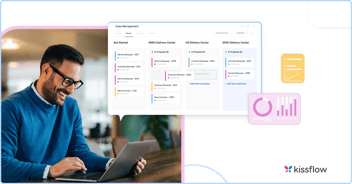
Kissflow is an AI-powered enterprise application platform. Since 2012 it has let business teams and IT build, automate, and govern their core work on a platform driven by business logic, not code. Kissflow serves over 1,200 customers worldwide. Kissflow fits organizations that need governed approval and exception workflows around systems of record such as SAP, Oracle, Salesforce, and Workday. It handles the structured work that falls at the edges of what the core systems were built to do and does not replace them. It is not a legal practice management product: it has no trust accounting, court-rule calendaring, or law-firm billing.
- Governance: audit logs timestamp and attribute every action, and an admin controls what goes live.
- Compliance: SOC 1 Type II, SOC 2 Type II, SOC 3, ISO/IEC 27001, HIPAA, GDPR, and CCPA. Hosting on Google Cloud Platform (primary) and AWS (secondary), with data residency in the US, EU, APAC, and Oceania, and a 99 percent uptime SLA.
- AI: AI Builder, generally available since May 2026, turns a single prompt or an uploaded requirements document into a complete working app that you refine through conversation. It generates blueprints, structured metadata that describes business logic. People own and review the blueprints, and AI changes use the same audit log as manual edits.
- In production: new store opening and retail lifecycle management, oil rig shutdown and turnaround management, and end-to-end procurement and financial consoles.
- Customers: Aswaq Management and Services evaluated Power Apps and Creatio before choosing Kissflow.
- Pricing: Kissflow uses subscription-based, user-tier pricing. Users are grouped into blocks by level of platform interaction, such as builders versus occasional approvers. Integrations, APIs, and AI features are included in the subscription at no extra cost. Enterprise customers can access volume-based pricing and multi-year agreements, with three-year contracts typical. Implementation, consulting, and support are scoped separately, delivered directly or through partners.
- G2 rating: 4.3 out of 5 from 590 reviews.
How approval and exception platforms compare on pricing
| Platform | Positioned for | What adopting it requires | Published price, as of 3 November 2026 |
|---|---|---|---|
| Kissflow | Governed approval and exception workflows around systems of record | Subscription-based, user-tier pricing | No published figures |
| Appian | Complex case work across departments | A sales quote | Per user, per month, per app, with no published figures |
| ServiceNow | IT service management, extended to other departments | A sales quote | None published, sold by quote |
| Power Apps (Microsoft Power Platform) | Custom apps on Microsoft Power Platform | A Power Apps Premium license, paid yearly | $20 per user per month, or $12 with a 2,000-license minimum |
If your IT team already runs ITSM on ServiceNow, that stays where it is, and business approval workflows can run on Kissflow alongside it. For a closer look at the build approach, see Kissflow vs Appian.
Lightweight and DIY case management tools
Many teams start here, and at low volume that is a sound choice.
- Excel and Google Sheets: shared case logs with columns for status, owner, and due date. Built for: small teams with low case volume. Pricing: Google Sheets is free with a Google account, and Excel comes with Microsoft 365.
- Microsoft Lists: list-based case tracking inside Microsoft 365. Built for: teams already working in Microsoft 365. Pricing: included in Microsoft 365, from $7 per user per month on Business Basic, paid yearly.
- Trello: card boards that show each case moving through stages. Built for: small teams that want a visual queue. Pricing: free for up to 10 collaborators, and Standard is $5 per user per month billed annually. G2 rating: 4.4 out of 5 from 14,067 reviews.
- Airtable: spreadsheet-style databases with linked records and multiple views. Built for: teams that want structure without a dedicated case product. Pricing: free plan, and Team is $20 per user per month billed annually. G2 rating: 4.6 out of 5 from 3,304 reviews.
- Jira: issue tracking with configurable workflows. Built for: technical teams already working in Jira. Pricing: free for up to 10 users, and the per-user Standard price falls as the team grows. G2 rating: 4.3 out of 5 from 8,058 reviews.
- OneNote: notebook-style case notes. Built for: individual caseworkers keeping working notes. Pricing: free.
The weakness shows up at audit time. A sheet or board shows what a case looks like now, and working out who approved what, and when, gets harder with every new case.
Best case management software for law firms (legal practice management)
Searches for case management software often mean law firm platforms, so this section covers them.
| Scenario | What the case is | Where to look |
|---|---|---|
| Legal practice | Client matters with deadlines, billing, and trust accounting | Clio, 8am MyCase, PracticePanther, Filevine, Smokeball |
| Personal injury and bankruptcy | Medical records, trial preparation, and electronic court forms | 8am CasePeer, CaseFleet, Best Case by Stretto |
Top legal case management software
- Clio: suited to growing, larger, and litigation-heavy firms. Clio lists 300+ integrations, and AI is included on plans from Core up. Pricing: Starter from $49 per user per month, with higher tiers priced on request. G2 rating: 4.6 out of 5 from 1,146 reviews.
- 8am MyCase: suited to solo and small-to-medium firms that want an easy, budget-friendly option. MyCase includes LawPay payments, and client texting and a lead-management CRM come with its Pro and Advanced plans. Pricing: Basic from $50 per user per month billed annually, or $60 monthly. G2 rating: 4.4 out of 5 from 415 reviews.
- PracticePanther: suited to firms that want customizable workflows. PracticePanther supports task and event workflows and custom security roles, so a firm can shape matter steps and access around how it practices. Pricing: Solo from $49 per user per month billed annually, or $59 monthly. G2 rating: 4.3 out of 5 from 112 reviews.
- Filevine: suited to litigation-heavy firms handling high-volume case data. Filevine organizes large case files, and its MedChron feature builds automated medical timelines for injury and litigation work. Pricing: sold by quote. G2 rating: 4.6 out of 5 from 300 reviews.
- Smokeball: suited to firms that want automatic time tracking and document production. Smokeball’s AutoTime records time as you work on Prosper+ and as an add-on on Grow, it includes a library of automated legal forms, and its desktop app comes with Grow and higher plans. Pricing: sold by quote. G2 rating: 4.7 out of 5 from 389 reviews.
Niche legal case management software
- 8am CasePeer: suited to personal injury firms. CasePeer runs personal injury practice management from intake to settlement, with medical treatment tracking. Pricing: Basic from $90 per user per month. G2 rating: 4.7 out of 5 from 205 reviews.
- CaseFleet: suited to litigators building case chronologies. CaseFleet builds chronologies, including medical chronologies from records, and supports work from discovery through trial. Pricing: Starter from $30 per user per month. G2 rating: 4.5 out of 5 from 2 reviews.
- Best Case by Stretto: suited to bankruptcy practices. Best Case prepares bankruptcy filings with continually updated federal and local forms and electronic filing. Pricing: $99 per month per single-user license. G2 rating: 4.1 out of 5 from 6 reviews.
- 8am LawPay: suited to firms that need legal payment processing. LawPay handles client payments and connects with MyCase, CasePeer, and more than 70 other legal tools. Pricing: from $19 per month, plus 2.99 percent and 30 cents per card transaction. G2 rating: 4.7 out of 5 from 226 reviews.
What features should law firms compare?
Practice fit comes before price. A personal injury firm and a bankruptcy practice need different tools even at the same headcount.
- Practice-specific needs: match the tool to your practice area, such as medical chronologies for injury work or electronic court forms for bankruptcy.
- Billing and trust accounting: confirm IOLTA trust accounting is built in, or decide to run accounting in a separate system.
- Client portals and intake: check how new matters arrive and how clients see updates.
- AI and document automation: test document assembly on your own templates.
- Deployment: choose between cloud-only access and a desktop app with cloud sync.
What features should you look for in case management software?
The four core jobs described above are the baseline in every sector. After that, test audit and governance. This checklist applies whatever sector you buy for.
| Criterion | What good looks like | Question to ask the vendor |
|---|---|---|
| Attributed audit logs | Every action is timestamped and tied to a named user | Can I export the full history of one case for an auditor? |
| Role-based access | Permissions are set by role and owned by IT | Who can change a permission, and is that change logged? |
| SSO | Sign-in runs through your identity provider | Which sign-on standards are supported on my plan? |
| Certifications | Current SOC 2 Type II and ISO/IEC 27001, plus HIPAA where health data is involved | Can you share the latest reports under NDA? |
| Data residency | Data stays in a region you choose | Where is my data stored, and can I pin it to the US? |
| AI governance | AI-made changes land in the same audit log as manual edits | When AI changes a workflow, how do I see what it changed? |
How do you choose a case management tool by team size and budget?
Choose by the kind of case first, then team size, then budget. Sector decides the shortlist, and size and budget decide the tier.
- A small team with low volume can start in a spreadsheet or a board, and should set the case count at which it will move.
- A law firm should start its trial with whichever of Clio or 8am MyCase matches its size and caseload, as set out in the legal section above.
- A social services agency should shortlist the dedicated human services tools above and apply the HIPAA check wherever health data is involved.
- A compliance or investigations team should compare Case IQ and Resolver on intake and reporting.
- An operations or IT team handling cross-department approvals around SAP or Oracle should judge tools against the governance checklist.
- On budget, several legal and support tools publish per-user prices, while enterprise platforms and some legal tools sell by quote, so ask what occasional approvers will cost before you sign.
Frequently asked questions
What is the difference between a CRM and a case management system?
A CRM is organized around the customer account, while a case management system is organized around the case and its history. The decision rule: if you must later prove who decided what on a specific matter, you need case-level audit trails and role-based access as well as contact records. If your cases are mostly customer requests and your data already lives in Salesforce, its case features, which link each case to account and contact records, may be enough. Some legal tools blur the line: 8am MyCase adds a lead-management CRM on its Pro and Advanced plans.
Can case management software be HIPAA compliant?
Yes, if the vendor signs a business associate agreement and supports access controls, audit logs, and encryption for protected health information. Ask for the agreement and the vendor’s current compliance documentation before a trial, and check that every integration that touches health data is covered too.
How long does it take to implement case management software?
A spreadsheet or board can be running in a day. A dedicated sector tool takes weeks, mostly to migrate existing case records and set up intake forms. Enterprise platforms take longer, because each workflow, permission, and integration has to be configured and tested before go-live.
What is the difference between case management and workflow management?
Workflow management runs repeatable processes along a defined path, such as an approval with fixed steps. Case management handles work whose path changes as the case develops, such as an investigation or a client matter, where people decide the next step. Many organizations use both, and an exception in a workflow often becomes a case.
How do you move case records out of spreadsheets?
Export each sheet to CSV, clean duplicate and incomplete rows, and map every column to a field in the new tool before importing. Move open cases first and archive closed ones as read-only records. Keep the old sheet locked, so nobody keeps updating it after the switch.
Where should you start your shortlist?
Start with the case you actually handle. The sector shortlists above show the market has already sorted itself. The internal approval that turns into an exception is the case the sector tools are not built around, and in a large company it often runs on email and spreadsheets. Whatever you buy, test the audit trail before you test the interface. A tool that cannot show who decided what will fail you at the moment it matters. Before your first trial, map your own flow against the seven case management process steps so every vendor demo runs on your case.
Book a demo to see an approval-and-exception case built and governed in Kissflow.
Related Articles