Customer Feedback Management App for Retail and Service Teams
Kissflow classifies incoming customer feedback by sentiment, flags the critical and poor reviews automatically, and routes each one to the right support or product owner as a tracked case, so a bad review becomes a resolved issue instead of a missed one.
Trusted by energy operators worldwide


One system for every review, not a folder of screenshots
A one-star review sitting in a spreadsheet does not tell anyone which product line is failing, or which store needs a conversation with a manager. Most retail and service teams collect feedback from three or four channels at once, a review site, an in-app survey, a support email, a social mention, and none of them agree on what counts as urgent. Kissflow's Customer Feedback Management app gives every incoming review a consistent sentiment classification the moment it arrives, so a critical or poor review is flagged automatically instead of waiting for someone to notice it in a weekly export. Flagged feedback becomes a tracked case with an owner, a team assignment, and a due date, not a screenshot forwarded in chat. Positive and neutral feedback still gets logged, so the sentiment dashboard reflects the full picture rather than only the complaints. The feedback repository keeps every review, its classification, and its resolution history in one searchable place, so a repeat complaint about the same product or store shows up as a pattern instead of three unrelated tickets.
A feedback inbox that nobody owns fails the same way every time
Critical reviews sit unread
A one-star review has the same visibility as a five-star one until someone happens to scroll past it and notice.
No one owns the escalation
A flagged complaint gets forwarded in chat to whoever is online, with no assignment, due date, or record of what happened next.
Sentiment trends are invisible
Without consistent classification, a repeat complaint about the same product or store looks like three unrelated tickets.
Resolution has no audit trail
When a customer asks what happened to their complaint, the answer depends on whoever remembers handling it.
Six process modules
Every module ships with default sentiment categories, routing rules, and dashboards. Configure each one to your organization in the visual builder or leave the defaults in place.
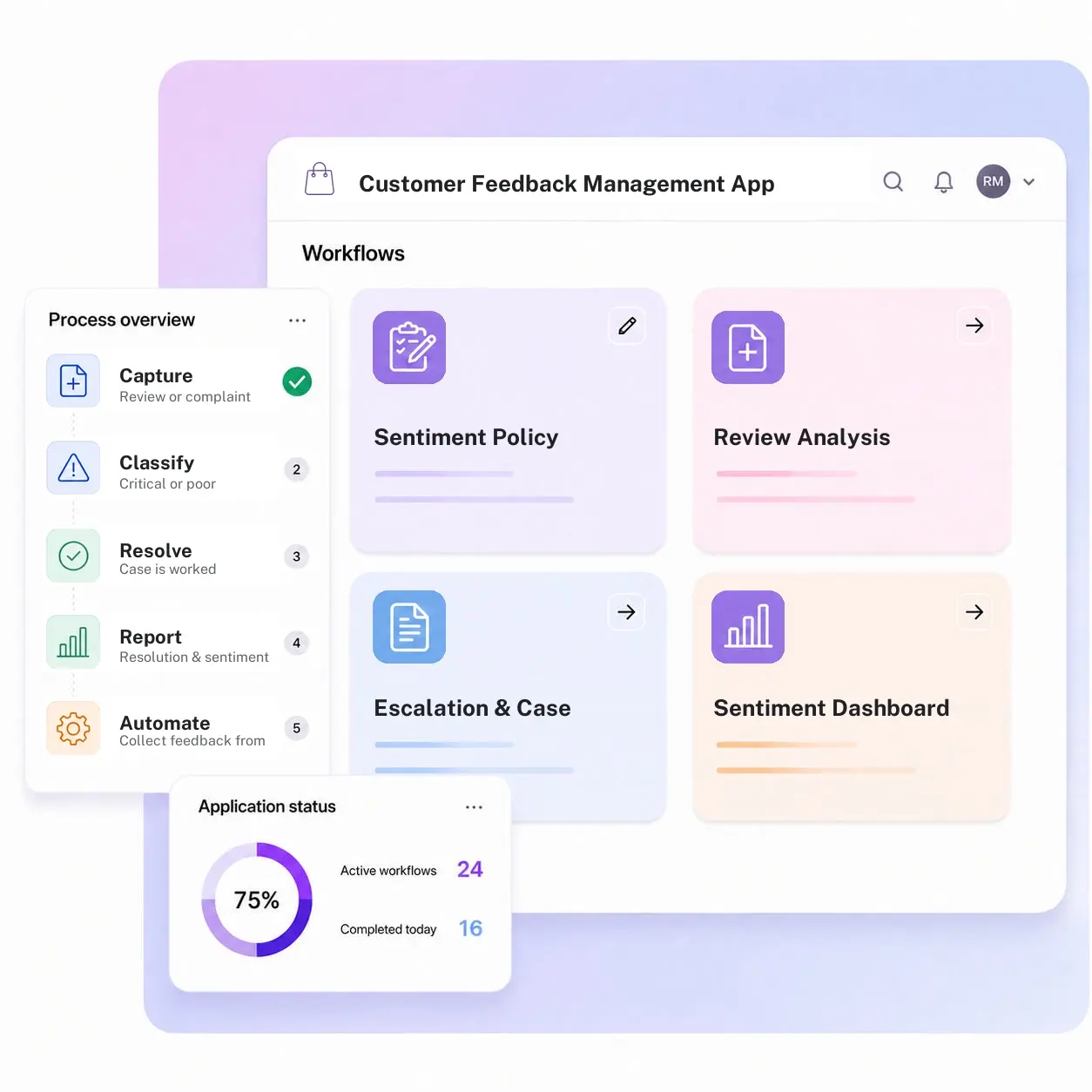
Sentiment Policy
Define sentiment classification rules by industry, product line, and customer segment, matched to your standards.
Review Analysis
Submit and score every review with a sentiment level, confidence rating, and the reasoning behind the classification.
Escalation & Case Routing
Critical or poor reviews create a case automatically, assigned to the right support or product team with a due date.
Sentiment Dashboard
Visualize sentiment trends by channel, product line, and location, so a shift in satisfaction is visible immediately.
Feedback Repository
A searchable record of every review, its classification, and its resolution history, kept for audit and trend analysis.
Multi-Channel Intake
Collect feedback from review sites, surveys, support emails, and social mentions into one classification queue.
From request to system of record in four steps
Report

A review or complaint arrives from any channel and is logged with sentiment scored automatically.
Assess

Critical or poor sentiment triggers a case, assigned to the right support or product team instantly.
Resolve

The case is worked to resolution, with every action and note captured against the original review.
Record

Resolution and sentiment trends report straight from the repository, by channel, product, and location.
What changes when feedback runs on Kissflow
| Process | Before Kissflow | On Kissflow |
|---|---|---|
| Review intake | Feedback scattered across review sites, surveys, and inboxes | Every channel feeds one classification queue automatically |
| Sentiment classification | Read manually and judged inconsistently by whoever sees it first | Scored automatically against defined sentiment categories |
| Critical review handling | Forwarded in chat with no owner or due date | Becomes a tracked case assigned to the right team instantly |
| Resolution tracking | Handled from memory, with no record of what happened | Logged against the original review with a full history |
| Trend visibility | A repeat complaint looks like three unrelated tickets | Patterns surface by product, channel, and location |
| Reporting | A spreadsheet rebuilt by hand for the monthly review | Dashboards draw straight from the live feedback repository |
Connects to the tools your support and product teams already use
.svg)



.svg)
.svg)
.svg)
.svg)

.svg)
.svg)
.svg)
.svg)
.svg)

.svg)

.svg)

.svg)
.svg)
.svg)
.svg)
.svg)
.svg)
.svg)
.svg)
.svg)

.svg)
Built for how feedback actually gets handled
The support lead owns the categories
Sentiment categories, routing rules, and escalation logic are changed by the team that owns them, without a build request.
Every critical review has an owner
A poor review becomes a tracked case with an assignment and a due date, not a screenshot in a chat thread.
One queue for every channel
Review sites, surveys, emails, and social mentions all feed the same classification and routing queue.
Trends are visible, not assembled
Sentiment dashboards update automatically instead of depending on a spreadsheet rebuilt each month.
Governed from day one
Role-based access and a timestamped record of every case are how the app is built, not an added feature.
Live in weeks, not a program
Configure in the visual builder, or describe the workflow and let the AI Builder generate the app.
Related apps
Dealer Feedback & Suggestion Management System
Collect and route dealer feedback and suggestions to the right internal owner for action.
Service Management App
Manage field audits, maintenance SLAs, and service requests from one operating record.
Retail Store Management App
A central store record for staff, tasks, compliance status, and performance across every location.
We help support and product teams close the loop on every review
.gif)

“If a company cannot enable everybody to use AI, they will never get the true benefit of AI. Platforms like Kissflow allow us to put that capability in the hands of our users in a safe way.”
Vagesh Dave
GVP & CIO at McDermott International, Ltd
See The Full Story

“Advanced automation of all processes is easy to set up. I cannot imagine how to manage workflows without this software.”
Tanay Tiwary
Global Head - Digitalization & Business Improvement
See the Full Story

“Kissflow supports rapid application development by building a working application prototype in the shortest amount of time.”
Maria Theresa Cabigon
CIO, SN Aboitiz Power Group
See The Full Story
See what Kissflow can do for you
Talk to usGot questions? We're here to help.
Get SupportA customer feedback management app is a digital system that collects reviews from multiple channels, classifies each one by sentiment, and routes the critical or poor ones to the right team as a tracked case.
Yes. Sentiment categories, required fields, and classification rules are configured by the team that owns the program, based on industry, product line, and customer segment.
Yes. Reviews from review sites, in-app surveys, support emails, and social mentions all feed into the same classification and routing queue.
A poor or critical review automatically creates a case, assigned to the right support or product team with a due date, instead of waiting to be noticed.
Yes. Every case is logged against the original review, with the full record of actions taken, kept for audit and trend analysis.
No. Kissflow runs in the business-process layer alongside the systems you already own and connects to them through APIs and integration connectors.
No. Kissflow AI maps natural language to platform metadata and produces an inspectable blueprint, so every app stays auditable and the program owner can review it.
Kissflow is certified to SOC 1, SOC 2, SOC 3, ISO/IEC 27001, HIPAA, GDPR, and CCPA, hosted on Google Cloud with data residency across regions.











