Job Safety Analysis (JSA) Software for Field Crews
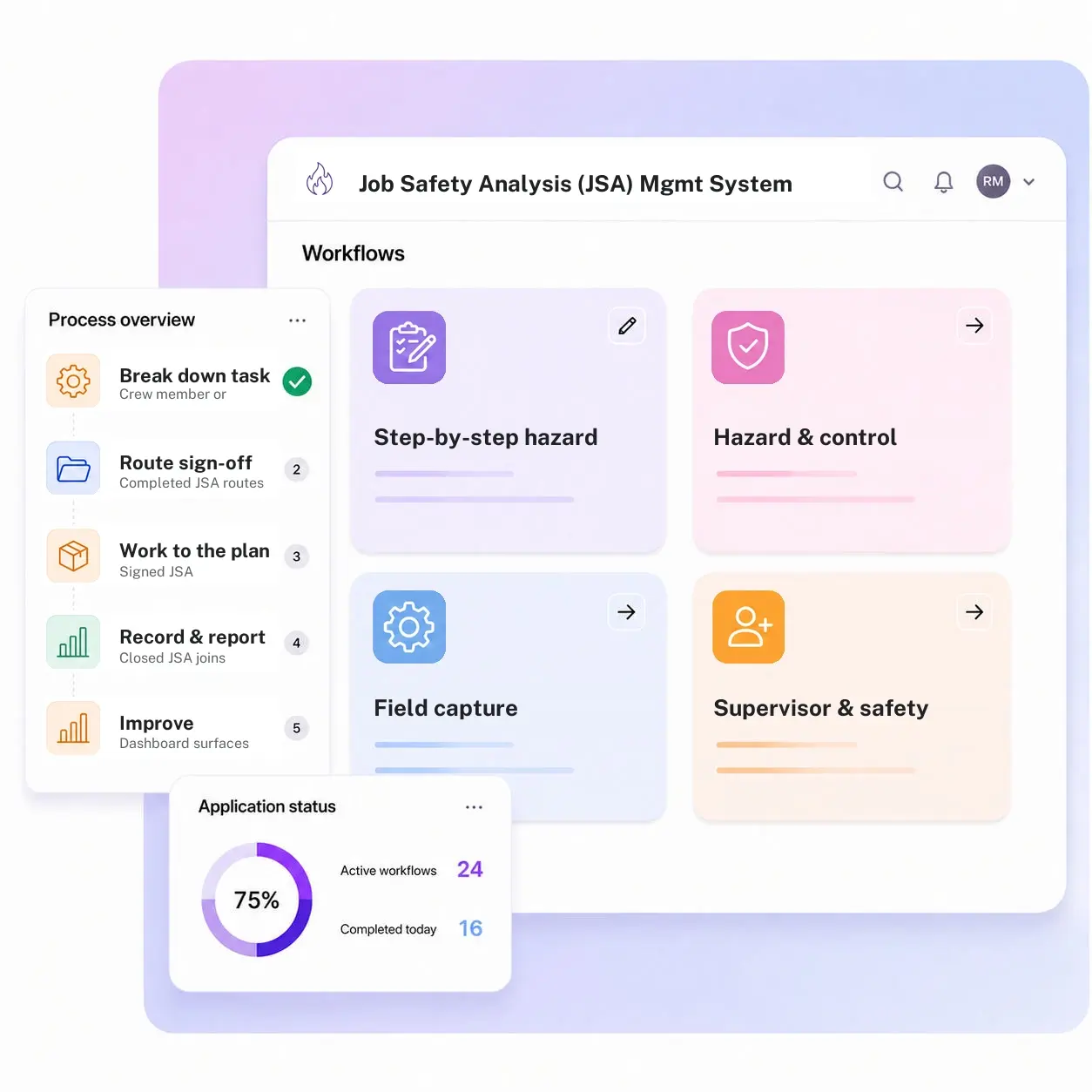
Kissflow turns a job safety analysis into a routed sign-off instead of a binder in a truck: hazard and control breakdown by task step, field capture on a phone or tablet, supervisor and safety approval before work begins, and a dashboard that flags which hazards keep recurring across sites and crews.
Trusted by energy operators worldwide






The crew already knows the job is dangerous. What a JSA proves is that someone thought through each step of it before the tools came out.
Before a crew drills a new hole, isolates a line, works at height on a platform, or enters a confined space, a job safety analysis breaks that task into its individual steps, names the hazard in each one, and specifies the control the crew has to follow. A binder in a truck can hold last month's JSA form. It can't route today's JSA to a supervisor for sign-off before the crew starts, link it to the permit it supports, confirm every crew member named on the job actually reviewed the hazards, or show which hazards keep showing up across every JSA filed this quarter, this site, or this contractor.
Kissflow runs JSA as an approval workflow, not a filing exercise: a step-by-step hazard and control library that speeds up authoring on a familiar task without cutting corners on an unusual one, field capture on a phone or tablet so the form gets built at the job site rather than reconstructed later, supervisor and safety sign-off routing before work begins, a records dataset tied to the job, crew, and permit, and a reporting dashboard that surfaces recurring hazards across sites, crews, and job types before one of them turns into an incident.
Where a paper JSA breaks down before the crew ever picks up a tool
JSAs live in a binder
The form gets filled out on paper, filed in a truck or a drawer, and never makes it into a system anyone can search.
Sign-off happens after the fact
Work starts and the supervisor signature gets collected later, defeating the point of a pre-task hazard review.
No link to the permit
The JSA and the permit to work it's supposed to support live in two disconnected places, with no record tying one to the other.
Recurring hazards go unnoticed
The same hazard shows up on JSA after JSA across different crews and sites, and nobody's aggregating the pattern.
Six modules. A JSA that gets read, not just filed.
Every module ships with default forms, routing, and dashboards. Configure each one to your job types and sign-off chain.
Step-by-step hazard breakdown
A job is broken into its individual steps, with a hazard identified and a specific control assigned to each one before the crew signs on.
Hazard and control library
A reusable library of common hazards and controls speeds up authoring without cutting corners on a new or unusual task.
Field capture
Crews complete and sign a JSA from a phone or tablet at the job site, not back at the office after the fact.
Supervisor and safety sign-off
The completed JSA routes to the supervisor, and safety where required, for sign-off, with automatic escalation if it stalls.
Job and crew records dataset
Every JSA is tied to its job, crew, and date, building a searchable history instead of a stack of paper.
Recurring hazard reporting
A dashboard surfaces which hazards and controls show up most often across sites, crews, and job types.
From request to system of record in four steps
Initiate

A crew member or supervisor starts a JSA for the job and lists its steps.
Conduct

Each step is broken down with its hazard and control named, captured in the field on a phone or tablet.
Flag

The completed JSA routes to the supervisor and, where required, safety for sign-off before the crew starts, and can be amended if conditions change mid-job.
Record

The closed JSA joins the records dataset, feeding the recurring-hazard dashboard across sites and crews.
What changes when JSA runs on Kissflow
| Process | Before Kissflow | On Kissflow |
|---|---|---|
| JSA creation | Filled out on paper in a truck or field office | Completed on a phone or tablet from a reusable hazard library |
| Sign-off timing | Collected after work has already started, if at all | Required before the crew begins the job |
| Link to the permit | JSA and permit live in two disconnected places | JSA is tied to the permit or work order it supports |
| Recordkeeping | Filed in a binder or drawer, hard to retrieve later | Searchable by job, crew, site, and date |
| Hazard trends | Invisible; each JSA is a standalone piece of paper | Aggregated on a dashboard across every JSA filed |
| Escalation | A stalled sign-off just delays the job with no visibility | An unsigned JSA escalates automatically before the start time |
Connects to your permit to work and EHS systems; the permit remains the authorization of record
Kissflow doesn't replace your permit to work system. It runs the pre-task hazard analysis and sign-off that feeds into and supports the permit that authorizes the work.
.svg)



.svg)
.svg)
.svg)
.svg)

.svg)
.svg)
.svg)
.svg)
.svg)

.svg)

.svg)

.svg)
.svg)
.svg)
.svg)
.svg)
.svg)
.svg)
.svg)
.svg)

.svg)
Built around the actual JSA workflow
Built around the actual JSA format
Step, hazard, control, exactly the structure crews already use, digitized instead of replaced.
Captured where the work happens
Field capture on a phone means the JSA gets written at the job site, not reconstructed from memory later.
Sign-off before, not after
Work can't start on an unsigned JSA, closing the gap between paperwork and practice.
Live in weeks
Configure the hazard library and sign-off routing in the visual builder, or describe the use case to the AI Builder.
Hazard patterns, not just paperwork
A dashboard shows which hazards recur, so a training or engineering fix can target the real problem.
Governed from day one
Role-based access and a complete audit log are built into every JSA.
Related apps
High-Risk Activity Approval Flow
Get advance, multi-party authorization for an entire high-risk activity category before it's scheduled.
Permit to Work Violation Escalation
Escalate and manage a direct breach of an issued permit's conditions.
PTW Deviation Escalation Log
Track drift from a valid permit's conditions through a technical review path.
We help crews turn a JSA into a sign-off, not just paperwork
.gif)

“If a company cannot enable everybody to use AI, they will never get the true benefit of AI. Platforms like Kissflow allow us to put that capability in the hands of our users in a safe way.”
Vagesh Dave
GVP & CIO at McDermott International, Ltd
See The Full Story

“Advanced automation of all processes is easy to set up. I cannot imagine how to manage workflows without this software.”
Tanay Tiwary
Global Head - Digitalization & Business Improvement
See the Full Story

“Kissflow supports rapid application development by building a working application prototype in the shortest amount of time.”
Maria Theresa Cabigon
CIO, SN Aboitiz Power Group
See The Full Story
See what Kissflow can do for you
Talk to usGot questions? We're here to help.
Get SupportHigh-Risk Activity Approval Flow is the upfront, multi-party gate that authorizes an entire high-risk activity category, like hot work or confined space entry, before it's even scheduled. Job Safety Analysis is the task-level, step-by-step hazard breakdown done for a specific job on a specific day, often feeding into that broader approval or the permit itself.
Those apps handle problems against an already-issued permit, a drift from its conditions or a direct breach. This app is the hazard analysis done before the permit is issued or work starts, not a response to something going wrong afterward.
No. The permit stays the authorization of record. This app runs the pre-task JSA that supports it.
Yes, the form works from a phone or tablet at the job site.
Configurable by job type, typically the supervisor and, for higher-risk tasks, a safety representative.
Yes, and the amendment is logged against the original record.
Configuration and AI-assisted app generation move delivery from a multi-month program to a matter of weeks.
Kissflow is certified to SOC 1, SOC 2, SOC 3, and ISO/IEC 27001, with role-based access and a full audit log on every record.











