Maintenance Management App for Oil & Gas Industry
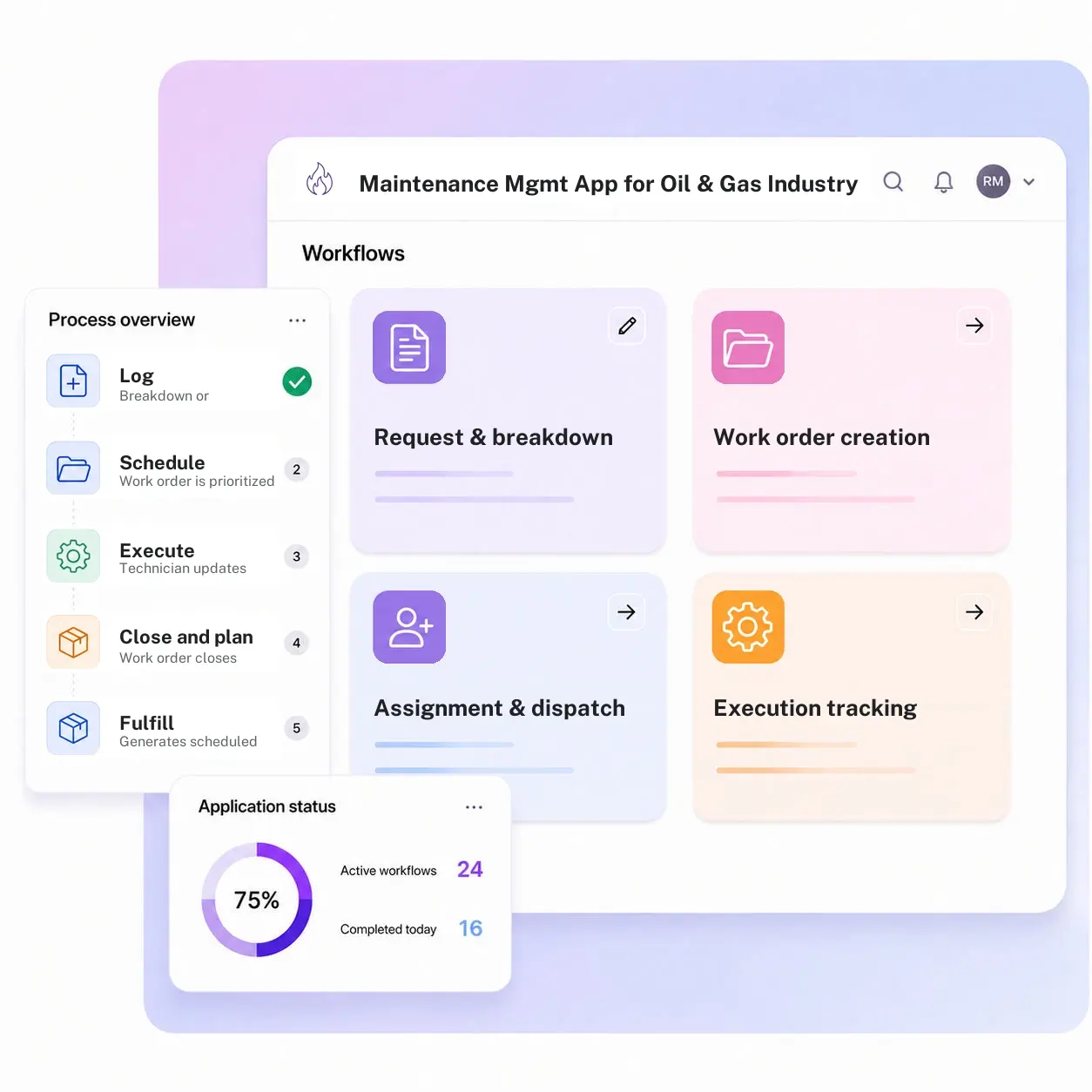
Kissflow runs breakdown logging, work order creation, scheduling and assignment, execution and closure against parts consumed, and preventive maintenance planning as one connected app, so a compressor trip becomes a tracked work order instead of a radio call nobody wrote down.
Trusted by energy operators worldwide






A compressor trips twice in a week before anyone connects the two events to the same worn bearing
The first trip gets a radio call and a quick reset. The second trip gets the same treatment, because nothing links the two events to the same asset, the same bearing, or the same technician's note from the first visit. A verbal handoff and a whiteboard can track today's work order. Neither one can show that this is the third time this asset has come up this quarter.
Kissflow runs maintenance as a governed work order app: breakdown and request logging that creates a work order on the spot, scheduling and assignment by priority and crew availability, execution tracked against the asset with parts consumed pulled from the inventory register, and closure that feeds preventive maintenance planning instead of disappearing into a logbook. A repeat failure on the same asset shows up as a pattern, because every work order lives against the same asset history.
Maintenance planners configure work order types, priority rules, and PM schedules in the visual builder. Every work order carries its full history from request to closure, so the third trip on the same compressor is a flag on a dashboard, not a surprise.
What a radio call and a whiteboard miss on a live asset
Breakdowns aren't logged consistently
A quick fix over the radio never becomes a work order, so there's no record the asset failed at all.
Scheduling runs on memory
Who's assigned to what depends on who the supervisor remembers is free, not a visible workload view.
Parts usage isn't tied to the job
What got consumed against a repair doesn't connect back to the work order or the inventory count.
Repeat failures go unnoticed
Without a connected asset history, the same bearing failing twice in a month looks like two unrelated events.
Six modules. Built to catch the third trip, not just log the first one.
Every module ships with default forms, routing, and dashboards. Configure each one to your maintenance program in the visual builder.
Request and breakdown logging
Captures a breakdown or maintenance request against a specific asset, creating a work order immediately.
Work order creation and scheduling
Generates a work order with priority, required skills, and a scheduled window based on crew availability.
Assignment and dispatch
Routes the work order to a technician or crew, visible on a shared schedule board.
Execution tracking
Tracks work order status from dispatch through completion, with notes and findings logged against the asset.
Parts and closure
Links parts consumed to the work order and the inventory register, closing with a complete record of what was used.
PM planning
Generates scheduled preventive maintenance work orders on a recurring calendar, informed by breakdown history.
From request to system of record in four steps
Report

A breakdown or maintenance request is logged against a specific asset, opening a work order.
Assess

The work order is prioritized and assigned to a technician or crew based on availability and required skills.
Resolve

The technician carries out the work, updating status and logging findings and parts used as they go.
Record

The work order closes with a complete record, feeding asset history and the next preventive maintenance cycle.
What changes when maintenance work orders run on Kissflow
| Process | Before Kissflow | On Kissflow |
|---|---|---|
| Breakdown logging | A radio call, sometimes never written down | Creates a work order against the asset immediately |
| Scheduling | Based on who the supervisor remembers is free | Assigned against a visible workload and priority board |
| Parts usage | Disconnected from the job and the inventory count | Linked to the work order and the inventory register |
| Asset history | Scattered across whoever handled each visit | One continuous record per asset |
| Repeat failures | Look like unrelated one-off events | Surface as a pattern on the asset's work order history |
| PM scheduling | Runs on a static calendar disconnected from breakdowns | Informed by actual breakdown history |
Connects to your EAM, ERP, and inventory systems
If a dedicated EAM or CMMS is in place, it stays the system of record for asset history. Kissflow can run the request-to-closure workflow around it.
.svg)



.svg)
.svg)
.svg)
.svg)

.svg)
.svg)
.svg)
.svg)
.svg)

.svg)

.svg)

.svg)
.svg)
.svg)
.svg)
.svg)
.svg)
.svg)
.svg)
.svg)

.svg)
Built to catch the pattern, not just the trip
Every breakdown becomes a work order
A radio call turns into a logged, trackable record against the asset, not a verbal handoff.
Scheduling against real availability
Assignment runs off a visible crew workload, not a supervisor's memory.
Parts tied to the job
Consumption connects directly to the work order and the inventory register.
Live in weeks
Work order types and PM schedules configure in the visual builder, without a systems project.
Repeat failures surface automatically
A connected asset history flags the third trip on the same equipment as a pattern.
Access controlled by site and asset
Role-based access scopes who can view or act on work orders by facility and asset type.
Related apps
Deferred Maintenance Tracker
Tracks backlog work orders deliberately pushed out, with risk rating and compensating measures.
Inventory Management App for Energy and Oil & Gas Industry
Bin-level inventory tracking, reorder triggers, cycle counting, and variance approval for energy and oil and gas operations, across every site.
Safety Critical Equipment Compliance Tracker
Certification and testing status for equipment classified as safety critical, feeding into work order priority.
We help maintenance teams catch the third trip, not just log the first one
.gif)

“If a company cannot enable everybody to use AI, they will never get the true benefit of AI. Platforms like Kissflow allow us to put that capability in the hands of our users in a safe way.”
Vagesh Dave
GVP & CIO at McDermott International, Ltd
See The Full Story

“Advanced automation of all processes is easy to set up. I cannot imagine how to manage workflows without this software.”
Tanay Tiwary
Global Head - Digitalization & Business Improvement
See the Full Story

“Kissflow supports rapid application development by building a working application prototype in the shortest amount of time.”
Maria Theresa Cabigon
CIO, SN Aboitiz Power Group
See The Full Story
See what Kissflow can do for you
Talk to usGot questions? We're here to help.
Get SupportThat app tracks backlog items that were deliberately pushed out, with a risk rating and compensating measures while they wait. This app is the full work order lifecycle, request or breakdown through scheduling, execution, parts, closure, and PM planning, of which a deferred item is one possible outcome.
No. If you run a dedicated EAM or CMMS, that stays the system of record for asset history. Kissflow can run the intake, scheduling, and closure workflow around it, or serve as the primary work order system where no EAM is in place.
Yes. Breakdown requests enter as unplanned work orders; PM planning generates scheduled work orders on a maintenance calendar, both tracked on the same board.
A work order links to the parts consumed against it, drawing from the inventory register, so closure captures what was actually used, not just what was planned.
Configurable by role, a planner or supervisor assigns work orders to technicians or crews based on priority and availability.
Yes. Kissflow apps run on mobile, so a technician can update status, log parts used, and close a work order from the site.
Work order types, approval thresholds, and PM schedules configure in the visual builder, without an engineering project.
Kissflow is certified to SOC 1, SOC 2, SOC 3, and ISO/IEC 27001, with role-based access by site and asset.











