Daily Site Safety Inspection Software That Closes the Loop
Kissflow schedules the daily safety walk on a fixed cadence, captures findings with photo evidence from a phone or tablet, routes each one straight into a corrective action with an owner and a due date, and escalates anything that slips past it, so a missed inspection or an unclosed finding never stays silent.
Trusted by energy operators worldwide






The inspector walks the same route every morning. What changes is whether anyone ever hears about what they found.
A daily site safety inspection is routine by design: walk the same areas, check the same hazards, every shift, every day, on every site running the program. A paper checklist can prove the walk happened. It can't schedule the next inspection automatically, assign it to a specific inspector, route a finding straight into a corrective action with an owner and a due date, attach a photo of the actual condition, or show a safety manager which areas keep generating findings week after week while everyone assumes the walk is catching everything.
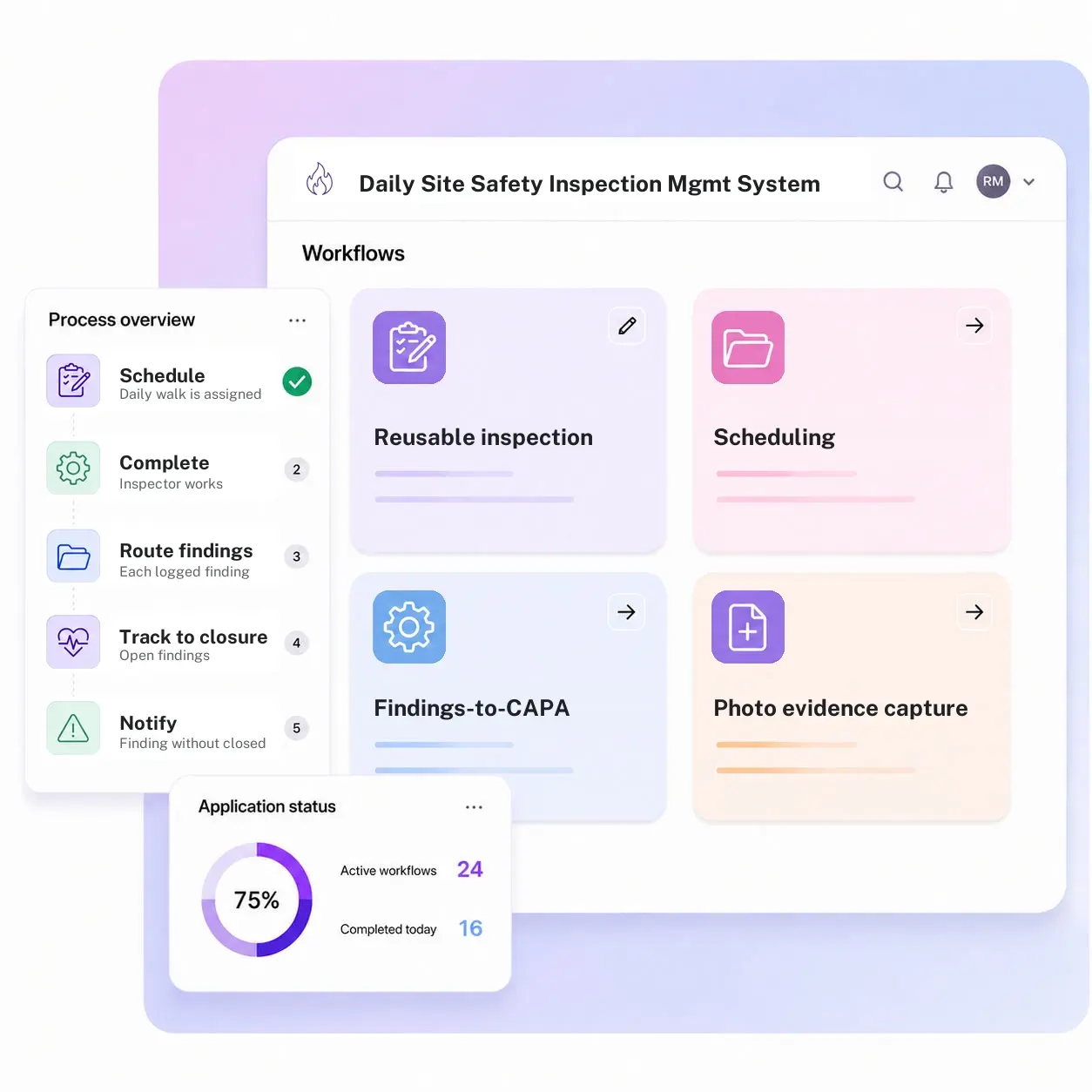
Kissflow runs the daily inspection as a full app instead of a stack of paper checklists: reusable inspection templates maintained by area, asset, or hazard type, scheduling and assignment so the walk happens on a fixed cadence and a missed one is visible immediately, a findings-to-CAPA workflow that turns a logged finding into a corrective action with an owner and a due date, photo evidence capture from the phone or tablet doing the walk, a compliance dashboard showing completed inspections and which areas generate findings most often, and automatic escalation on anything past its due date.
Where a daily walk stops short of an actual fix
Templates get rebuilt every time
Each inspector reconstructs the checklist from memory or an old printout instead of working from a maintained template.
Scheduling depends on habit
The daily walk happens because someone remembers to do it, not because a system assigns and tracks it.
Findings dead-end on paper
A hazard gets noted on the sheet, and the sheet gets filed, with no route to an owner or a fix.
No pattern visibility
The same area generates the same finding week after week, and nobody's tracking that it's a pattern, not a one-off.
Six modules. A daily walk that ends in a fix, not a filed sheet.
Every module ships with default forms, routing, and dashboards. Configure each one to your site's areas and hazard types.
Reusable inspection templates
A maintained checklist library organized by area, asset, or hazard type, so nobody rebuilds the walk from memory at the start of a shift.
Scheduling and assignment
The daily walk is assigned to a specific inspector and tracked on a cadence, so a missed inspection shows up immediately.
Findings-to-CAPA workflow
A logged finding routes directly into a corrective action, complete with an assigned owner and a due date, instead of sitting in a notebook.
Photo evidence capture
A finding can carry a photo taken on the spot, so the record shows the actual condition instead of a description reconstructed later.
Compliance dashboard
A live view of completed inspections, open findings, and which areas or asset types generate findings most often across every shift.
Escalation on overdue items
A finding without a closed corrective action past its due date escalates automatically to a safety manager, instead of quietly slipping.
From request to system of record in four steps
Initiate

The daily safety walk is scheduled on a fixed cadence and assigned to an inspector by area, with the right checklist template attached.
Conduct

The inspector works the template on a phone or tablet, capturing findings and photo evidence as they go.
Flag

Each finding becomes a corrective action with a named owner and a due date, routed the moment the walk ends.
Record

Open findings and their corrective actions are tracked to closure, with overdue items escalating, and results held on the compliance record.
What changes when daily inspections run on Kissflow
| Process | Before Kissflow | On Kissflow |
|---|---|---|
| Checklist | Rebuilt from memory or an old printout | A maintained, reusable template by area |
| Scheduling | Happens because someone remembers | Assigned and tracked on a cadence |
| Findings | Noted on paper, filed, and often forgotten | Routed directly into a corrective action |
| Evidence | A written description, if any | A photo attached to the finding on the spot |
| Overdue items | No visibility until someone asks | Escalate automatically past their due date |
| Pattern visibility | Invisible across weeks of separate sheets | Visible on a dashboard by area and hazard type |
Connects to your EHS and CMMS systems; those stay the system of record for broader compliance and asset data
Kissflow doesn't replace your EHS platform. It runs the daily inspection scheduling, capture, and findings-to-CAPA workflow that feeds it.
.svg)



.svg)
.svg)
.svg)
.svg)

.svg)
.svg)
.svg)
.svg)
.svg)

.svg)

.svg)

.svg)
.svg)
.svg)
.svg)
.svg)
.svg)
.svg)
.svg)
.svg)

.svg)
Built for the walk that happens every single day
A maintained template, not a rebuilt sheet
Every inspection starts from the current template for its area, not memory.
Findings become corrective actions automatically
A logged finding doesn't dead-end on paper; it becomes a tracked action with an owner.
Evidence captured on the spot
A photo attached at the moment of the finding, not described from memory later.
Live in weeks
Configure templates and schedules in the visual builder, or describe the use case to the AI Builder.
Patterns visible across weeks
A dashboard shows which areas generate findings repeatedly, not just today's list.
Governed from day one
Role-based access and a complete audit log are built into every inspection and finding.
Related apps
Safety Audit Action Tracker
Close findings from periodic external or formal internal safety audits against a standard.
Field Safety Observation App
Capture behavior-based safety observations across dispersed field locations.
BBS Observation App
Run structured behavior and coaching conversations, measured on participation and safe-behavior rate.
We help site teams turn a daily walk into a tracked corrective action
.gif)

“If a company cannot enable everybody to use AI, they will never get the true benefit of AI. Platforms like Kissflow allow us to put that capability in the hands of our users in a safe way.”
Vagesh Dave
GVP & CIO at McDermott International, Ltd
See The Full Story

“Advanced automation of all processes is easy to set up. I cannot imagine how to manage workflows without this software.”
Tanay Tiwary
Global Head - Digitalization & Business Improvement
See the Full Story

“Kissflow supports rapid application development by building a working application prototype in the shortest amount of time.”
Maria Theresa Cabigon
CIO, SN Aboitiz Power Group
See The Full Story
See what Kissflow can do for you
Talk to usGot questions? We're here to help.
Get SupportSafety Audit Action Tracker closes findings from periodic, formal safety audits or external inspections against a standard. This app is the day-to-day recurring inspection itself, the daily or per-shift walk that generates the findings, with its own findings-to-CAPA loop for routine issues.
Those apps capture observed behaviors and unsafe conditions, often informally, for coaching or trend purposes. This app runs a structured, scheduled checklist inspection of a defined area or asset, with findings that route into a formal corrective action.
Yes, the checklist, photo capture, and finding submission all work from a mobile device at the site.
It escalates automatically to the assigned owner's supervisor once it passes its due date.
Yes, each area or asset type can have its own maintained checklist.
No. It's the routine, high-frequency inspection layer. Formal audits against a regulatory or corporate standard still run through your audit program, feeding the Safety Audit Action Tracker.
Configuration and AI-assisted app generation move delivery from a multi-month program to a matter of weeks.
Kissflow is certified to SOC 1, SOC 2, SOC 3, and ISO/IEC 27001, with role-based access and a full audit log on every inspection.











