PowerApps Promised Simple.
Delivered Complicated
Real low-code means business users build independently. Not wait for IT to write Power Fx.
- Build and automate workflows visually with intuitive drag-and-drop tools - no coding required.
- Connect seamlessly with 500+ third-party applications.
- Scale to thousands of users with enterprise-grade architecture.
- Reduce IT backlogs and get 451% ROI in months, not years.


4.5/5
By signing up, I accept the Kissflow Terms of Service and Privacy Policy.
Trusted by forward-thinking enterprises


.webp?width=639&height=251&name=Pepsi%20Logos%20(1).webp)



Enterprise Low-Code
That Actually Delivers ROI
Deploy enterprise apps in days, not months, and achieve 450% ROI in under 3 months
 Build Internal Apps 10x Faster With AI-Assisted Low-Code/No-Code Development
Turn Ideas Into Enterprise-Ready Applications in Minutes
Automate Internal Processes in a Single, Unified Platform
Build Internal Apps 10x Faster With AI-Assisted Low-Code/No-Code Development
Turn Ideas Into Enterprise-Ready Applications in Minutes
Automate Internal Processes in a Single, Unified Platform
Welcome back,
It's a pleasure to reconnect with you! Check out this eBook for fresh perspectives to drive your digital transformation forward.
Take the AssessmentTrusted by leading brands around the world



4 Products, Not 1
Power Apps + Power Automate + Power BI + Dataverse. Separate licenses, separate interfaces, constant confusion.

Power Fx Complexity
Your "citizen developers" need 3+ months to learn proprietary formulas. Business users can't build independently.

Hidden Costs Everywhere
$20/user becomes $50+ when you add Power Automate, AI Builder ($500/unit), premium connectors, and consultants.

Weeks Become Months
Enterprise projects stretch from weeks to months. Consultant rates run $150-200/hour. Development costs: $10K-$100K+ depending on complexity.
What Matters Most |

|

|
|---|---|---|
|
Platform Model |
One unified platform |
4 separate products |
|
Who Can Build |
Business users (no code) |
Requires IT/developers |
|
Learning Curve |
2-3 hours to first workflow |
3+ months to proficiency |
|
AI Capabilities |
Included |
Need to pay extra |
|
Premium Integrations |
1,000+ included (Salesforce, SAP, Oracle) |
$5/user/month extra |
|
Customer Portals |
Built-in |
Power Pages (separate license) |
|
Implementation Time |
4-6 weeks |
Weeks to months |
Proven 451% ROI

AI for enterprise use cases
.webp?width=718&height=308&name=AI%20for%20Enterprise%20Use%20Cases%20(1).webp)
Simple AND sophisticated
.webp?width=718&height=308&name=Simple%20and%20Sophisticated%20(1).webp)

Cost Reduction
ROI in 3 Months
Faster App Deployment
IT Backlog Reduction
Organize and secure your data
-
Centralize and secure all your data in one place.
-
Use real-time filters and views to structure information.
-
Control data access with customizable permissions.
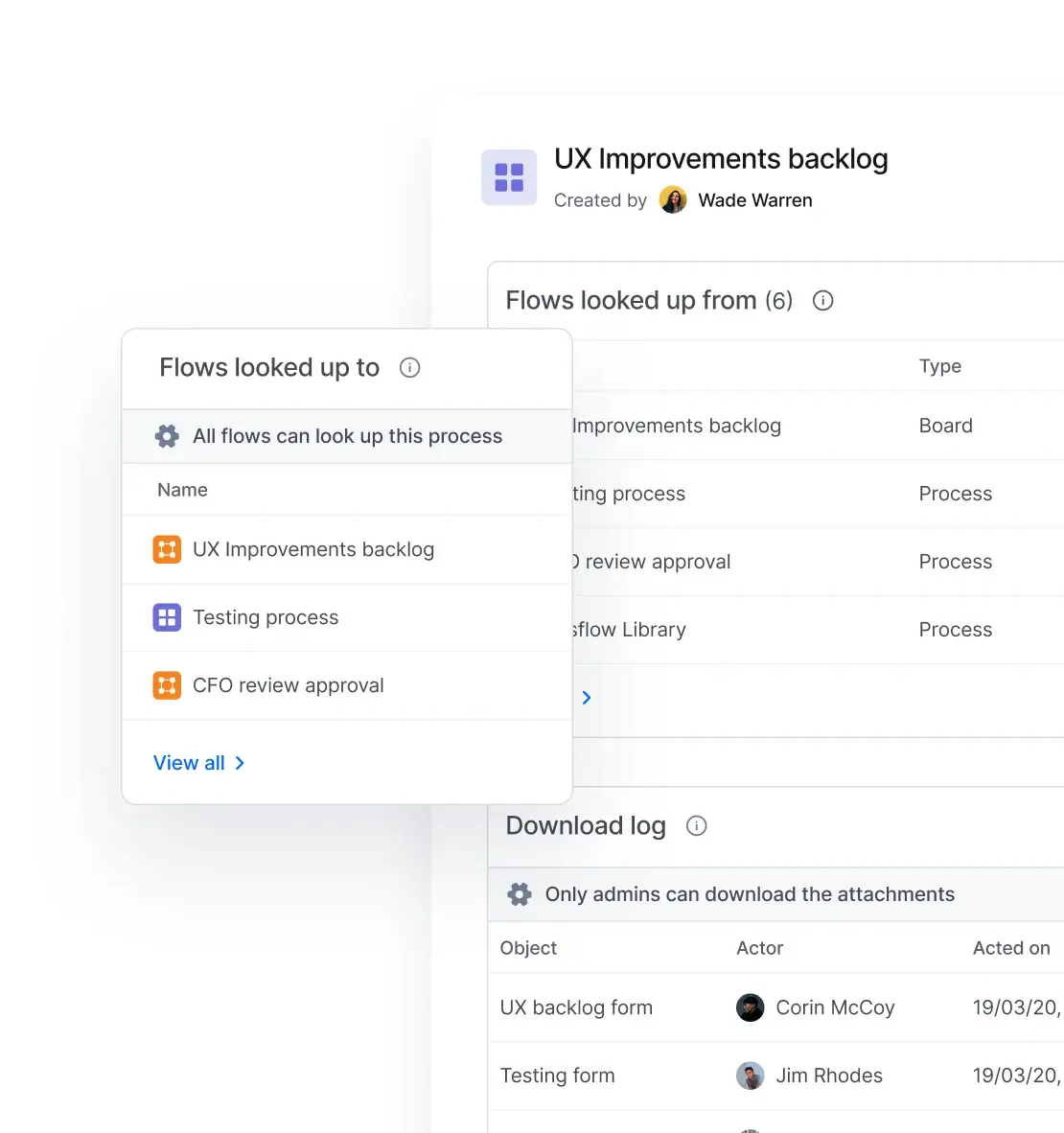
Keep tabs on all your apps
-
Monitor app performance and catch issues before they escalate
-
Track usage patterns to identify potential risks
-
Ensure business continuity with real-time info
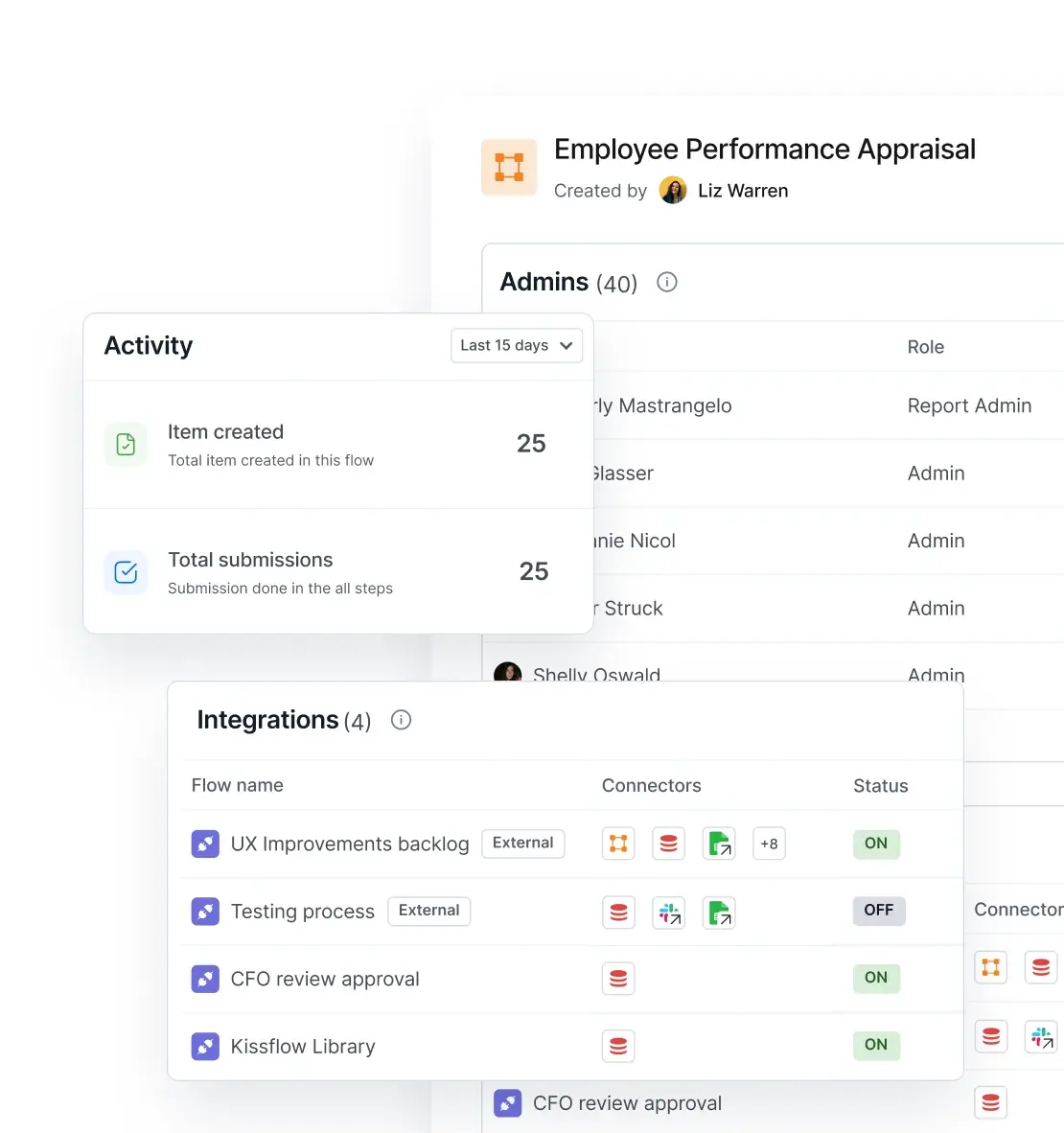
Stay informed on user activities
-
Track logins, actions, and behaviors across your entire platform
-
Detect suspicious activity and respond to security threats
-
Maintain visibility into access permissions
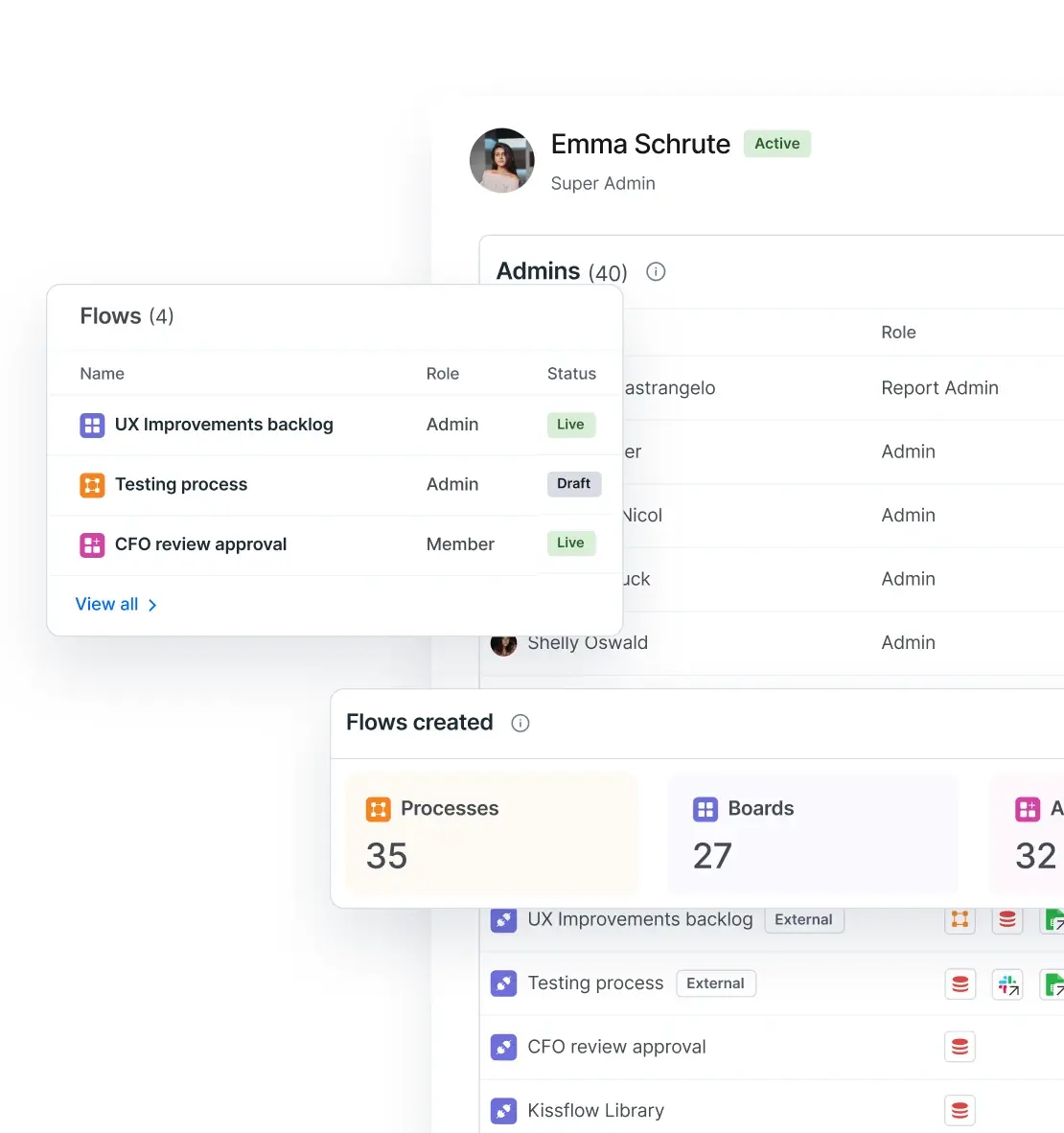
Controlled secure access at every level
-
Assign permissions based on roles to minimize security exposure
-
Ensure users access only what's necessary for their responsibilities
-
Reduce compliance risks with precise, auditable access controls
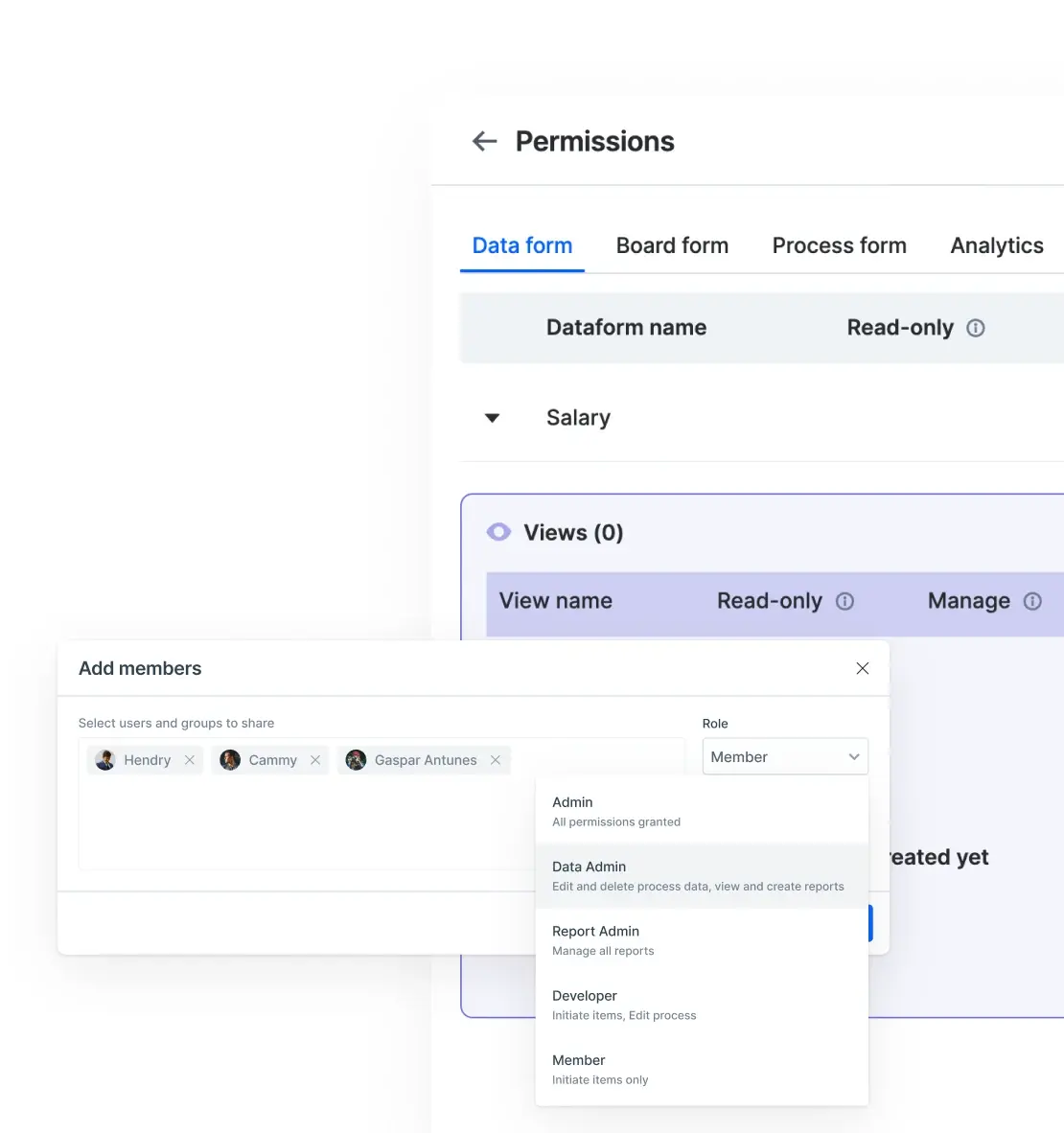
Complete records for full accountability
-
Automatically log every action and change in the system
-
Meet regulatory compliance requirements with audit trails
-
Investigate incidents with timestamped records
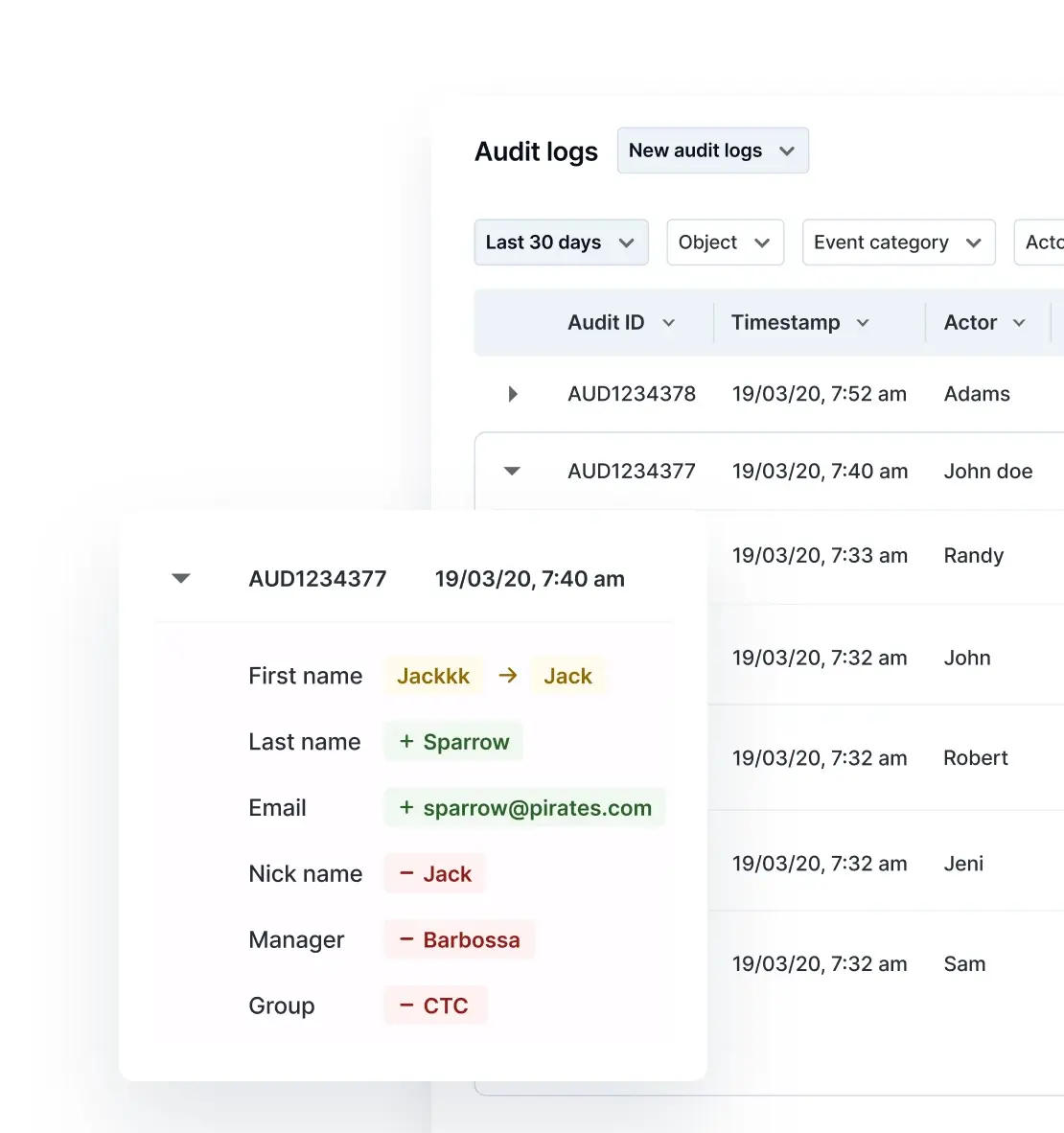
Organize and secure your data
-
Centralize and secure all your data in one place.
-
Use real-time filters and views to structure information.
-
Control data access with customizable permissions.
Keep tabs on all your apps
-
Monitor app performance and catch issues before they escalate
-
Track usage patterns to identify potential risks
-
Ensure business continuity with real-time info
Stay informed on user activities
-
Track logins, actions, and behaviors across your entire platform
-
Detect suspicious activity and respond to security threats
-
Maintain visibility into access permissions
Controlled secure access at every level
-
Assign permissions based on roles to minimize security exposure
-
Ensure users access only what's necessary for their responsibilities
-
Reduce compliance risks with precise, auditable access controls
Complete records for full accountability
-
Automatically log every action and change in the system
-
Meet regulatory compliance requirements with audit trails
-
Investigate incidents with timestamped records
.svg)



.svg)
.svg)
.svg)
.svg)

.svg)
.svg)

.svg)
.svg)
.svg)
.svg)

.svg)

.svg)

.svg)
.svg)
.svg)
.svg)
.svg)
.svg)
.svg)
.svg)
.svg)
.svg)
.svg)

.svg)


Who is Kissflow for?

IT Leaders
CIOs, CTOs, VPs of IT, Enterprise Architects
Managing a lean IT team with a growing backlog? Need to accelerate delivery while maintaining governance?
Kissflow helps you:
- Deploy applications in days, not months
- Empower fusion teams without bottlenecking core IT
- Maintain centralized governance and visibility
- Reduce operational spend while scaling delivery

Transformation Leaders
CDOs, Business Analysts, Process Excellence, Continuous Improvement, Directors of Innovation
Frustrated by IT wait times? Want to transform processes without technical barriers?
Kissflow helps you:
- Automate workflows without code or IT tickets
- Implement improvements immediately
- Optimize operations with solutions you control
- Drive measurable transformation, not just requests

Fusion Developers
Business Technologists, Low-Code/No-Code Developers, Citizen Developers
Bridging business and IT? Need speed without sacrificing power?
Kissflow helps you:
- Build applications with AI-powered assistance
- Create integrations in seconds, not weeks
- Collaborate seamlessly across teams
- Deliver scalable, maintainable solutions fast



“Advanced automation of all processes is easy to set up. I cannot imagine how to manage workflows without this software.”
Tanay Tiwary
Global Head - Digitalization & Business Improvement
See the Full Story

“Advanced automation of all processes is easy to set up. I cannot imagine how to manage workflows without this software.”
Maria Theresa Cabigon
CIO, SN Aboitiz Power Group
See The Full Story

“Everyone uses Kissflow. It requires no previous training. The platform is very intuitive and user-friendly.”
Antonio Serpa Pinto
Head of IT
See the Full Story